Acquisition Panel
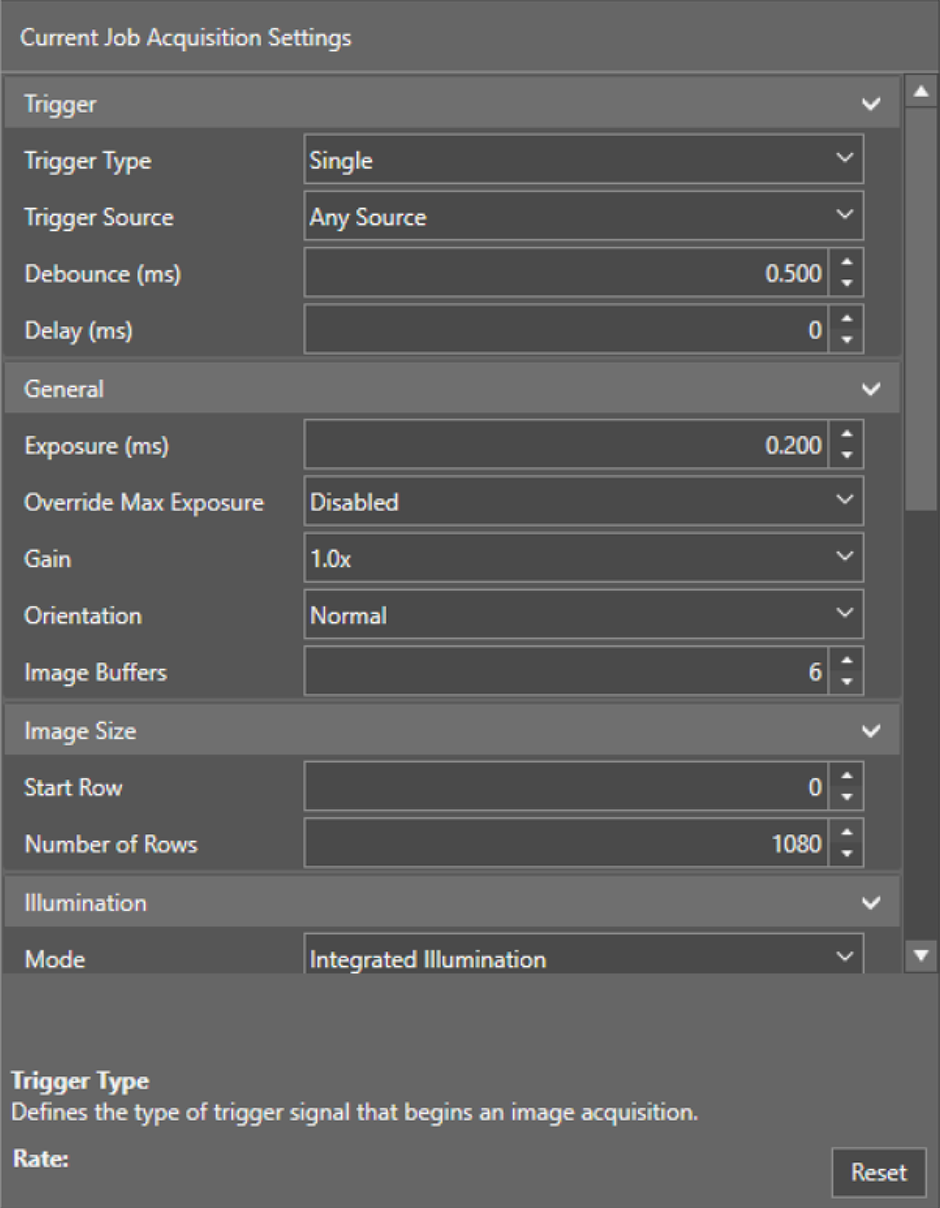
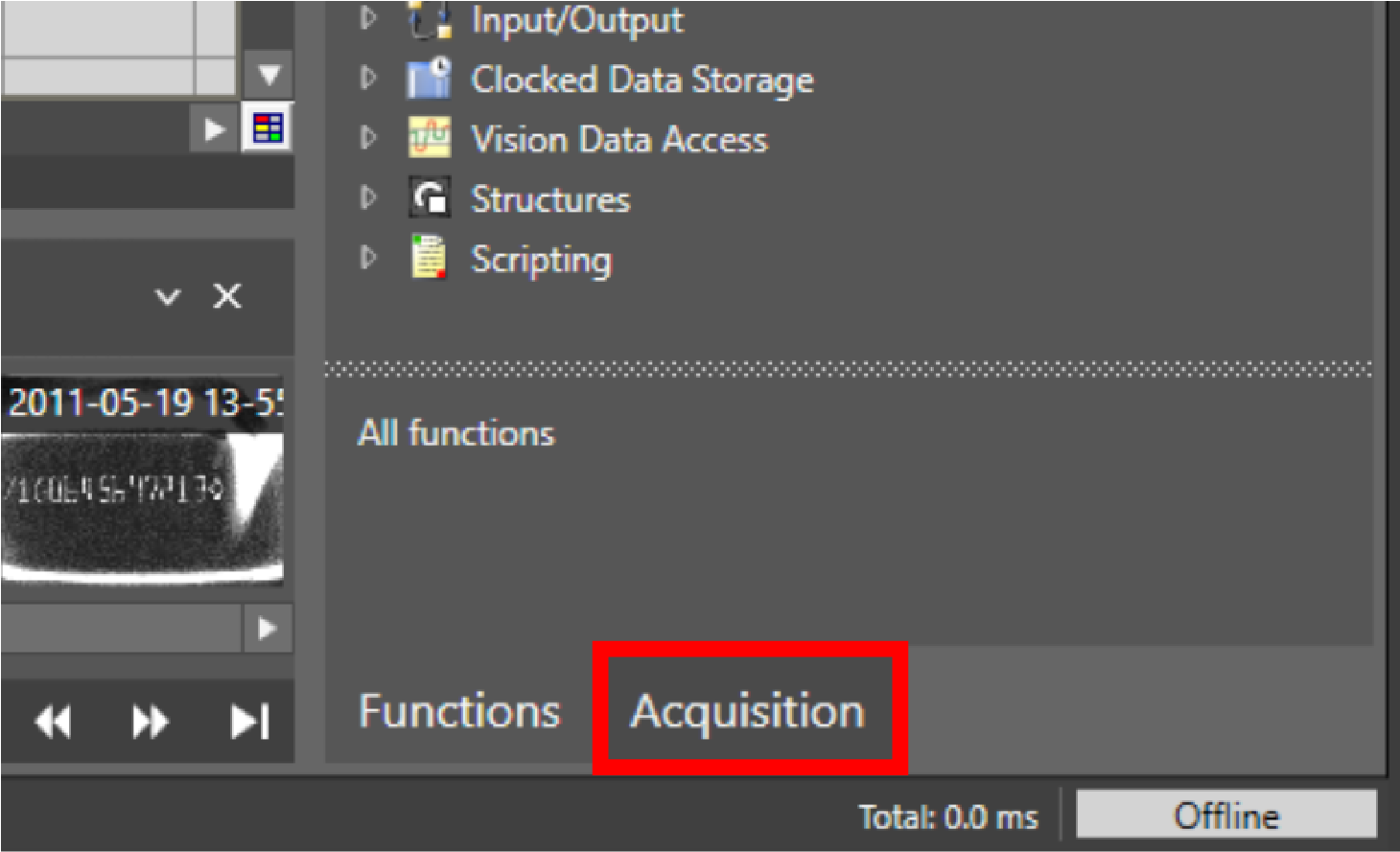
On the Acquisition panel, you can adjust various settings for the next image acquisition. To open the acquisition panel, click on Acquisition in the bottom right corner.
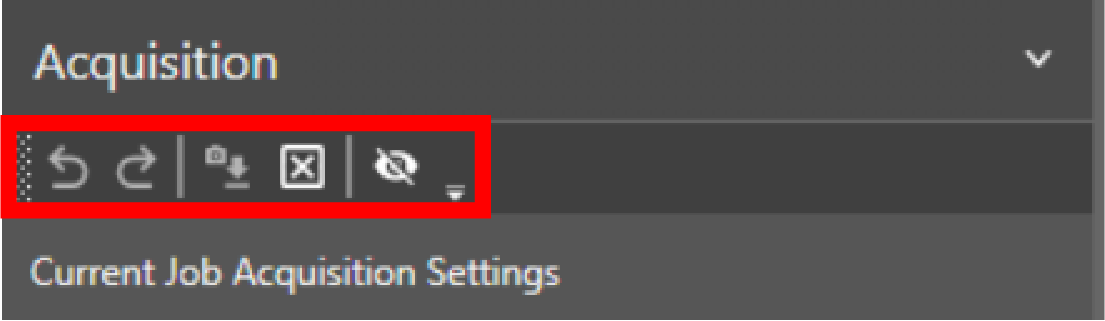
Acquisition action bar elements:
|
|
||
|---|---|---|
| Icon | Name | Action |
|
|
Undo | Undo last action. |
|
|
Redo | Redo last action. |
|
|
Reset Setting | Resets the settings back to the property values in-use when you first connected to the device. |
|
|
Resets Acquisition | Resets acquisition settings to the default values. |
|
|
Show/hide no effect settings | Toggles the visibility of settings that currently have no effect. |


Acquisition settings:
|
|
|||
|---|---|---|---|
| Section | Setting | Description | Values |
| Trigger | Trigger Type | Defines the type of trigger signal that begins an image acquisition. | Single: An external trigger event triggers the start of an acquisition and an inspection. |
|
Self: Acquisitions and inspections occur periodically. |
|||
|
Trigger Interval (ms) Appears in Self Trigger mode only. |
Defines the time in milliseconds between acquisitions, when Self trigger type is selected. | [0, 10000] | |
|
Trigger Source (ms) Appears in Self Trigger mode only. |
Defines the trigger source for the acquisition: |
Trigger Input Line: Trigger acquisition when the trigger input of the vision system line goes high. | |
| Camera Trigger Button: Trigger acquisition by pressing the trigger button on the vision system. | |||
| Native Mode: Trigger acquisition by sending a Native Mode command to the vision system. | |||
| Network (UDP): Trigger acquisition when the vision system receives a specifically formatted UPD package. | |||
| Factory Protocols: Trigger acquisition by toggling a bit with the configured industrial protocol. | |||
| WebHMI Trigger Button: Trigger acquisition by pressing the trigger button in the WebHMI. | |||
|
Debounce (ms) Appears in Single Trigger mode only. |
Defines the time in milliseconds that a camera trigger has to last to a trigger an acquisition. | [0, 10] | |
|
Delay (ms) Appears in Single Trigger mode only. |
Defines the delay between the time that the vision system receives a trigger to acquire an image, and the time the vision system begins the image acquisition. | [0,10000] | |
| General | Exposure (ms) |
Defines the exposure time. When the vision system receives an image acquisition trigger signal, light is integrated into the image sensor array for the specified duration. Note: The maximum exposure value varies based on the capabilities of the connected illumination.
|
[0, 6.5] |
| Override Max Exposure |
Allows setting the exposure time to values greater than the recommended maximum. Note: When enabled, if the exposure time exceeds the capability of the illumination accessory, the illumination accessory will not remain on during the entire exposure.
|
[Enabled, Disabled] | |
| Offset |
Brightens the image additively. Enhances dark areas but loses detail on bright spots. Most useful when combined with Gain. |
[0, 255] | |
| Gain | Brightens the image multiplicatively. Enhances dark areas but loses detail on bright spots, and increases image noise. Most useful when combined with Offset. | [1x, 2x, 3x, 4x, 6x, 8x] | |
| Orientation | Defines the orientation at which In-Sight processes the acquired image. | [Normal, Mirrored horizontally, Flipped vertically, Rotated 180 degrees] | |
| Image Buffers |
Defines the number of image buffers allocated for acquisition. Considerations for setting the image buffer:
|
[6, 25] | |
| Image size | Start Row | Defines the first row to transfer from the image sensor into the memory of the vision system. | [0,1079] |
| Number of Rows | Defines the number of image sensor rows to transfer into the memory of the vision system. | [1,1080] | |
| Illumination | Mode | Defines the illumination device. | [Disabled, Integrated Illumination, External Illumination] |
| Intensity | Specifies the intensity of the illumination device. | [0, 100] | |
| Always On | When enabled, the illumination device is on continuously. | [Disabled, Enabled] | |
| Strobe Start Appears in External Illumination mode only. | Defines when the strobe fires. | [Camera Trigger, Acquisition Start] | |
| Strobe Polarity
Appears in External Illumination mode only. |
Defines the signal that fires a connected strobe. | [Low, High] | |
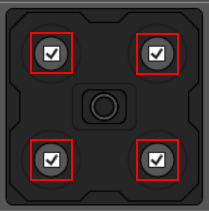
| Banks Enabled Appears in Integrated Illumination mode only. |
Check or uncheck the checkboxes inside the banks on the graphic to enable or disable each bank. Note: Banks graphics can vary depending on the illumination hardware attached to the vision system.
|
|
|
| Light Color Appears in Integrated Illumination mode only. | Defines the color of the illumination. | [WHITE, RED, GREEN, BLUE] | |
|
Focus Note: Focus options appear only when a liquid lens is attached to the vision system.
|
Focus Distance (mm) | Focus distance in millimeters. | [65, 4043] |
| Focus Region | Defines the size and position of lens focus region. Click on the Edit button to set. | ||
| Autofocus | A single button to auto-set the focus position based on current settings. | ||
| High Dynamic Range | HDR Mode |
Enables or disables High Dynamic Range (HDR) processing. |
[None, HDR, HDR+] Note: HDR+ is only available on IS3800 models. HDR is not available on color units.
|