Setting up the In-Sight Vision System
The first step of configuring communication between an In-Sight vision system and the PLC is enabling PROFINET communication on the vision system. Perform the following steps to configure the vision system accordingly:
-
Launch In-Sight Vision Suite.
-
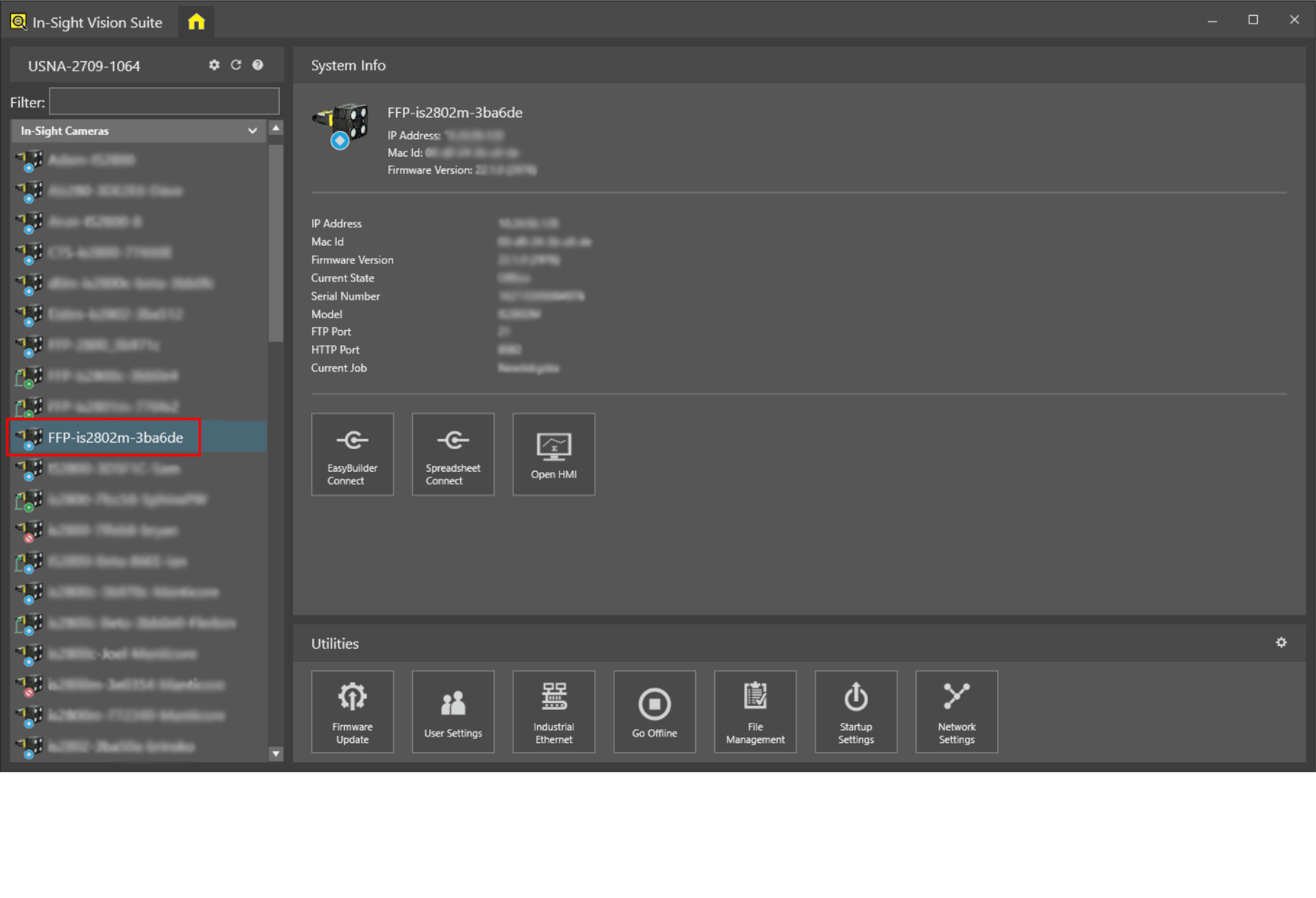
Click the vision system that you want to configure on the Device Pane to select it
-
Once the vision system is selected, the available utilities appear at the bottom of the In-Sight Vision Suite window. Click Industrial Ethernet to launch the Industrial Ethernet configuration utility.
-
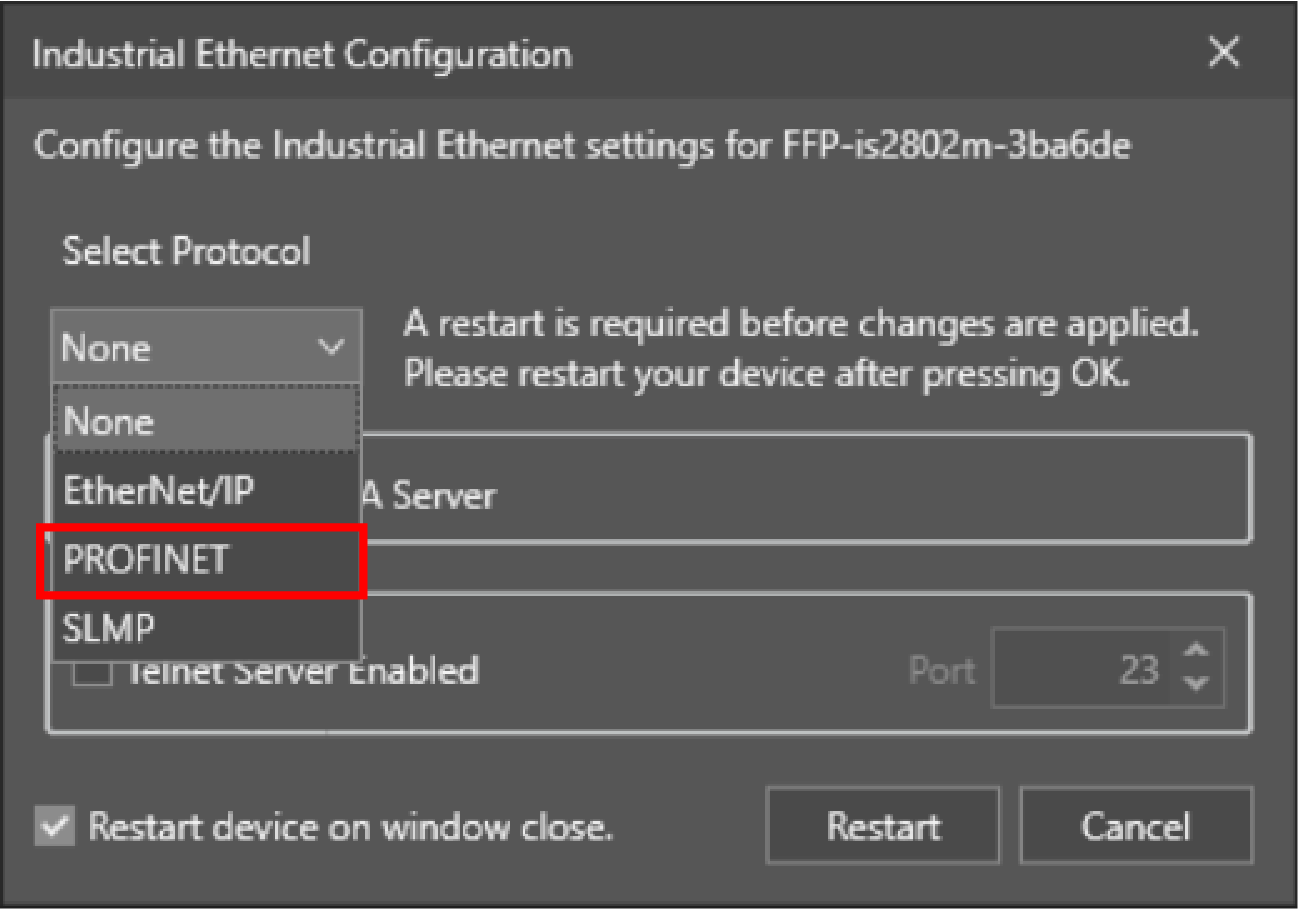
Select the PROFINET protocol from the dropdown list. Once selected, additional options appear in the window.
-
Check the Enable PROFINET Station Name checkbox, then type