Cloud License Configuration
To have full access to all the Edge Learning tools for the In-Sight EasyBuilder, you need to import a Cloud Credential File into CodeMeter, which is the security software installed with the In-Sight EasyBuilder. The Cloud Credential File provides the necessary Edge Learning feature keys required for tool execution by authorizing a connection to a cloud dongle.
-
Go to the In-Sight EasyBuilder license support site: https://support.cognex.com/en/InsightVisionSuite.
-
Log in to your MyCognex account.
-
Click Download Credential File.

-
Open the CodeMeter Control Center.
-
Select Import License.
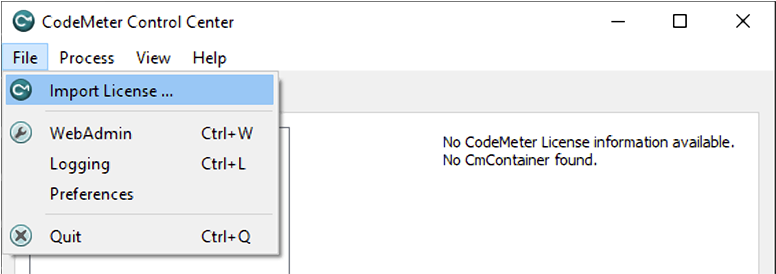
-
Select the downloaded credential file.
-
Click Import.