Connecting to a Wireless DataMan 8700 Through Base Station
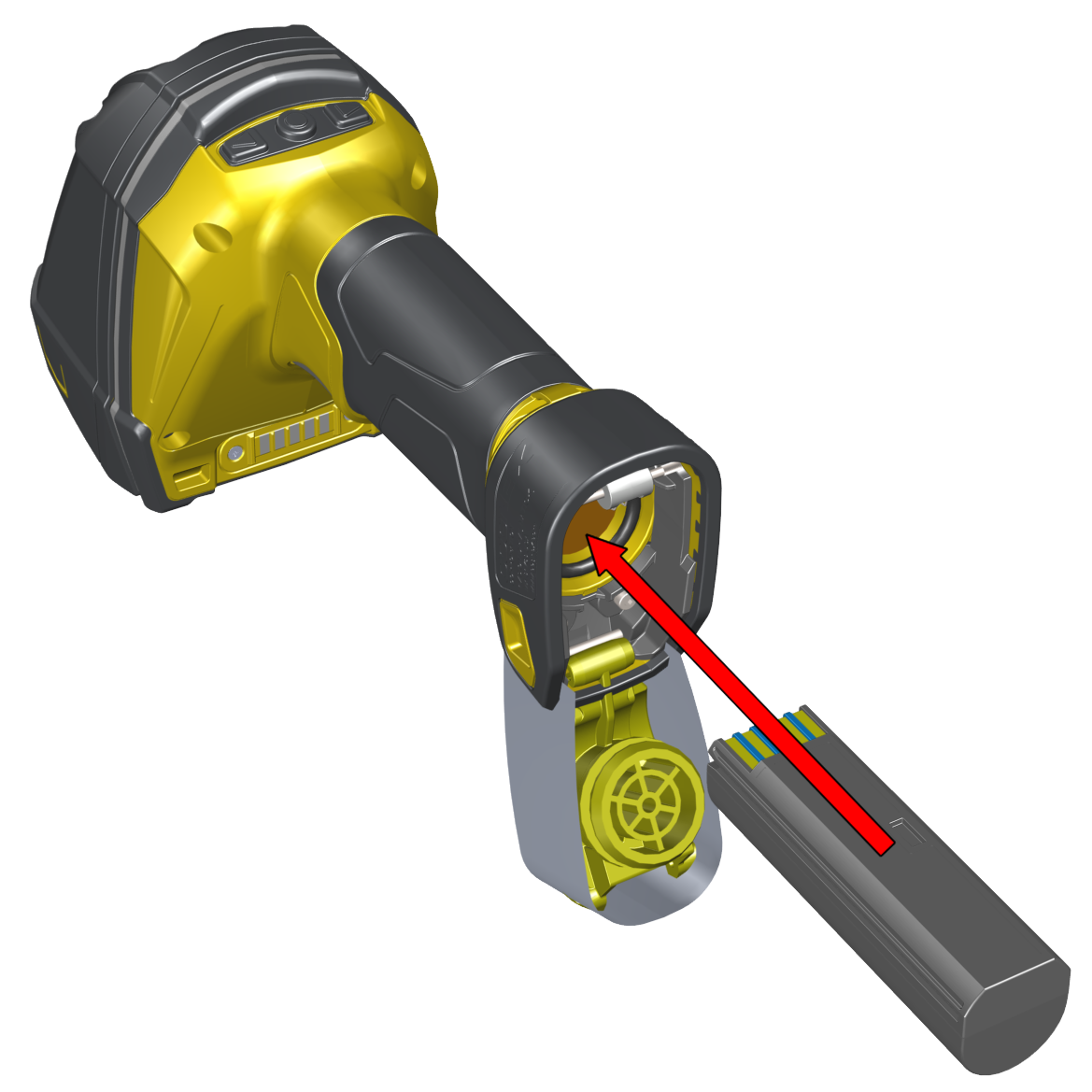
- Open end cap and insert the battery. Make sure you insert the battery into the slot with the metal contact pins pushed in first.Tip: A small triangle on one side of the battery is also indicating the correct placement.
-
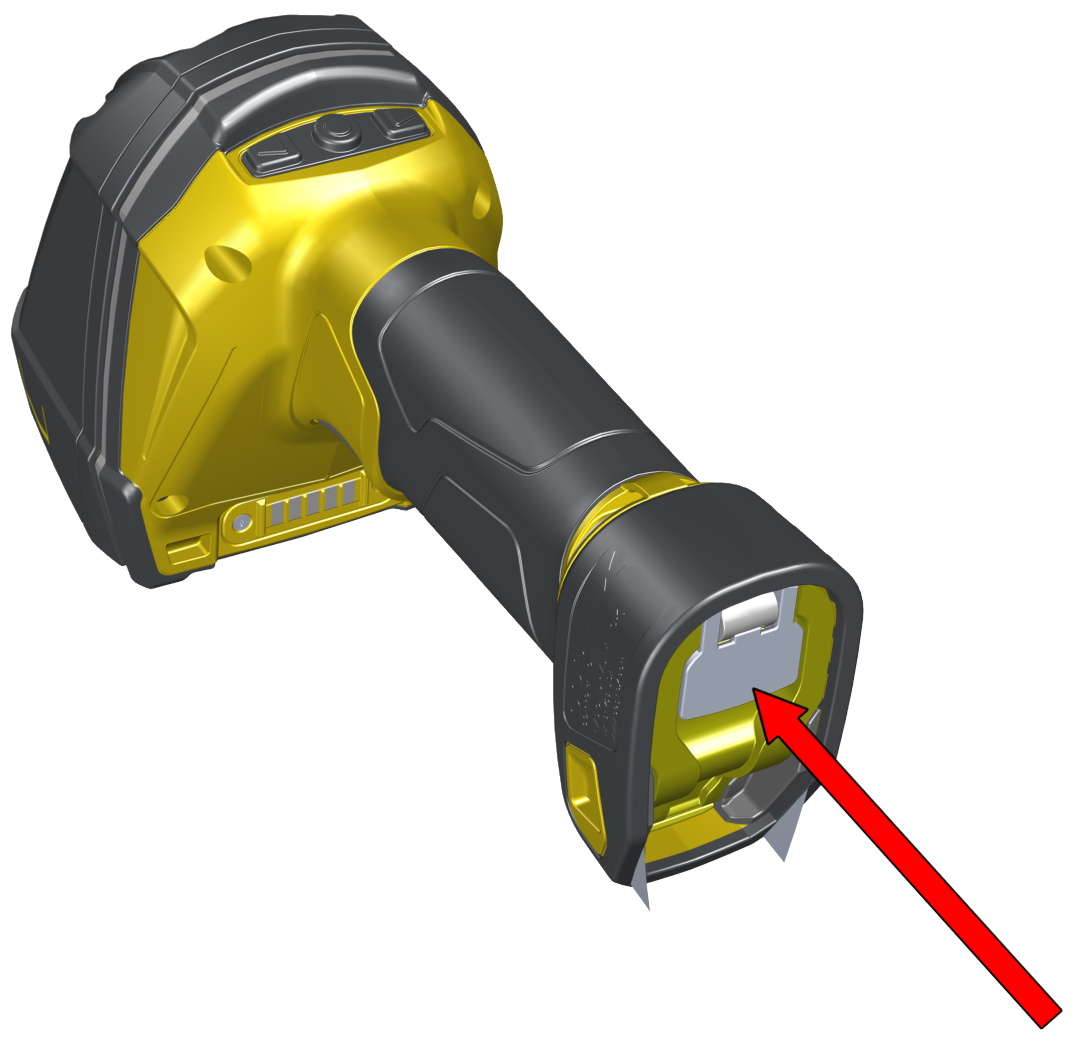
Press the metal tab until you hear a click to close the end cap.
-
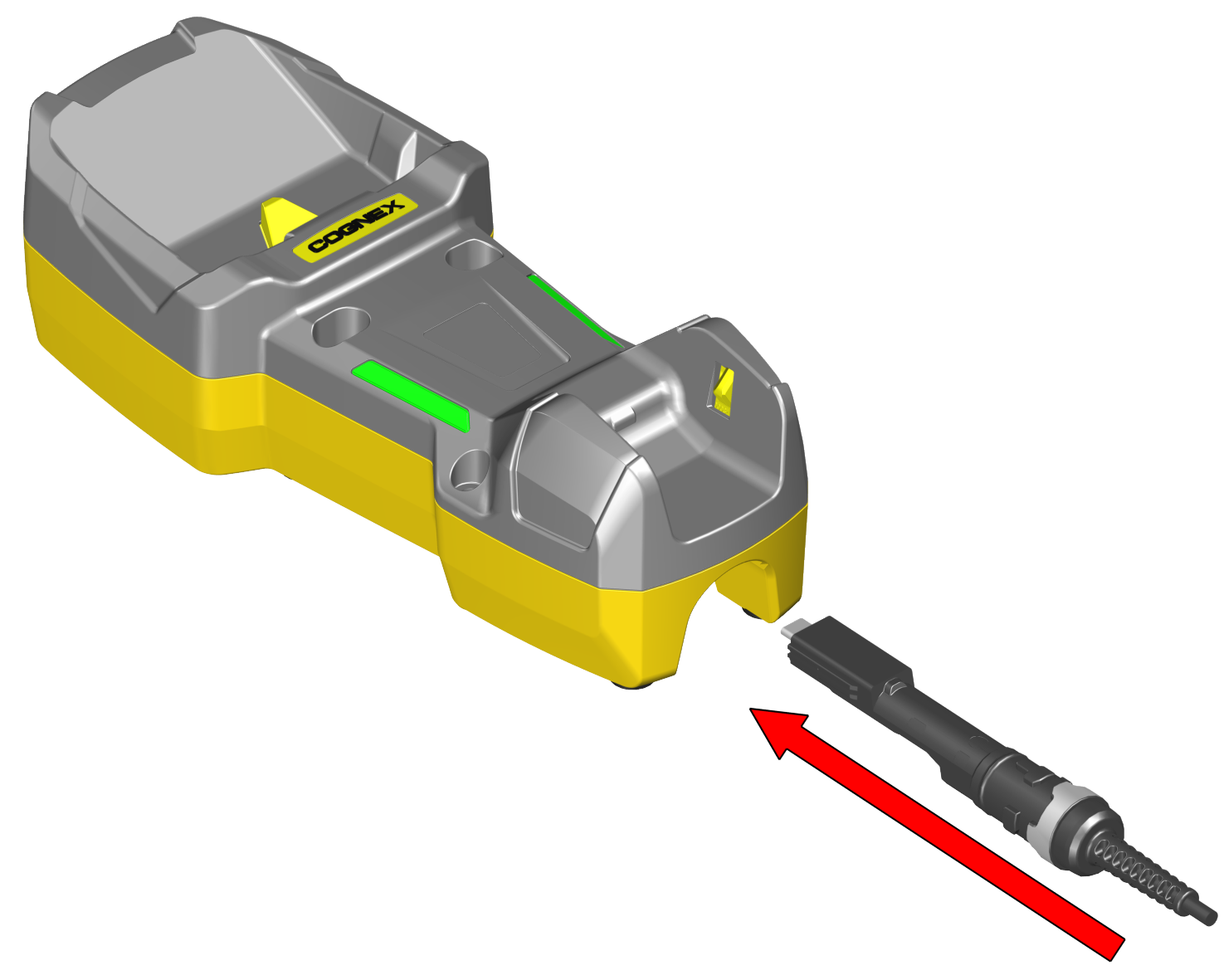
Connect the USB or RS-232 cable with external power or the Power over Ethernet (PoE) cable to the base station.
-
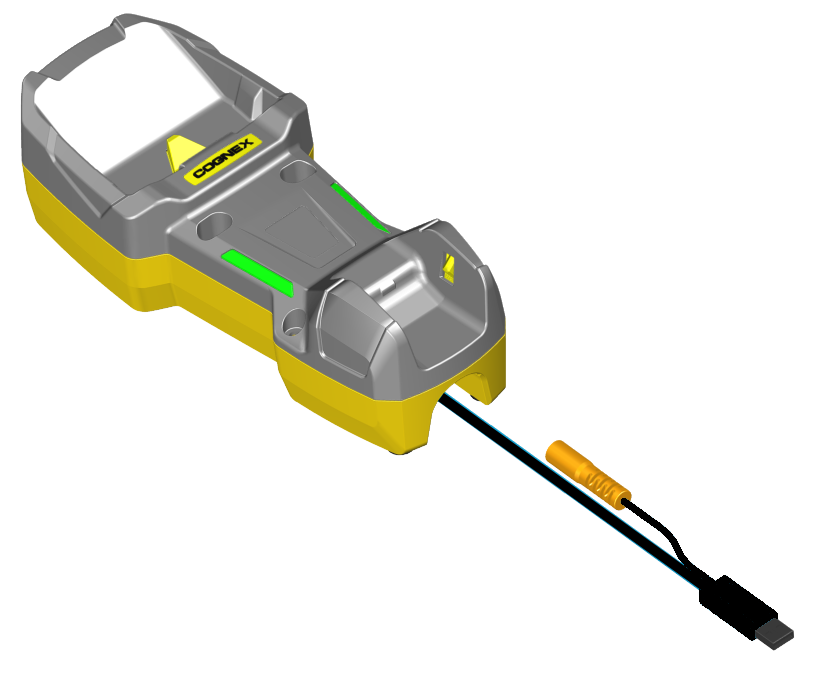
Connect the other end of the cable to the computer or to the hub.
-
If using PoE cable, skip this step. For cables with RS-232 or USB-A connector, connect the 5.5 V power supply.
 Note:
Note:When you connect the reader through USB, always use a power supply. When using a DM8700 DX with a USB cable (DMC-HH-USBA-02 or DMC-HH-USBC-02), make sure to connect the USB connector to a USB hub that stays enabled even if the PC or notebook goes to sleep.
When using other models including base station, connecting to a USB hub that is always enabled is not obligatory, but strongly recommended.