Synchronized Acquisition
Synchronized Acquisition is only available for the DataMan 300, 360, 370 and 470 readers with an -M option, and the DataMan 503. In Single, Burst, Continuous, and Self trigger modes, it is possible to sync0hronize image acquisition on multiple devices using the synchronization interface.
Synchronization allows using one shared strobe illumination to expose all sensors simultaneously. You can synchronize multiple readers, with optionally triggering them in a defined sequence to avoid that opposing readers blind each other.
This feature only synchronizes the actual image acquisition, triggering happens through the existing multi-reader sync mechanism.
Synchronized Acquisition for the DataMan 300, 360, 370, and 470
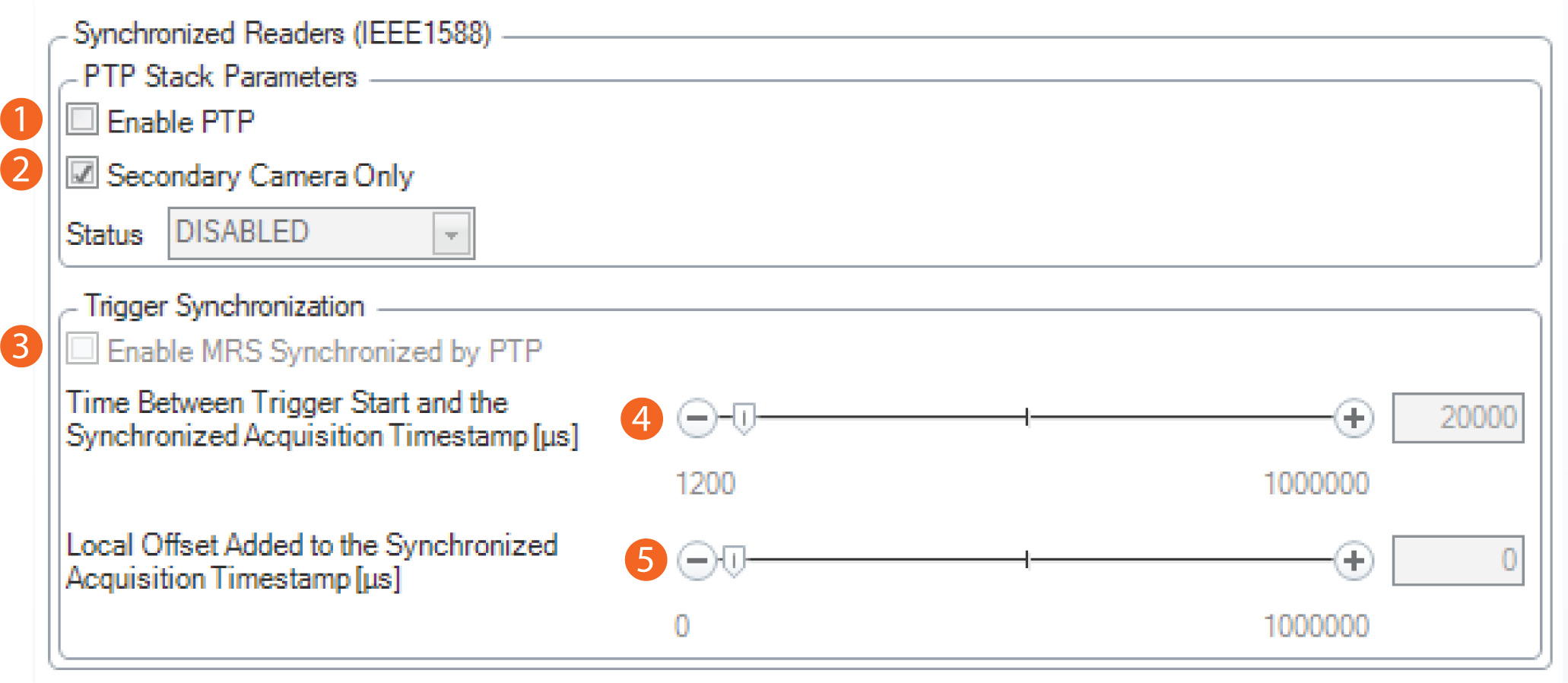
To set up synchronized acquisition on your reader, enable PTP (Precision Time Protocol) on the Multi-Reader Sync pane of the DataMan Setup Tool under Synchronized Readers (IE1588).
Perform the following steps:
- Check Enable PTP.
- Keep Secondary Camera Only checked if there is already a PTP Primary Reader clock in the network (uncheck the checkbox otherwise on at least one reader).
- Enable MRS Synchronized by PTP to synchronize Multi-Reader Sync triggering.
- Set the Time between Trigger Start and the Synchronized Acquisition Timestamp. This is the time the Primary Reader adds to the trigger to make sure all devices already received the trigger message before this time stamp (Primary Reader Only).
- Set the Local Offset Added to the Synchronized Acquisition Timestamp. This is the time the Secondary Reader adds to the timestamp to realize offset image acquisitions (Secondary Reader Only).
Synchronized Acquisition for the DataMan 503
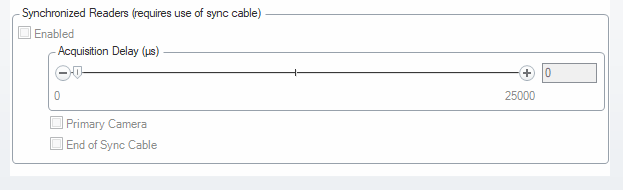
Enable Synchronized Exposure on the DataMan Setup Tool’s Multi-Reader Sync pane. Set the Acquisition Delay (μs) (relative to the received signal through the synchronization interface) on each reader individually to optionally define an exposure sequence in case the illumination of some readers might affect other readers.
You must also set which two readers on the ends of the synchronization interface bus are bus terminators by checking the End of Sync Cable checkbox for the currently connected devices at the end of a sync cable.