Main
After verification, the Main menu shows a snapshot of the verification results.
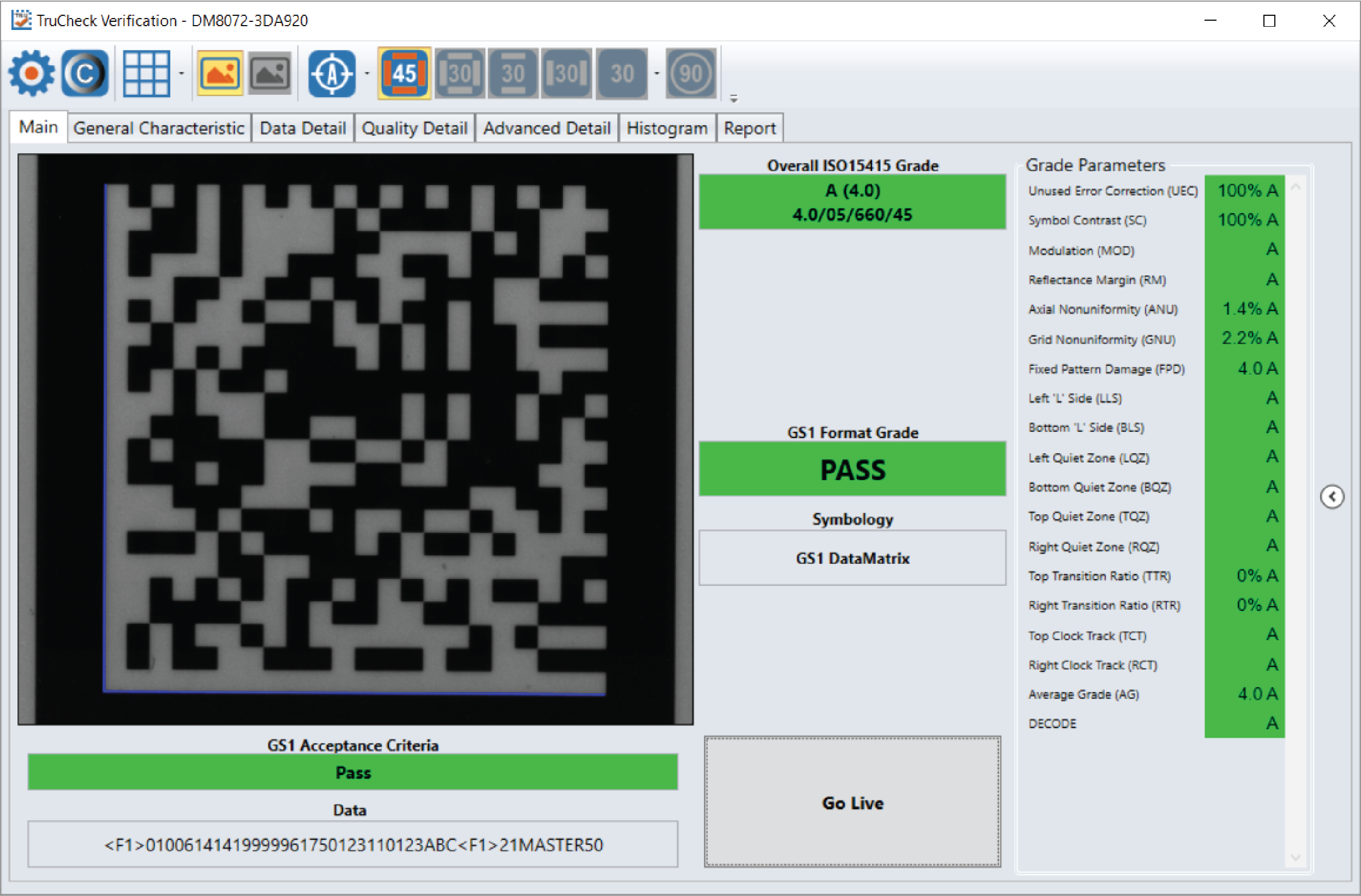
Acceptance Criteria: This box will provide a Pass/Fail grade for the barcode and is dependent on the Application Standard selected.
Data: This box will show the decoded data. If the data is longer than the box provided, the data will develop a scroll bar to show the remaining data.
Overall Grade: This box will show the overall grade results for the barcode as both a letter grade and numeric grade in the format of A (4.0). In addition, a Formal Grade is provided in the format “Grade/Aperture/Wavelength/Lighting”. For example, a Formal Grade of “4.0/08/660/45” is interpreted as receiving a grade of 4.0 using 8 mil aperture (0.2 mm), 660 nm wavelength, and 45° lighting.
Format Grade: This box will provide the Format Grade of the barcode and is dependent on the either Application Standard or Data Format Check criteria selected.
Symbology: This box will report what type of symbology was detected and used for verification.
Grade Parameters: This box will provide information on the Quality Parameters grading for the barcode. More detailed information for these parameters is found on the Quality Detail tab. If the Grade Parameters is not visible on the Main menu, select the arrow on the right side of the menu to open it.