Installing the Liquid Lens module with High Power Integrated Light (HPIL)
Possible hardware configurations using a liquid lens module with a DataMan 470 reader:
| System | Liquid Lens | Lens part number | HPIL type |
|---|---|---|---|
|
|
10.3 mm M12 lens with wrench and built-in IR blcoking filter |
DMLN-10LL-SMT |
DM360-HPIL-RE DM360-HPIL-RE-P DM360-HPIL-WHI |
|
10.3 mm IR M12 lens with wrench, without built in IR blocking filter |
DMLN-10LL-IR-SMT |
DMLT-HPIL-IR-W |
|
|
24 mm F6 liquid lens module with built in IR blocking filter |
DM360-LENS-24LL |
DMLT-HPIL-RE DMLT-HPIL-RE-P DMLT-HPIL-WHI |
|
|
24 mm F6 liquid lens module without built-in IR blocking filter, with built-in daylight filter |
DMLN-C24F06-LL-IR |
DMLT-HPIL-IR-W |
|
|
24 mm F10 liquid lens module with built in IR blocking filter |
DMLN-C24F10-LL |
DMLT-HPIL-RE DMLT-HPIL-RE-P DMLT-HPIL-WHI |
Possible hardware configurations using a high-speed liquid lens module with a DataMan 470reader:
| System | High-speed Liquid Lens | Lens part number |
Extension (DM300-EXT)needed? |
HPIL type |
|
|
16 mm F8 autofocus lens |
DMLN-C16F08-HSLL |
Yes |
DM360-HPIL-RE DM360-HPIL-RE-P DM360-HPIL-WHI |
|
24 mm F6 autofocus lens |
DMLN-C24F06-HSLL |
Yes |
DMLT-HPIL-RE DMLT-HPIL-RE-P DMLT-HPIL-WHI |
Tools needed:
-
Wrench for lens locking ring (10.3 mm LL only - delivered by Cognex with Liquid Lens module)
- Phillips screwdriver
To install a 10.3 mm or a 24 mm liquid lens module of a DataMan 470 reader, perform the following steps:
-
Remove
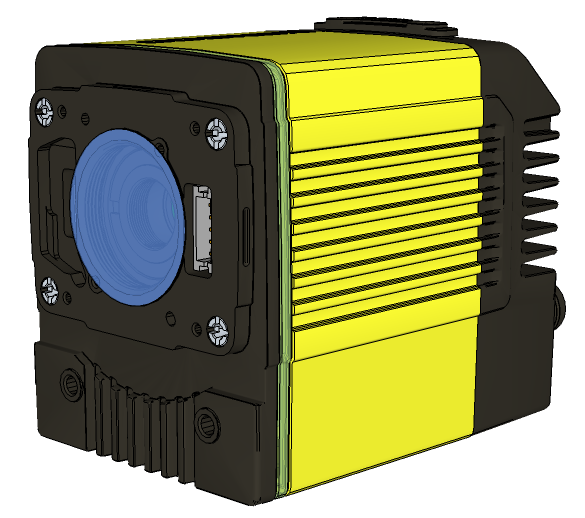
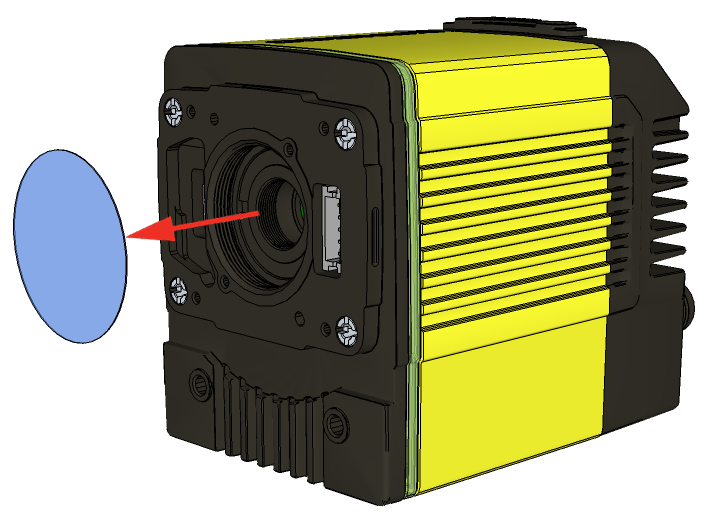
-
Attach the 24 mm Lens to the device by using the screw thread on the metal ring.
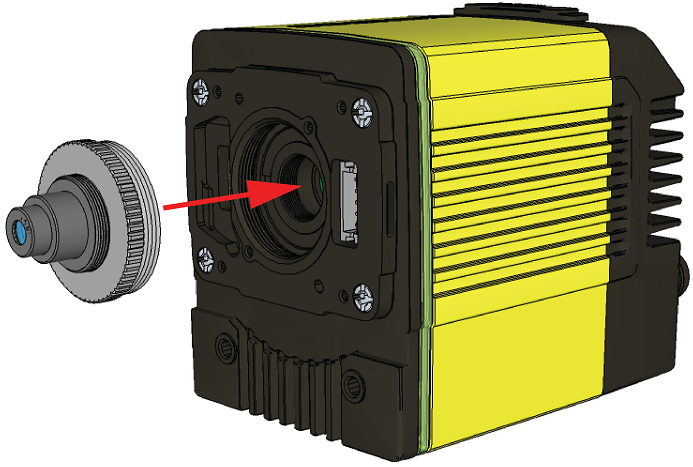
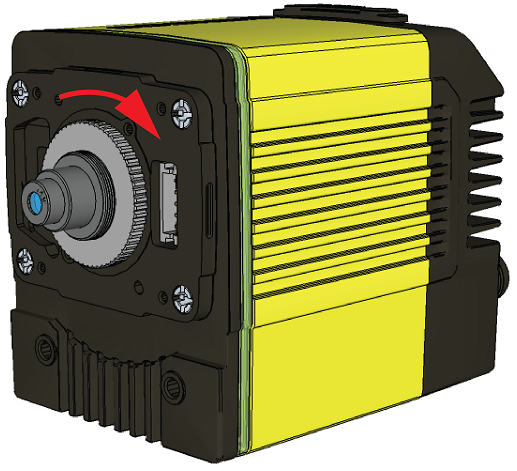
Insert an S-Mount adapter, thread the 10.3 mm Lens into the reader, and tighten the locking ring.
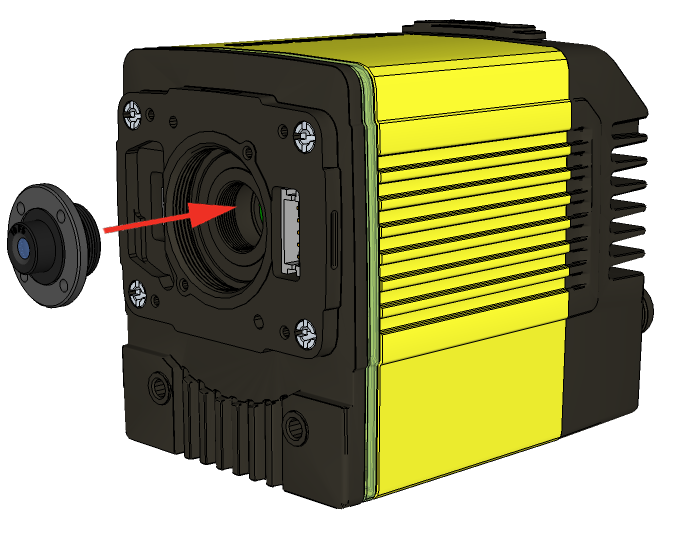
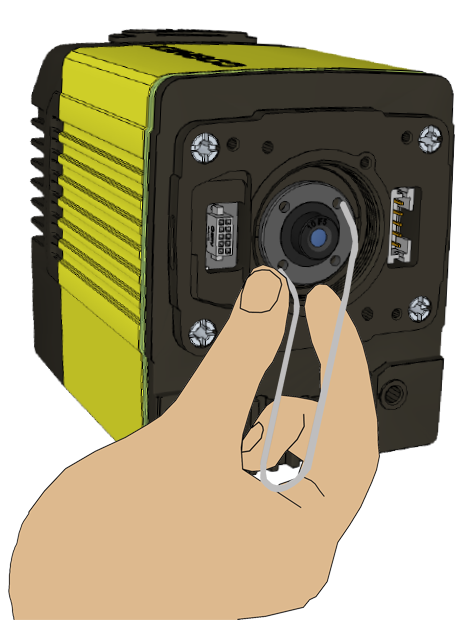
-
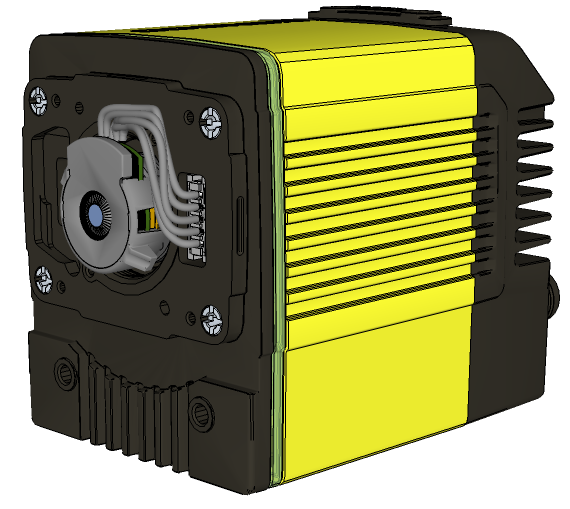
Insert the Liquid Lens cable into the connector of the reader.
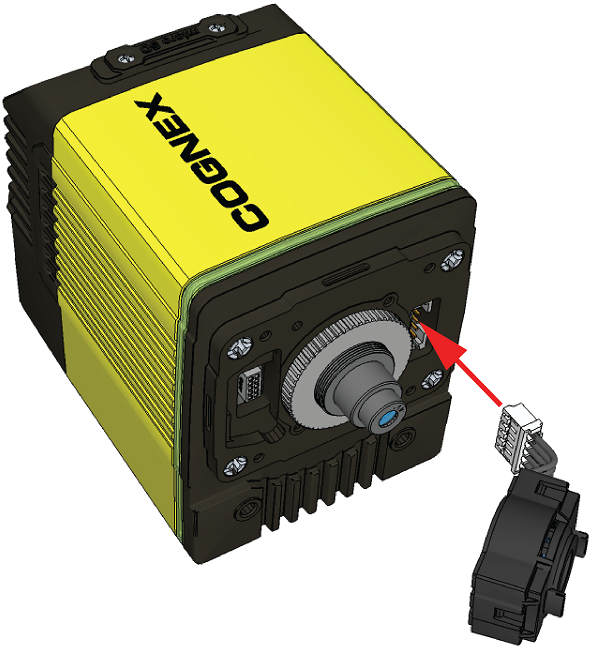
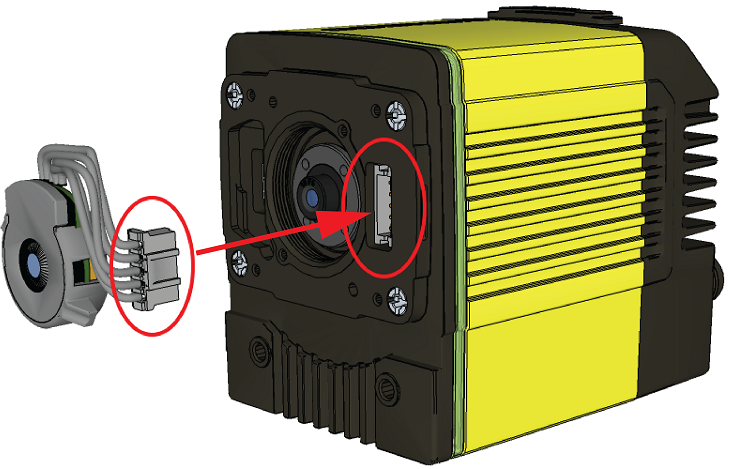 WARNING: To avoid equipment damage, the cables must be routed as shown in the figure.
 - Attach the Liquid Lens to the front side of the 24 mm Lens.
-
Place the HPIL unit on the front of the device.
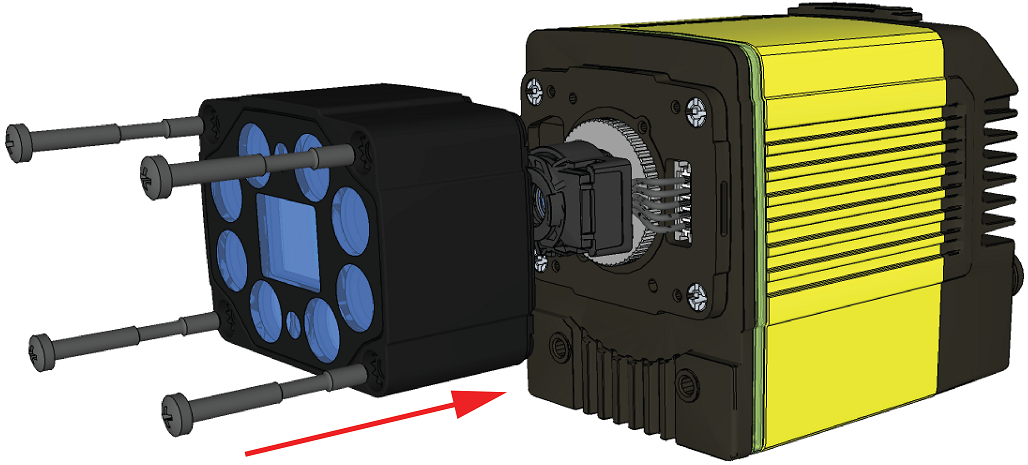
CUSTOMIZED CAPTIVE SCREW, PHILLIPS PAN HEAD, M3x28 mm
-
Screw in the four screws.
Note: Use 0.2 Nm torque on the screws and tighten in sequence.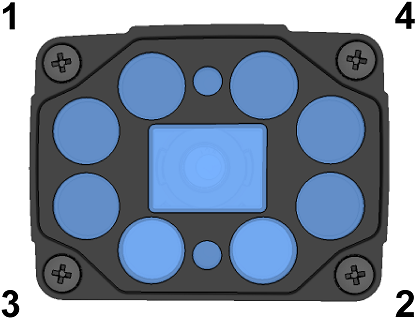
|
|
|
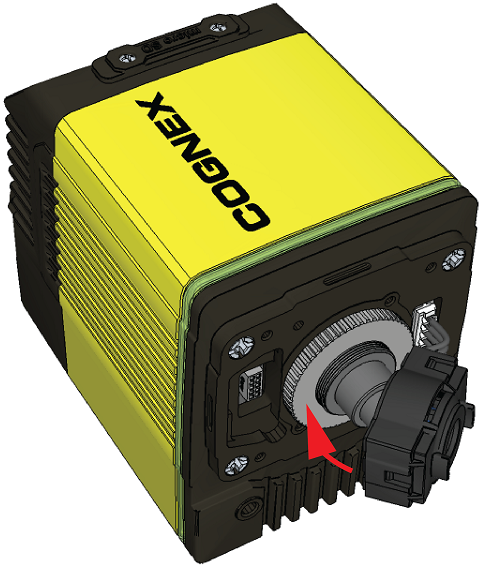
In case of the 10.3 mm Lens, attach the liquid lens module onto the nose of the lens.