Test Mode
Test Mode lets you configure and test a reader that is connected to a production line without needing to slow down or stop your line. While in Test Mode, the reader by default ignores all external trigger sources and disables all input and output lines. To enter Test Mode, perform one of the following actions:
- Press the button (to which you previously assigned this function in the Setup Tool's Inputs / Outputs pane's TRIG Button tab) on the device for 3 seconds
- Send a DataMan Control Command (DMCC)
- Click the Enable Test Mode button in the DataMan Setup Tool (Actions)
In the ribbon bar under Settings in the Setup Tool, click Test Mode Settings. The Test Mode Settings pane appears.
Check Automatic Triggering Enabled, and the reader will simulate external triggers at the interval that you specify.
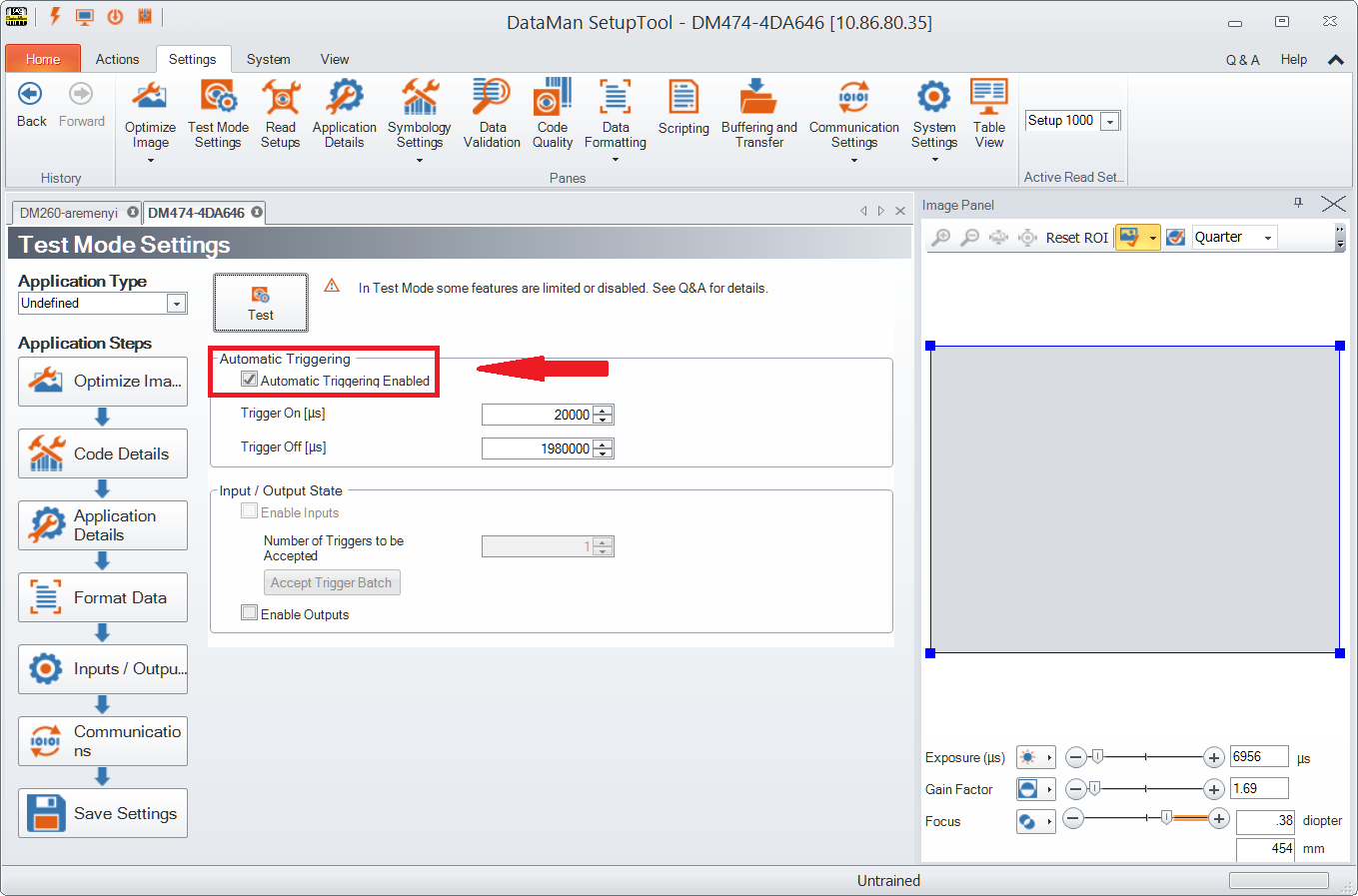
If Automatic Triggering is not enabled, click Accept Trigger Batch in the Input / Output State field, and the reader will accept and process a limited number of external triggers at production speed.
In both cases, you can view images and decodes using production settings, but at a slower rate and without sending output signals to your line.