Connecting a DataMan 8050 Through RS-232
- Connect the serial slide-in (DMCM-SERIALM-00) to your DataMan 8050.
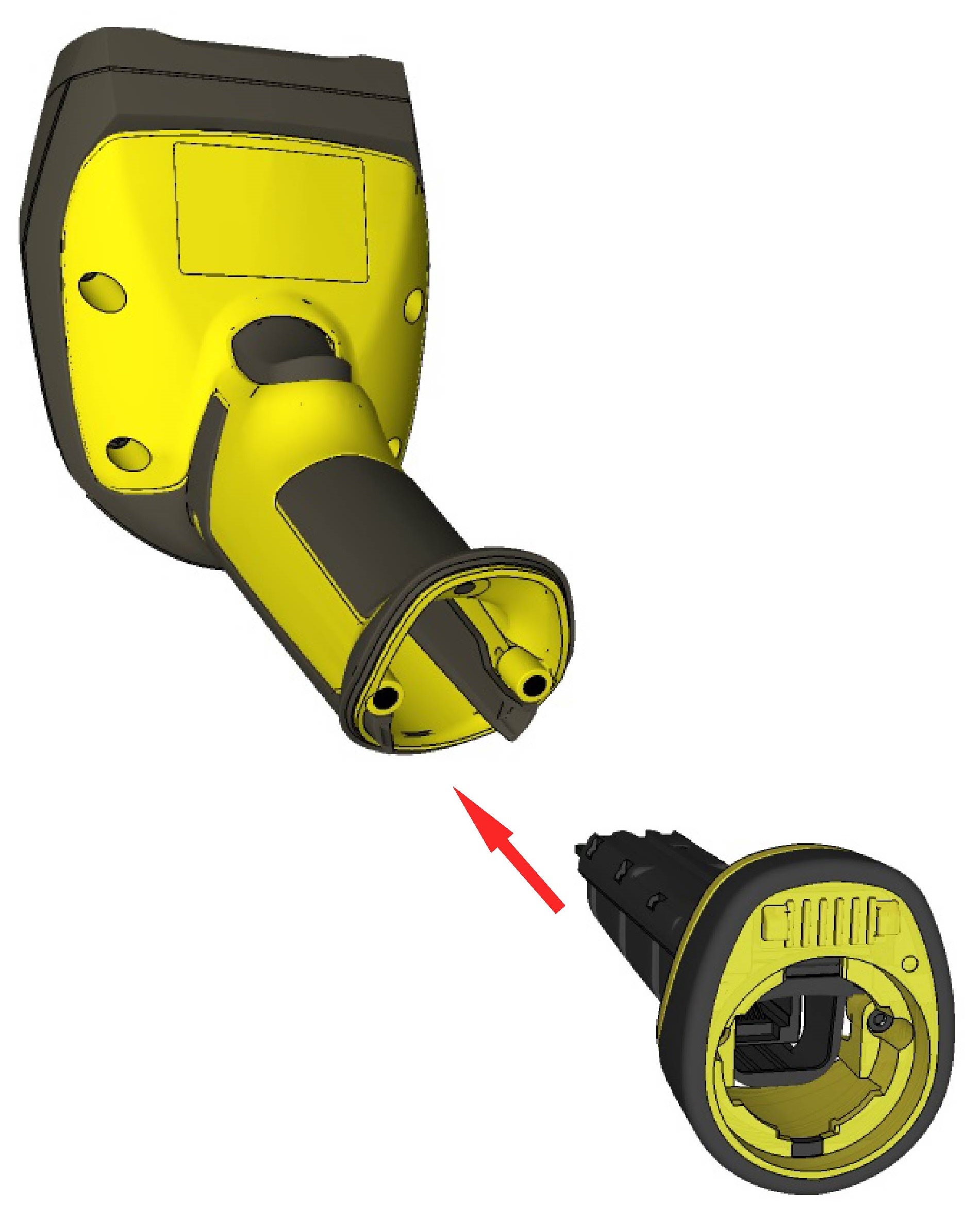
-
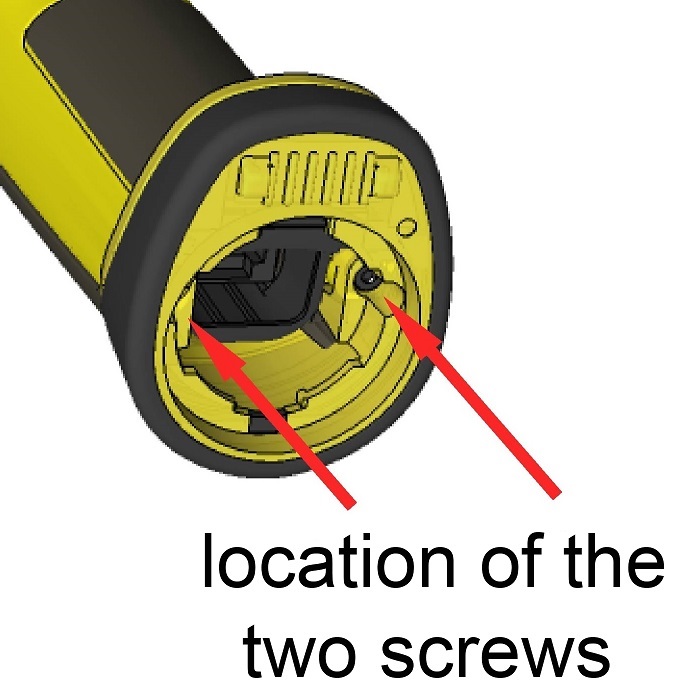
With a 2.5 mm Allen wrench, tighten the screws so that the slide-in is firmly locked.
- Insert the plug and slide the cable lock up to the reader and twist the cable lock in place.
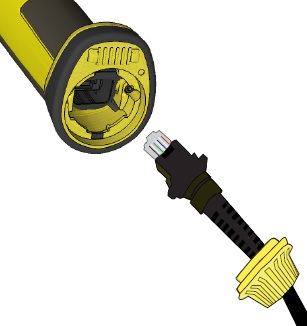
Use the DM8000-RS232-02 cable (2.5 meters) or the DM8000-RS232-05 cable (5 meters). For power supply, use the DataMan 8000 Power Supply (DM100-PWR-000).
Note: Disconnect the DataMan 8050 reader from power before inserting/removing the communication modules.
Observe the following electrical requirements:
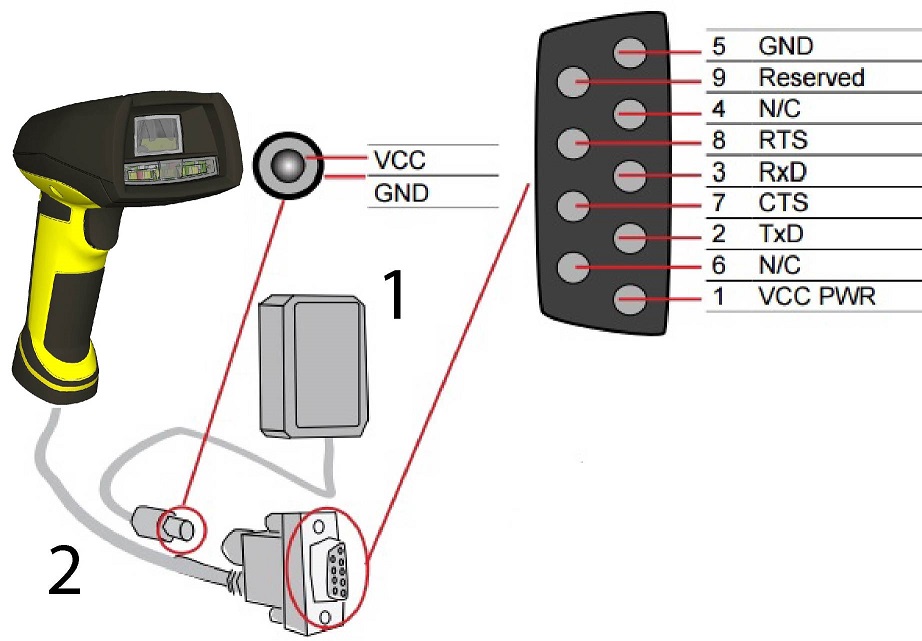
| 1 | 6VDC power supply (DM100-PWR-000), a 5.5 mm x 2.1 mm DC Power Plug |
| 2 |
VCC = +4.75V up to +6.0V for 2.5 m cable VCC = +5.5V up to +6.0V for 5.0 m cable |
WARNING: For proper RS-232 operation, do not apply any voltage to pin 9.
Note: Power on the RS-232 cable can be supplied by either the DC Power Plug or Pin 1 of the D-SUB. DO NOT use both in parallel.