Application Settings
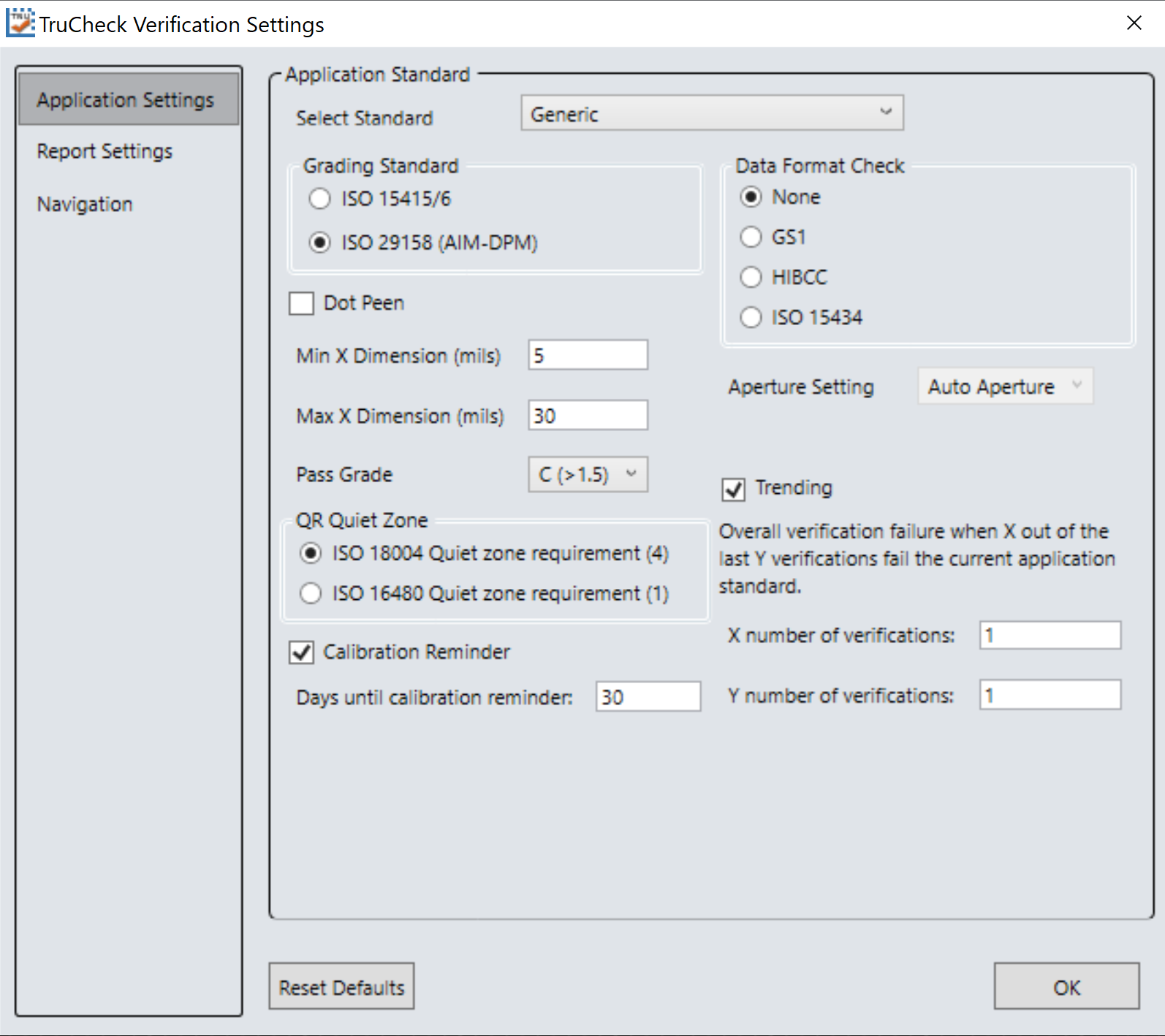
The content of the Application Settings window depends on the Application Standard selected, since the application standard setting automatically selects many parameters. The Generic application standard allows you to select all adjustable verification and process parameters in a custom way. Selecting a pre-defined application standard ensures that the Verifier uses the appropriate grading parameters for your application.
The Reset Defaults button resets the Application Settings menu to the default settings. After clicking Reset Defaults, you must calibrate the verifier before using it.
Application Standards Settings
Application standards configure the verifier to grade according to pre-defined rules established by an industry standards body or other industry requirements.
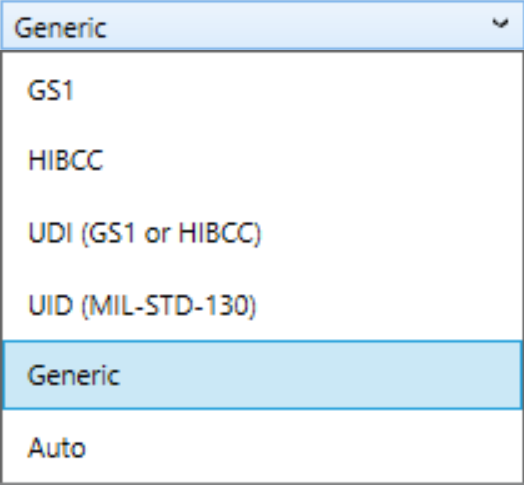
Select one of the options provided in the drop down box to specify the application standard.

You have the following setting options available within each of these standards:
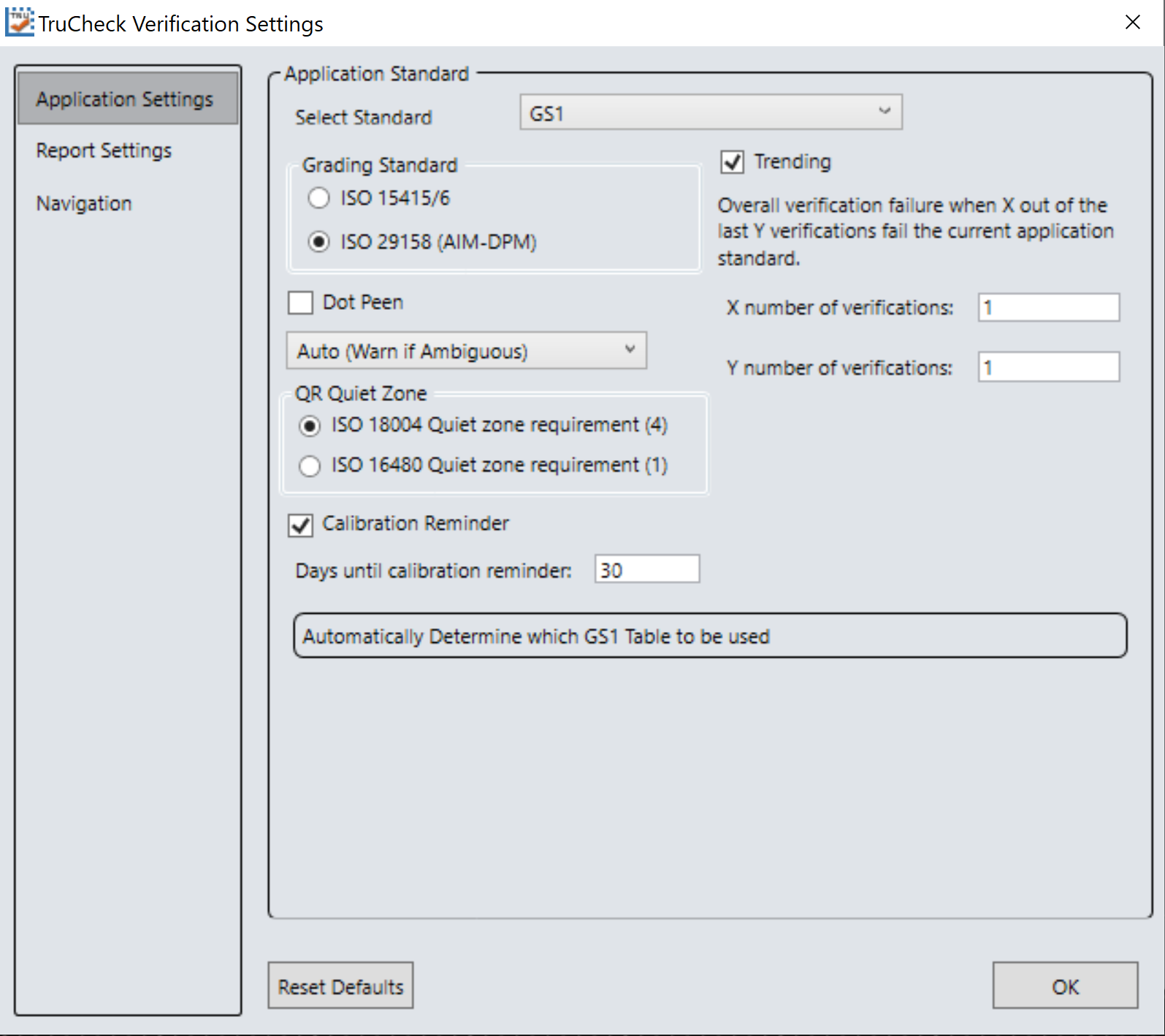
GS1
Th GS1 application standard allows codes to be verified according to GS1 General Specifications. GS1 General Specifications contain several categories of applications which are described in its Tables 1-11. You can select from among these tables to specify the application category for your codes. Consider the following examples:
The GS1 table used is reported in the Notes section of the report. For more information on the tables used for analysis, refer to the tables provided in the GS1 General Specifications Standard.
In addition to which Table of the GS1 General Specifications to use, you can also specify ISO/IEC 15415 grading generally used for labels or ISO/IEC 29158 (AIM-DPM) as the grading method.
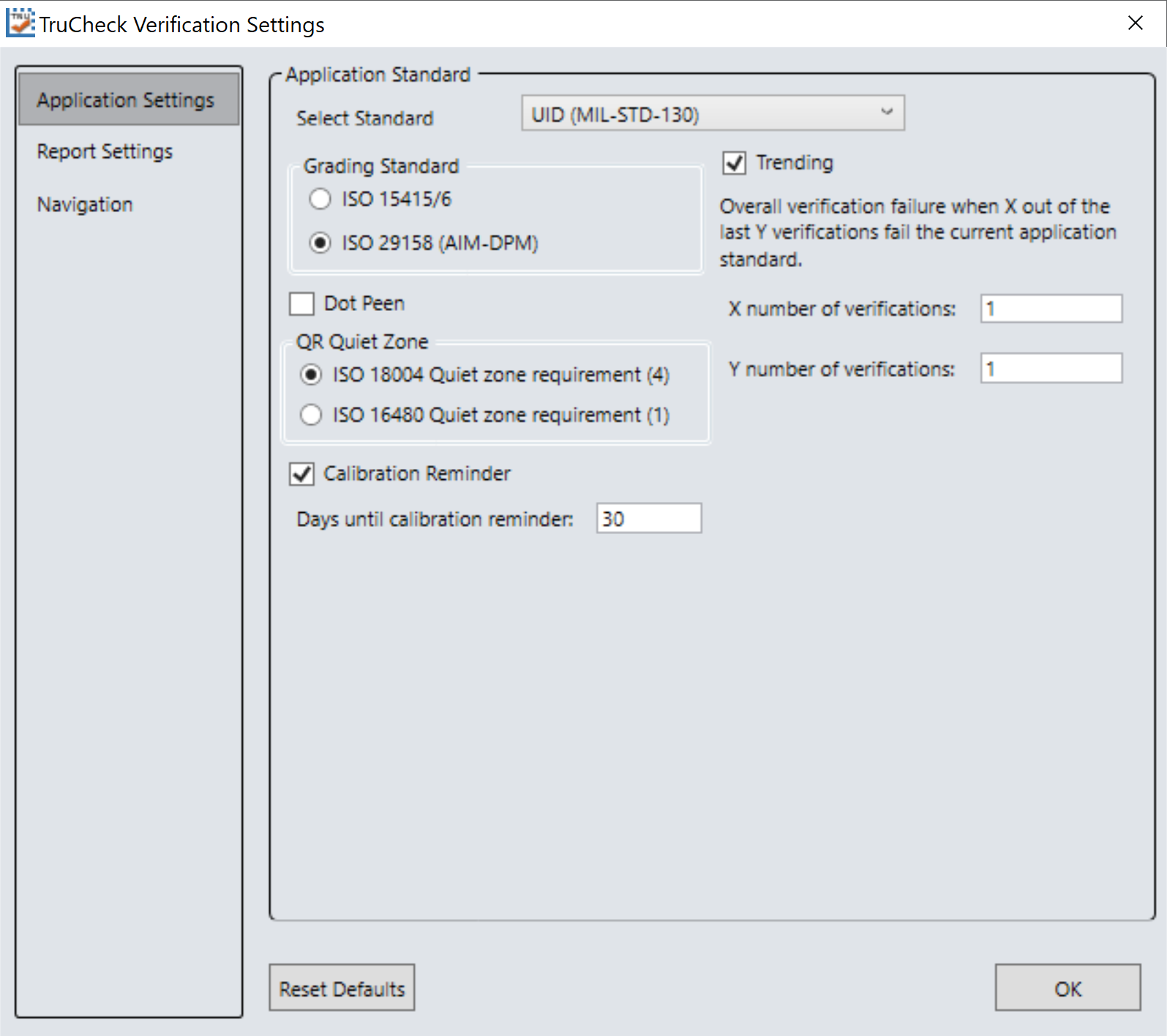
MIL-STD-130 UID
The MIL-STD-130 UID application standard properly reports the quality standard used to grade the code and the data structure used in Construct 1 or Construct 2 for UID marks specified in MIL-STD 130. The MIL-STD spells out acceptable grades and requirements for data format.
You must specify either ISO 15415 grading or ISO 29158 (AIM-DPM) grading.
Select Dot Peen if it is applicable.
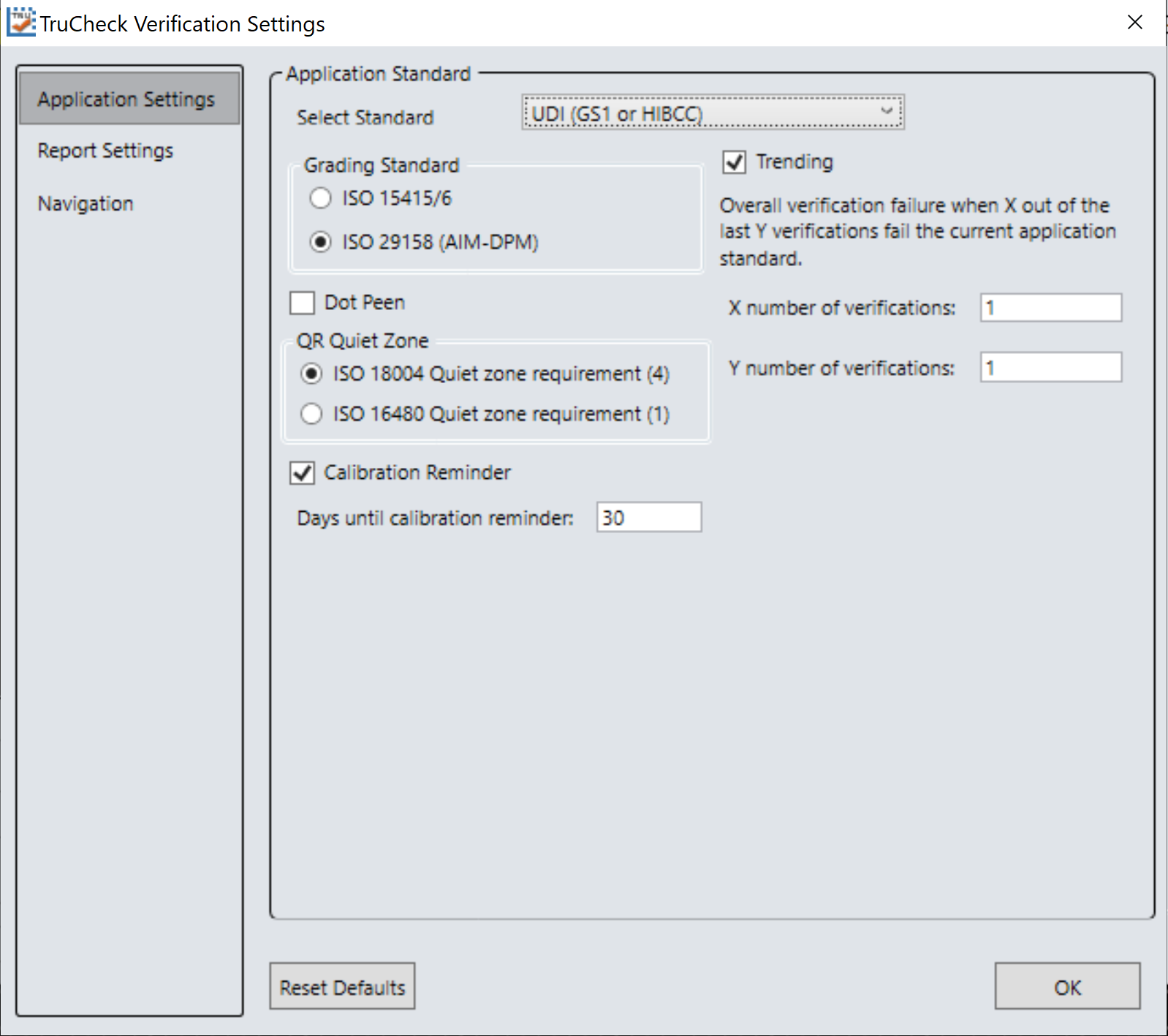
UDI/HIBC
The UDI/HIBC application standard checks symbols that meet UDI requirements using either GS1 or HIBCC guidelines.
You must specify either ISO 15415 grading or ISO 29158 grading.
Select Dot Peen if applicable.
Since the data content required for UDI compliance varies depending on the medical device, only the data format (not the content) is validated. Data is automatically validated in accordance with formatting rules of the chose guidelines.
Generic
Apply the Generic standard option when you are grading a code that is not expected to adhere to any pre-defined industry conformance standard, and so it can be customized with specific settings for:
-
Aperture Size
-
Minimum Acceptable Pass Grade
-
Minimum and Maximum X-dimension
-
Grading Method: ISO 15415 or ISO 29158
-
Data Parsing and Validation
Auto
Apply the Auto application standard option to allow the verifier to select the correct application standard based on the structure of the barcode data. If the data structures for GS1, HIBCC, or MIL-STD-130 standards are detected within the symbol during verification, the verification is executed using the correct application standard.
Note: In case of printing a symbol that contains a data structure which is not to be graded according to the automatically selected application standard, use the Generic application standard instead.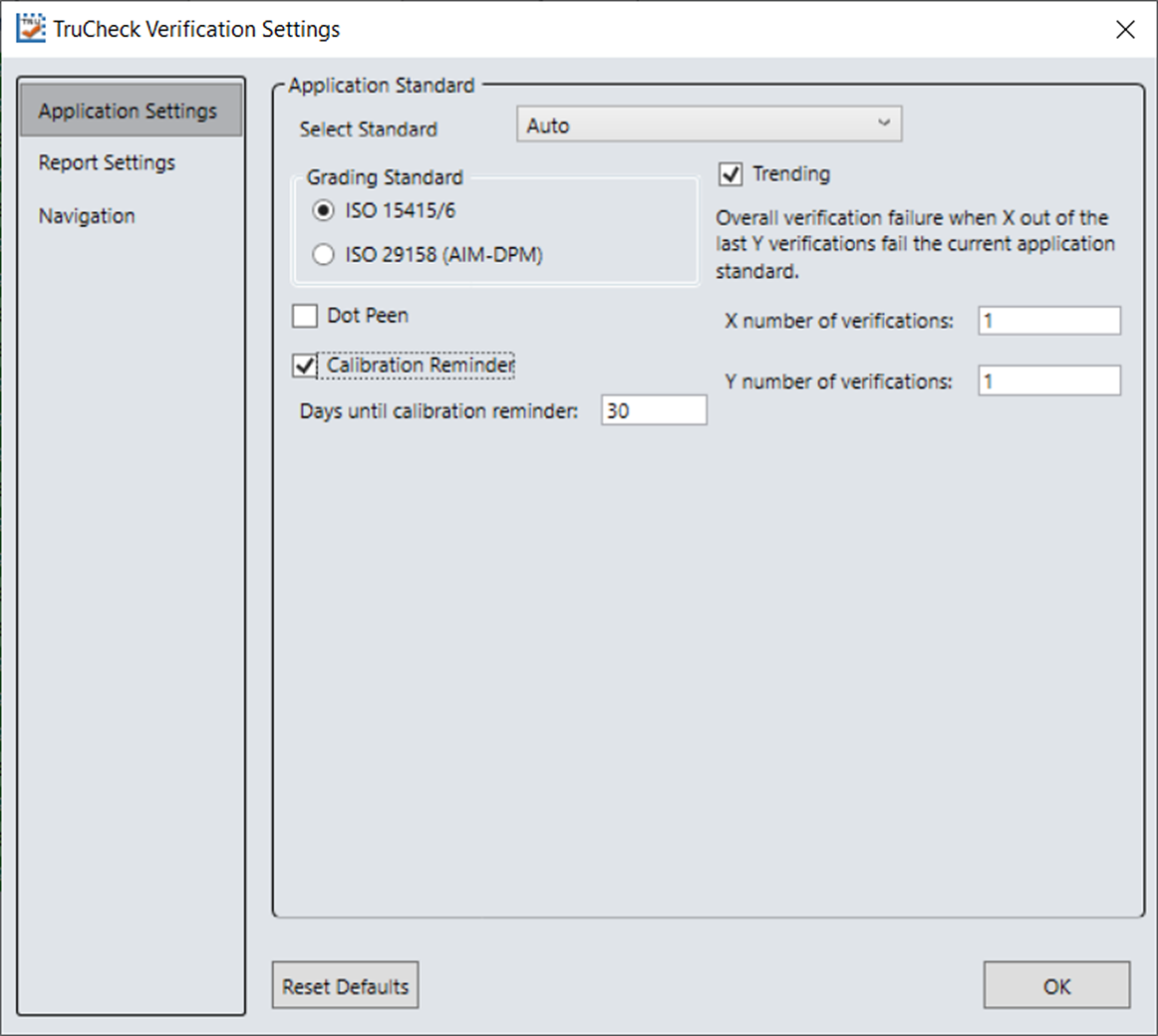
Grading Standards
For any Application Standard selected, you must use either ISO 15415 or ISO 29158 (AIM-DPM) depending on your application.
-
ISO 15415: Reports and displays according to ISO/IEC 15415 which is typically used for label based codes.
-
ISO 29158 (AIM-DPM): Select to use the AIM-DPM verification standard. ISO 29158 (AIM-DPM) can used with or without the Dot Peen selection. When using AIM-DPM Grading, the X-Dimension Range is used instead of the aperture setting in accordance with the AIM-DPM methodology.
Data Format Check
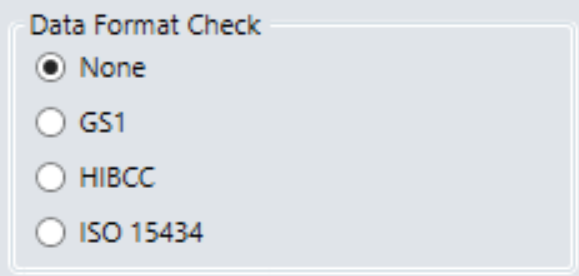
You can apply a specific Data Format Check criteria to the data content of the code or leave the option as None. If a specific Data Format Check is applied, a Data Format Check grading box appears on the main screen of the User Interface to show the Pass/Fail grade provided. A Data Format Check table is provided on the report showing detailed parsing information.
-
GS1: The GS1 option checks the format of the data against GS1 formatting rules. These codes generally begin with a Function 1 <F1> character.
-
HIBCC: The HIBCC option checks the format of the data against HIBCC formatting rules. These codes generally begin with a + character.
-
ISO 15434: The ISO 15434 option checks data for many industry standards which encode information using ISO/IEC 15434 data structures. These codes generally begin with the sequence )]><RS>nn<GS> where nn are two digits which are typically 05, 06 or 12. MIL-STD-130 and some shipping container applications use this formatting style.
Dot Peen
Use the dot peen option for codes created through a process where dots are peened onto a metal surface. Select Dot Peen to use the AIM-DPM Stick algorithm to connect dots.
Min X-Dimension (mils)
You can set a minimum x-dimension value that is allowed during verification. The lowest value that can be set is 1 mil. Any code that falls below the minimum x-dimension set receives a grade of FAIL (X Dimension out of Range). If no minimum x-dimension is specified, the application defaults to 5 mils.
Max X-Dimension (mils)
You can set a maximum x-dimension value that is allowed during verification. The highest value that can be set is 100 mils. Any code that is above the maximum x-dimension set receives a grade of FAIL (X Dimension out of Range). If no maximum x-dimension is specified, the application defaults to 30 mils.
Pass Grade
Select a minimum passing grade based on a certain letter or numerical value (that is, C >1.5). Any code verified that does not receive an Overall Grade above the Pass Grade minimum set receives a grade of Fail for Pass Grade on the User Interface and Report.

QR Quiet Zone
You can select either ISO 18004 Quiet zone requirements of a 4 module-sized quiet zone or ISO 16480 Quiet zone requirement of a 1 module-sized quiet zone.
Aperture Setting
The size of the synthetic aperture used to produce the blurred reference image that is an integral part of ISO 15415 grading. Choose the size of the aperture with care because it has a profound effect on the grade, according to the requirements of your application. In general, larger aperture sizes reduce the sensitivity to defects in printing, and also reduce the ability to resolve small elements in a code. Consequently, the size of the aperture is limited by the X-dimension of your symbols, or conversely the X-dimension of your symbols is limited by the size of your aperture. Aperture size can be called out in the application specification, quality specification, or both. If you are unsure of the aperture size to select, choose Auto and the verifier uses guidance supplied within ISO 15415 to choose an aperture size based on the X-dimension of the code.
The aperture setting is used when grading in accordance with ISO/IEC 15415, but it is not used when grading in accordance with AIM-DPM. While AIM-DPM grading does include a blurred reference image, just like ISO 15415, the aperture size is dictated by the AIM-DPM grading method to be either 50% or 80% of the symbol X-dimension automatically.
You must specify an aperture size for the Generic standard when using ISO/IEC 15415.
In the drop down menu, select one of the following:
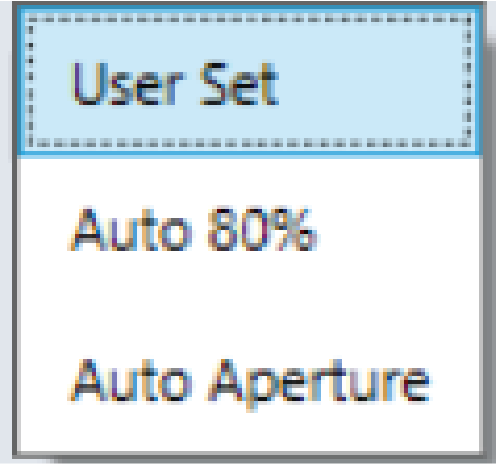
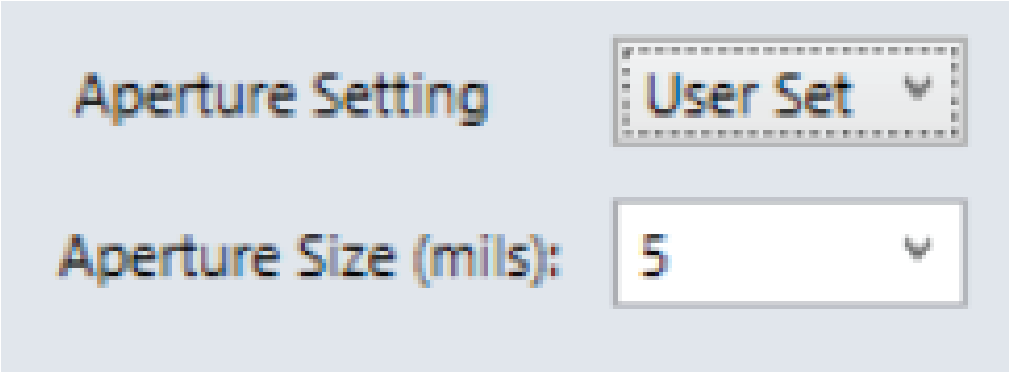
User Set
The application allows you to specify the aperture setting. When User Set is selected, an additional drop down menu pops up for you to select the correct aperture.
Auto 80%
The application automatically chooses an aperture size based on 80% of the X-dimension.
Auto Aperture for 2D Barcodes
The application automatically chooses an aperture size based on the X-dimension in accordance with the suggestion in ISO/IEC 15415.
| X-Dimension | Aperture |
|
≤ 6 mil |
02 (2 mil) |
|
6 mil < x ≤ 7.5 mil |
03 (3 mil) |
|
7.5 mil < x ≤ 10 mil |
05 (5 mil) |
|
10 mil < x ≤ 20 mil |
08 (8 mil) |
|
20 mil < x ≤ 30 mil |
16 (16 mil) |
| ≥ 30 mil |
20 (20 mil) |
Auto Aperture for 1D Barcodes
The application automatically chooses an aperture size based on the X-dimension in accordance with the suggestion in ISO/IEC 15416. For the Generic application standard, the following table is used for most symbologies:
| X-Dimension | Aperture |
|
≤ 7.0 mil |
03 (3 mil) |
|
7.1 mil < x ≤ 13 mil |
05 (5 mil) |
|
13 mil < x ≤ 25 mil |
10 (10 mil) |
|
> 25 mil |
20 (20 mil) |
|
For UPC/EAN, regardless of X-dimension or magnification |
06 (6 mil) |
You can override these rules by specifying a specific aperture directly for any application that requires a specified aperture. An application specification (such as GS1 Gen Spec, or MIL-STD 129) specifies an aperture value which can be different than what the rules in the table would yield.