Read Setups
It is possible to configure a variety of acquisition parameters for your DataMan reader in a unified Read Setups pane.
Under Settings click the Read Setups button. The Read Setups pane appears.
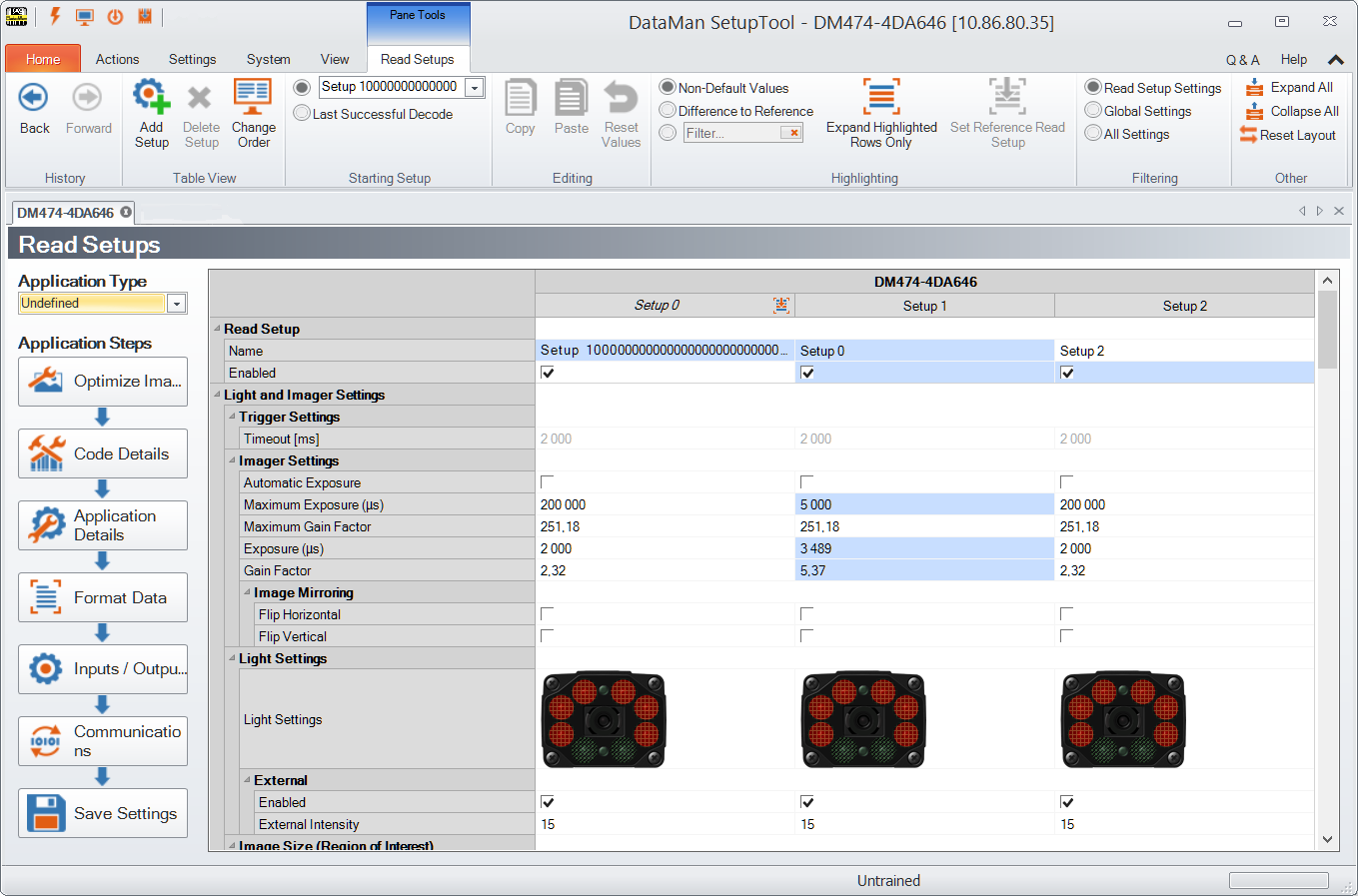
Your reader can be configured for up to 16 different settings. In Single, Continuous, Self, and Burst trigger modes, you can enable multiple (or all) setups, and the DataMan reader goes through all of the configured imager combinations until there is a decoded image or there are no images left (that is, a no read image).
You can change the parameters for the setups in the Read Setup pane’s appropriate table cell.
Choose to start the read setup process with either a specific setup, or the Last Successful Decode.
The currently selected setup also gets represented in other panes. For example, you can check and change the active Read Setup in the Settings ribbon bar:
