DataMan 470 Series Multi-Reader Sync Option
For trigger modes other than Presentation, the DataMan 470 supports multi-reader trigger synchronization, also known as Multi-Reader Sync. In this option, you configure multiple DataMan readers as a group. Whenever any reader in the group is triggered, all the readers are triggered and the results from all the readers are assembled and transmitted by a single reader that you designate as the Primary Reader.
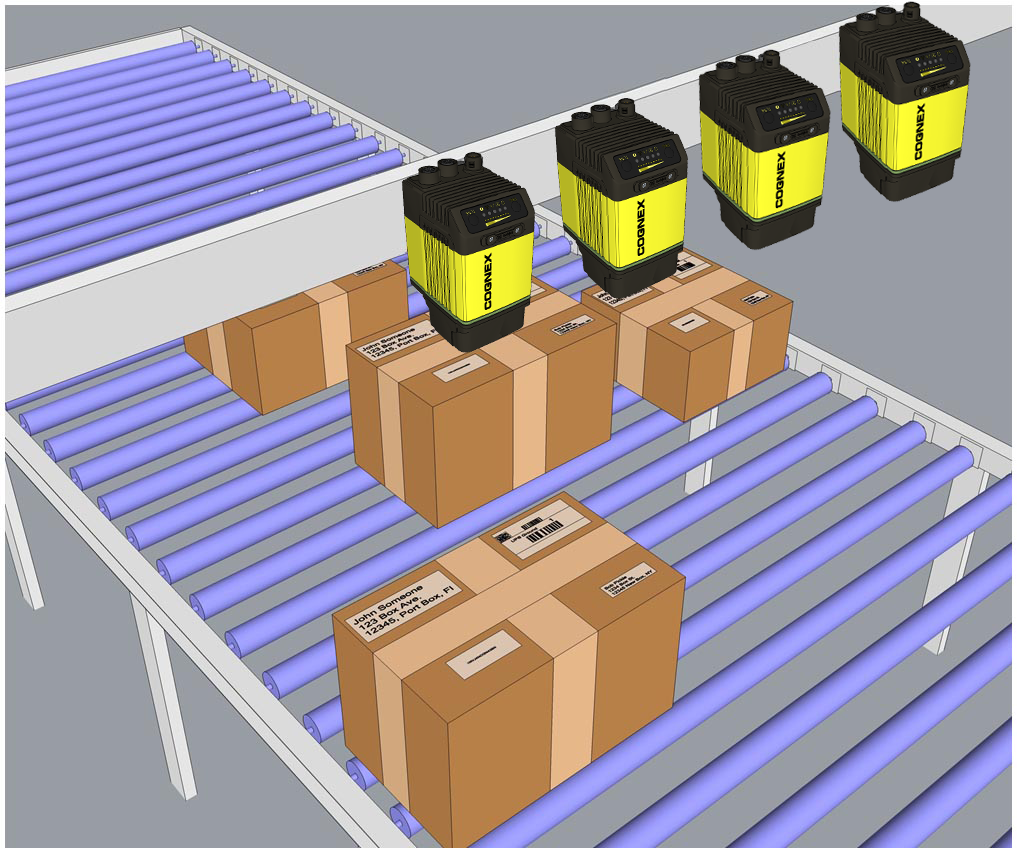
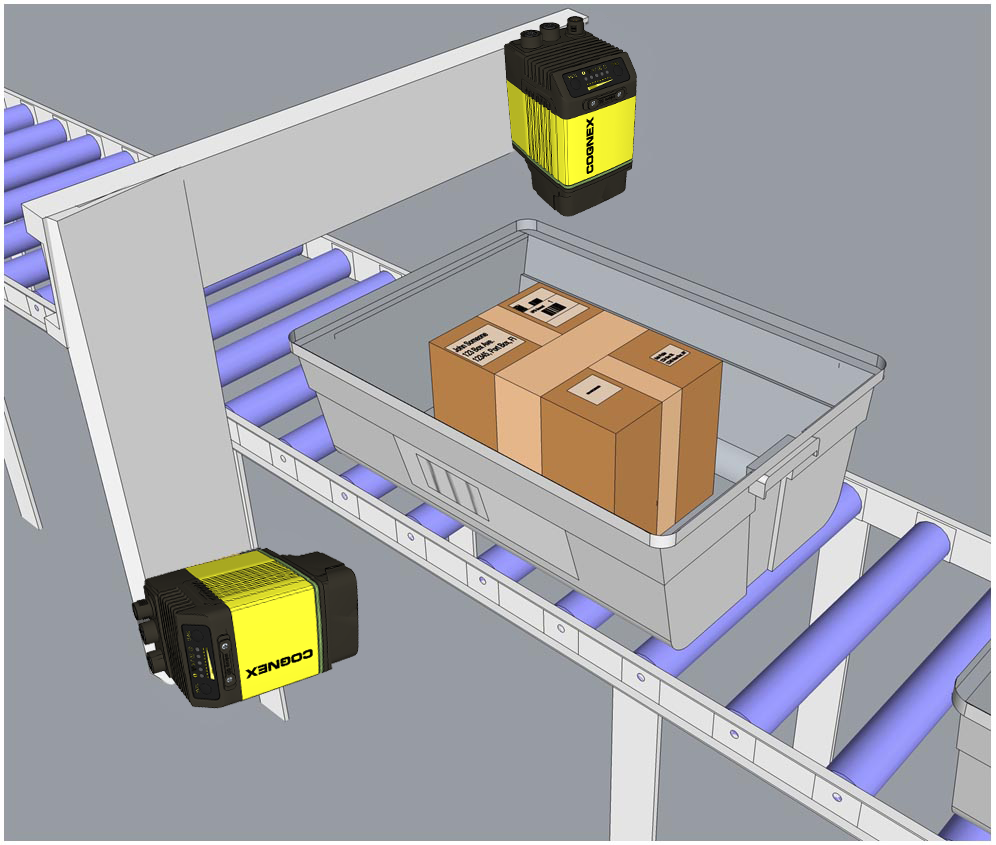
Multi-Reader Sync is used to support extended field of view reading and reading codes from multiple product surfaces:
|
|
To configure Multi-Reader Sync, go to the group editor in the DataMan Setup Tool. For more information, see the Setup Tool Reference Manual.
In Single, Burst, Continuous, and Self trigger modes, it is possible to synchronize image acquisition on multiple devices using the synchronization interface. Synchronization allows using one shared strobe illumination to expose all sensors simultaneously. You can synchronize multiple readers, with optionally triggering them in a defined sequence to avoid that opposing readers blind each other. Note that this and other imager settings will not get synchronized by this mechanism - for example, you must configure exposure and gain on each reader individually. This feature only synchronizes the actual image acquisition. Triggering happens through the existing Multi-Reader Sync mechanism.
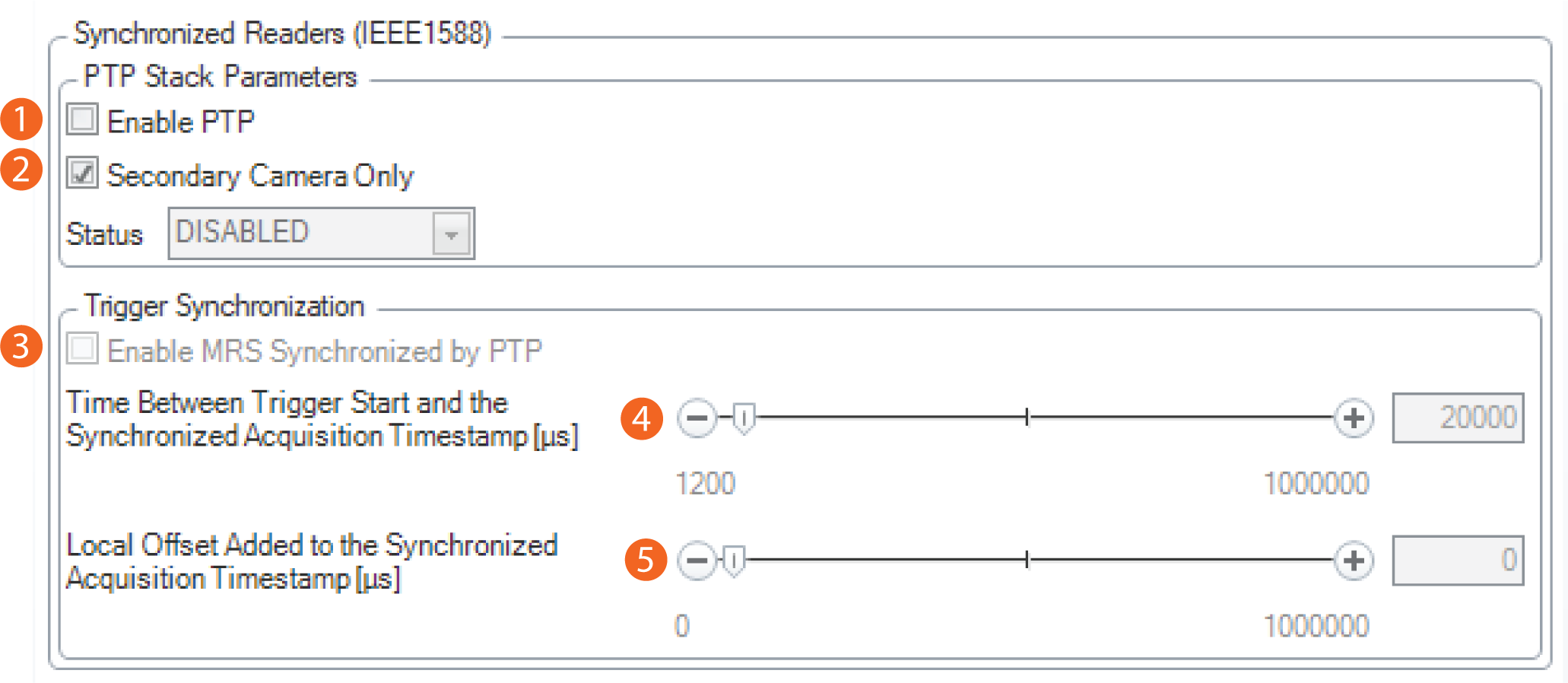
To set up synchronized acquisition on DataMan 470, enable PTP (Precision Time Protocol) on the Multi-Reader Sync pane of the DataMan Setup Tool under Synchronized Readers (IE1588).
Perform the following steps:
- Check Enable PTP.
- Keep Secondary Camera Only checked if there is already a PTP Primary Reader clock in the network (uncheck the checkbox otherwise on at least one reader).
- Enable MRS Synchronized by PTP to synchronize Multi-Reader Sync triggering.
- Set the Time between Trigger Start and the Synchronized Acquisition Timestamp. This is the time the Primary Reader adds to the trigger to make sure all devices already received the trigger message before this time stamp (Primary Reader Only).
- Set the Local Offset Added to the Synchronized Acquisition Timestamp. This is the time the Secondary Reader adds to the timestamp to realize offset image acquisitions (Secondary Reader Only).