Installing the 24 mm Liquid Lens Module with HPIL
The possible hardware configurations using a 24 mm liquid lens module with a DataMan 360
- DM3xx-system + DM300-LENS-24LL + DM360-HPIL-RE-01 / DM360-HPIL-RE-P-01
To install a 24 mm liquid lens module of a DataMan 360
-
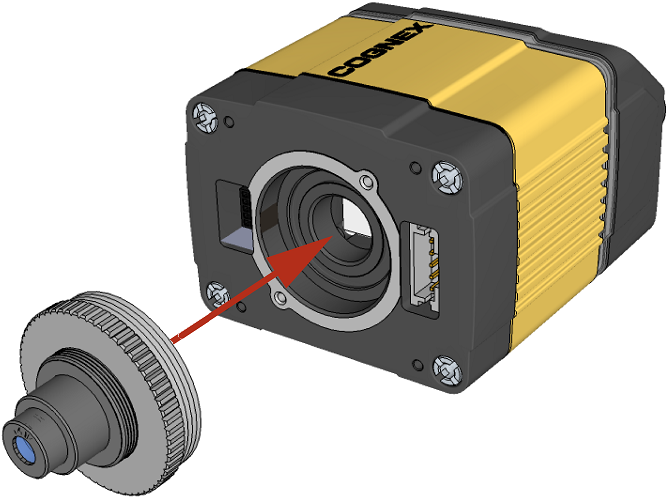
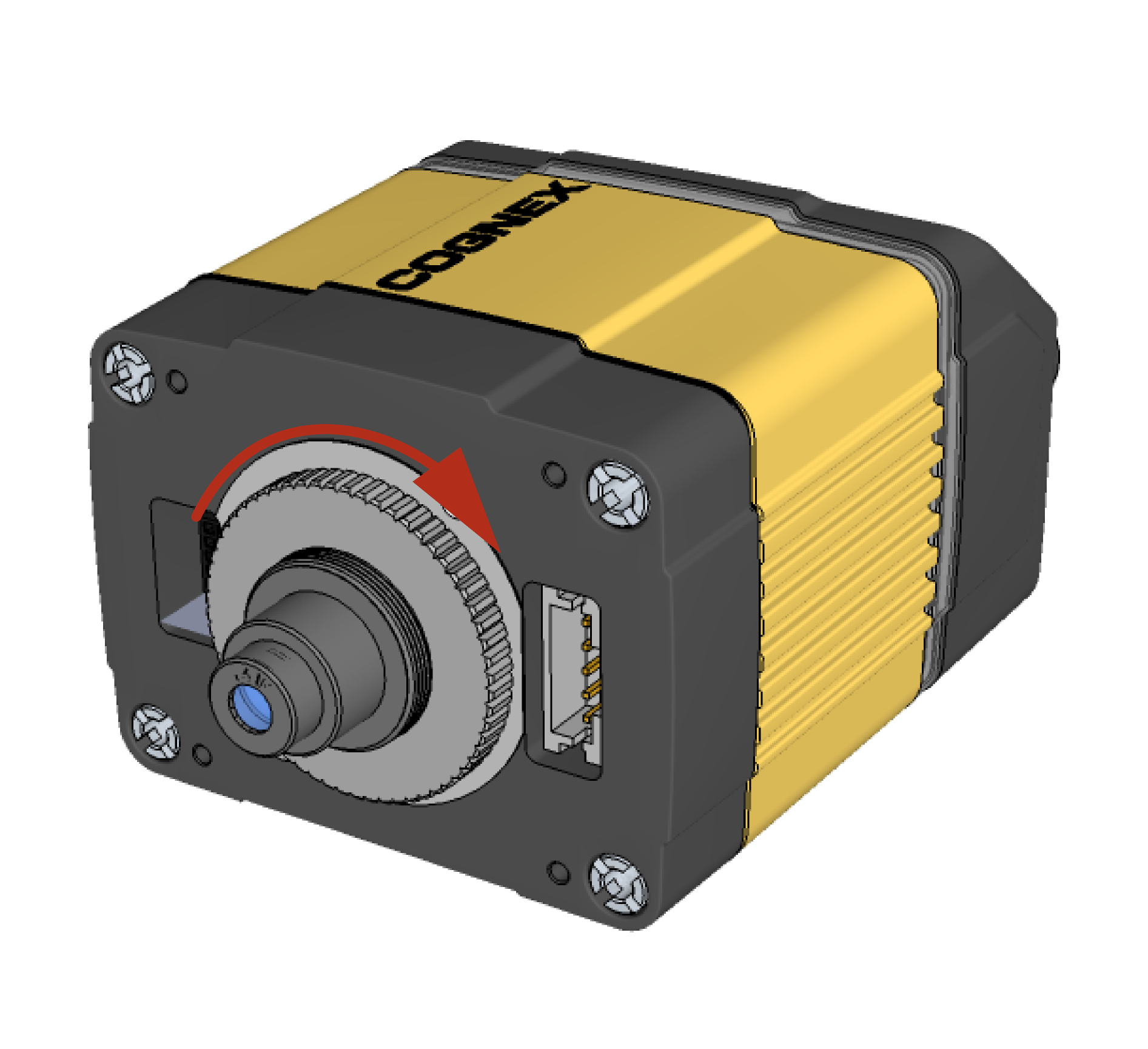
Attach the 24 mm Lens to the device by using the screw thread on the metal ring.
-
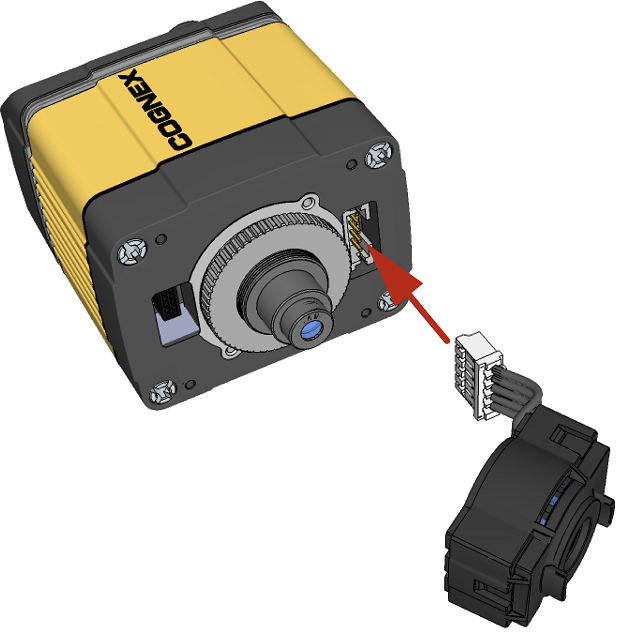
Insert the Liquid Lens cable into the connector of the device.
-
Attach the Liquid Lens to the front side of the 24mm Lens.
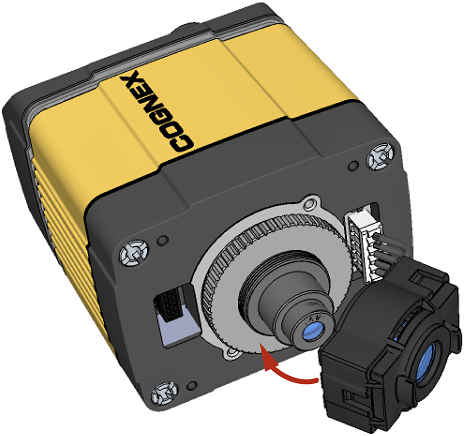
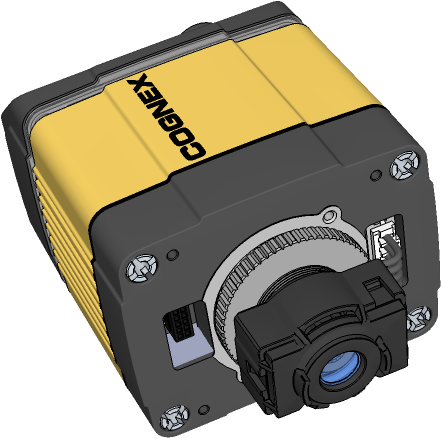
-
Place the DM360-HPIL-RE-01 or DM360-HPIL-RE-P-01 unit on the front of the device.
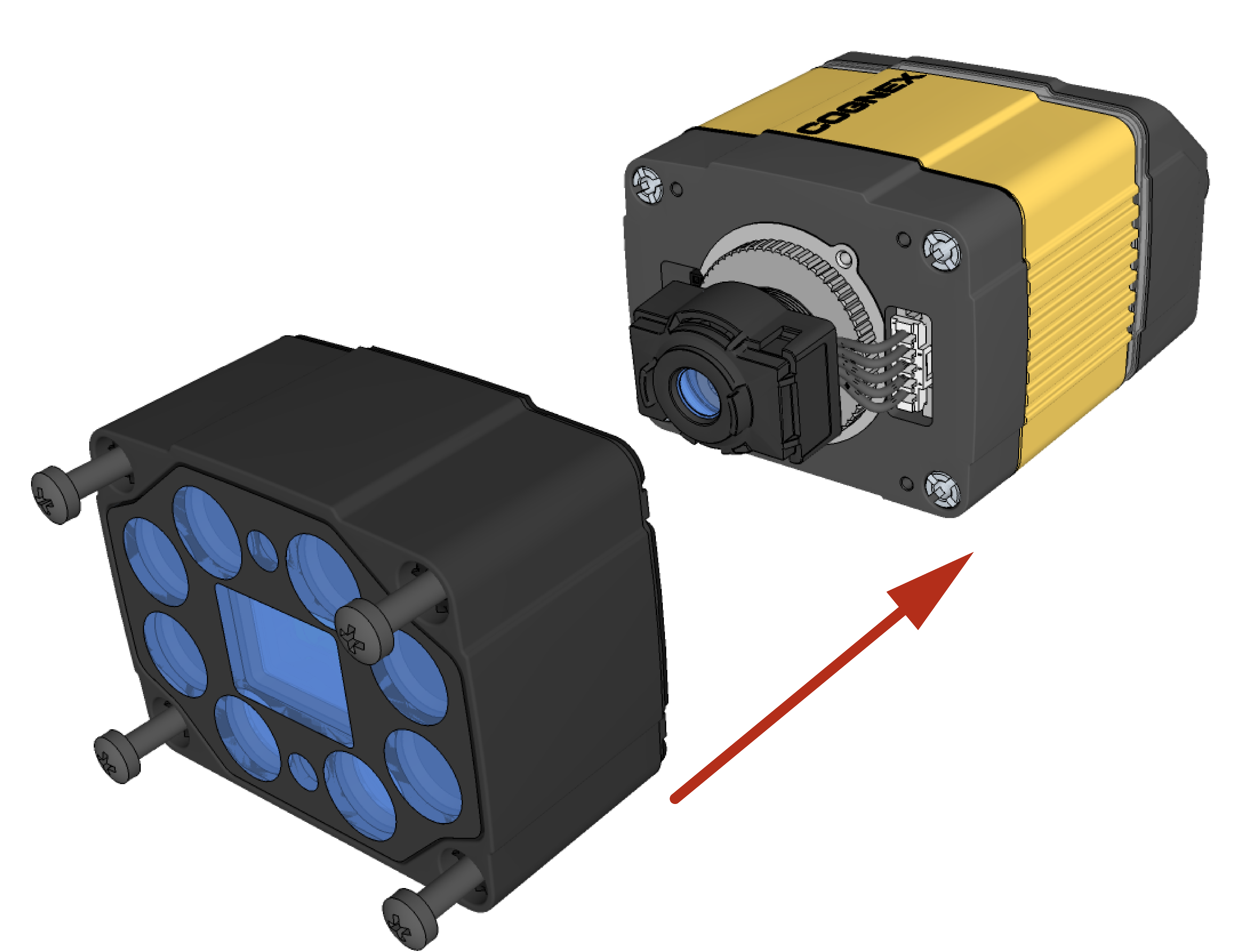
CUSTOMIZED CAPTIVE SCREW, PHILLIPS PAN HEAD, M3x28mm
Note: The minimum peak current capacity of the power supply for the device and the DM360-HPIL-RE-01 / DM360-HPIL-RE-P-01 isNote: The DM360-HPIL-RE-01 or DM360-HPIL-RE-P-01 is also compatible with the 10.3 mm Liquid Lens. For the 10.3 mm Liquid Lens, use CUSTOMIZED CAPTIVE SCREW, PHILLIPS PAN HEAD, M3x28mm. -
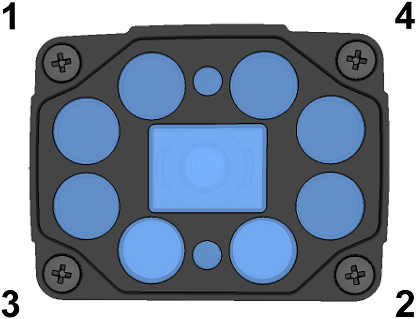
Screw in the four screws.
Note: Use 0.2 Nm torque on the screws and tighten in sequence.