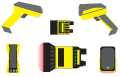





What port do I use for a USB Connection?
If you connect the reader or base station using the USB port, make sure to scan the USB-COM/RS-232 configuration code from the Reader Configuration Codes document. Then click Refresh and select the port that is identified as connected to the reader.
Note: Clicking Refresh sends a query string on all COM ports and across the Ethernet network subnet. A DM7550 and a DM8000 wireless reader must be awake in order to respond to the query. Squeeze the trigger to wake up the reader.
Note: default,DMAE50,DM050,DM070,DM150,DM7500,DM8050,DM8070,DM8600,DM8700,DM8700Base,DM8000Base