Encoder Configuration
In the Configure Encoder pane of the Inputs tab, you define how the encoder connected to the reader behaves.
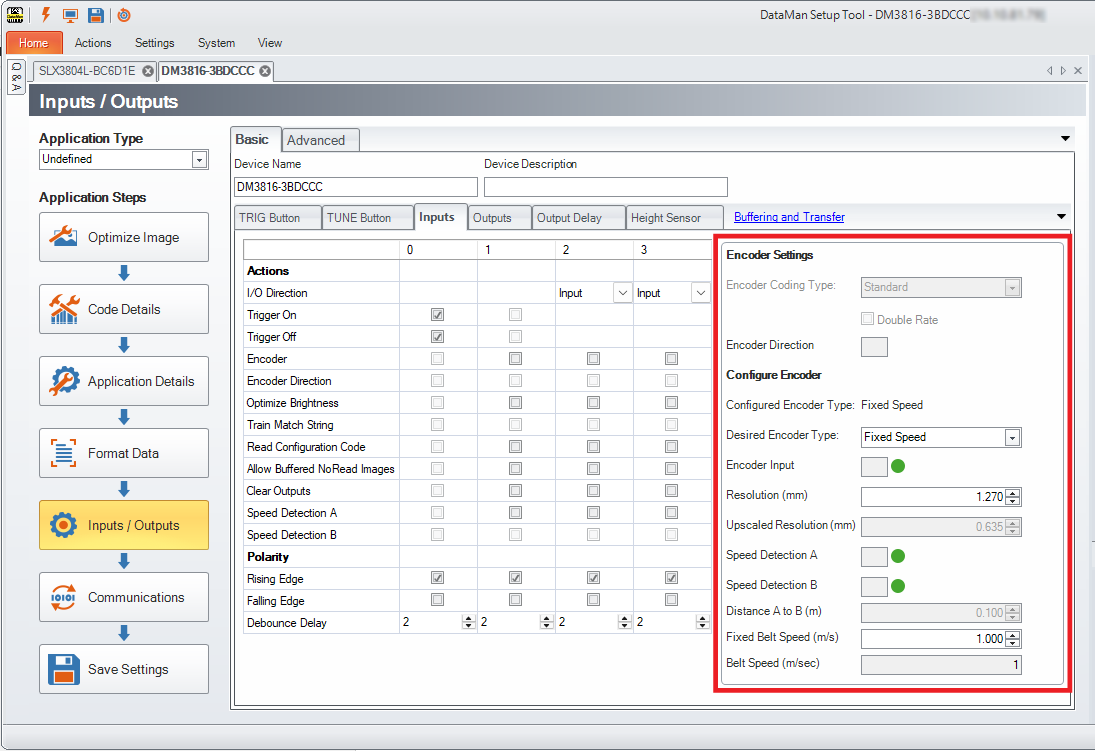
The Configured Encoder Type field shows the current encoder setting. The Desired Encoder Type setting applies default values to input lines and related parameters for the selected encoder type. The UI dynamically updates the parameters based on your selection and disables irrelevant options. If you end up in a configuration that does not conform to the expected settings, the misconfigured value is highlighted.
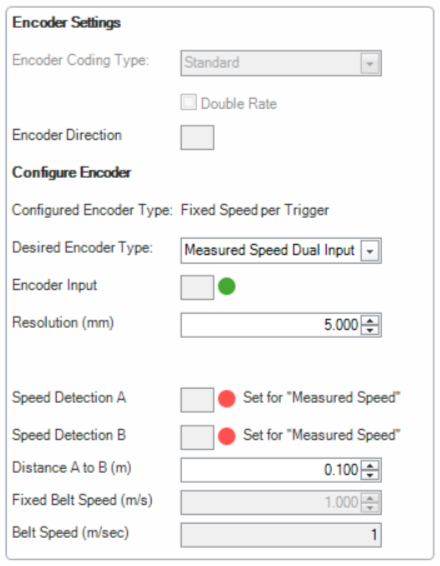
Depending on your reader, the following options are available:
| Desired Encoder Type | DM80-PoE | DM280 | DM290 | DM380 | DM390 | DM580 | SLX3804L | Configured Encoder Type |
| None |
|
|
|
|
|
|
|
None |
| Encoder |
|
|
|
|
|
|
|
Encoder |
| Encoder Upscaling |
|
|
|
|
Encoder Upscaling | |||
| Fixed Speed |
|
|
|
Fixed Speed | ||||
|
|
|
|
|
Fixed Speed per Trigger | ||||
| Measured Speed Dual Input |
|
|
|
Measured Speed Dual Input | ||||
|
|
|
|
Measured Speed Dual Input per Trigger |

None
Select None if you do not want to use an encoder with the reader.
Encoder
Select Encoder if you use an encoder with a specific Resolution connected to the reader.
This option requires one physical connection on the input lines of the reader:
| Device | Default Input Line |
| Encoder | 1 |
Encoder Upscaling
Select Encoder Upscaling if your encoder does not provide enough resolution for your use case. When you enable the Encoder Upscaling option, DataMan Setup Tool automatically converts the encoder pulses to a higher frequency signal. This is useful when you need high-resolution encoder information for accurate triggering, for example, when using a line scan device.
This option requires one physical connection on the input lines of the reader:
| Device | Default Input Line |
| Encoder | 1 |
Specify the Resolution of the physical encoder, and provide the target Upscaled Resolution value.
Fixed Speed
Select Fixed Speed if you use a conveyor belt with a known and unchanging speed and no encoder.
This option requires no physical connection on the input lines of the reader.
Specify the Encoder Resolution and the Fixed Belt Speed that the reader can use for distance-based delays.
For the DataMan 80, DataMan 280, DataMan 290, and DataMan 580, the Fixed Speed option changes the Configured Encoder Type to Fixed Speed per Trigger. This means that the reader automatically converts the Fixed Belt Speed value into a time-based delay for each trigger.
If your conveyor speed is subject to change and you can track it with sensors, consider using the Measured Speed Dual Input option.
If you cannot deploy sensors at the conveyor belt, you can update the Fixed Belt Speed value with the FIXED-BELT-SPEED.SPEED DMCC command.
Measured Speed Dual Input
Select Measured Speed Dual Input if your conveyor speed is subject to change and you can track it with sensors, such as a photoeye or a Hall effect sensor.
This option requires two physical connections on two separate input lines to the reader:
| Device | Default Input Line |
| Sensor A | 1 |
| Sensor B | 2 |
When you specify the Encoder Resolution and the Distance A to B, the reader calculates the current speed of the conveyor on every sensor signal. The reader then updates the Fixed Belt Speed value automatically.
For the DataMan 80, DataMan 280, DataMan 290, and DataMan 580, the Measured Speed Dual Input option changes the Configured Encoder Type to Measured Speed Dual Input per Trigger. This means that the reader automatically converts the Measured Belt Speed value into a time-based delay for each trigger.