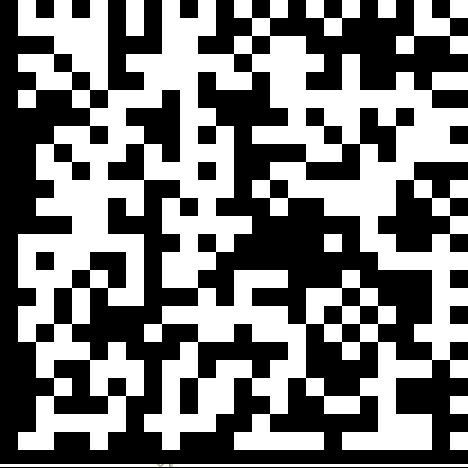
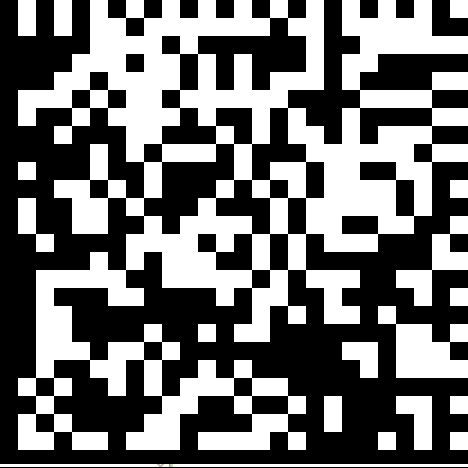
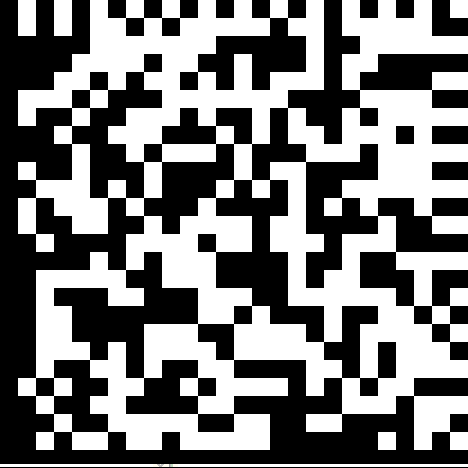
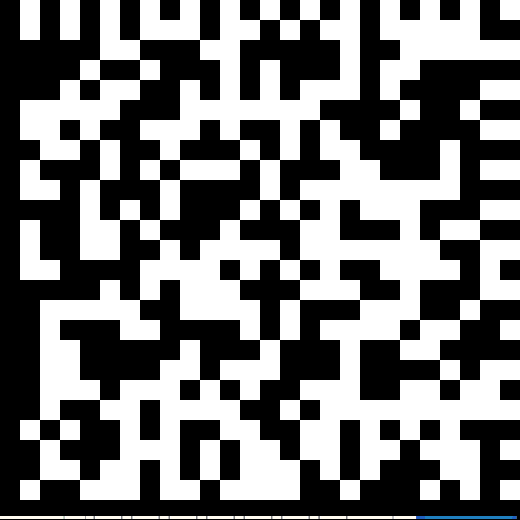
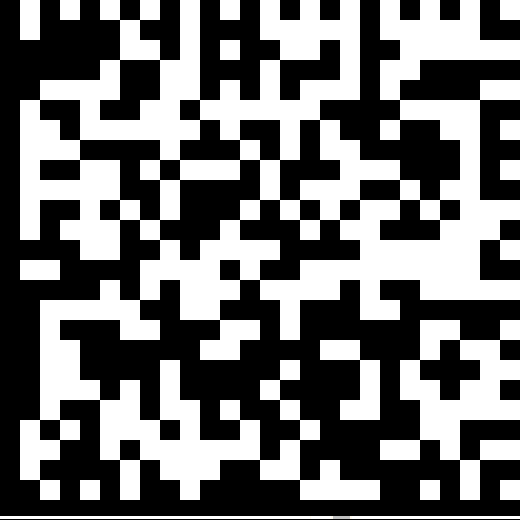
USB Connection
| Codes | Settings and Supported Devices | Codes |
|---|---|---|
|
|
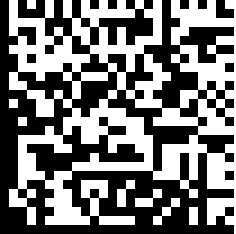
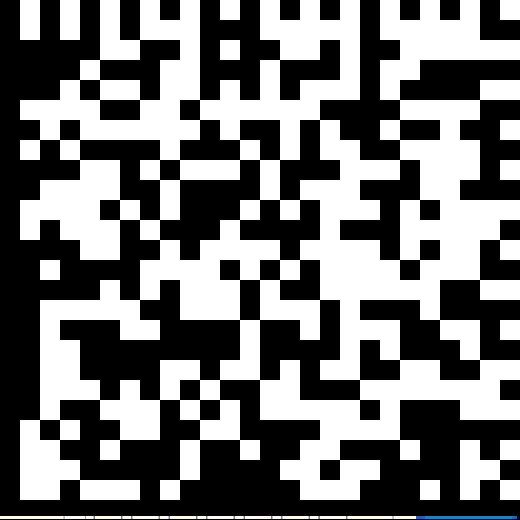
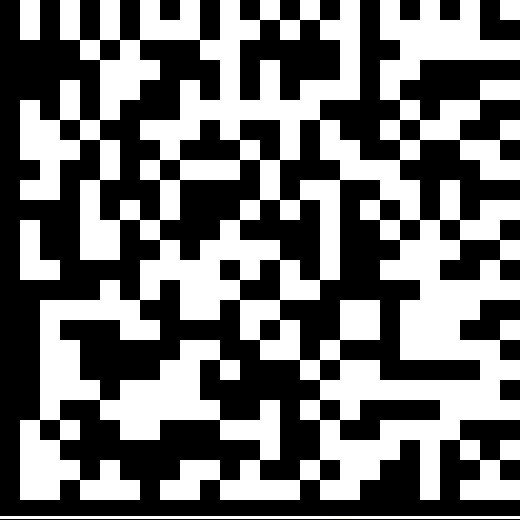
*USB-COM/RS-232 (Not supported on DM8700)
DM50 ● DM60 ● DM70 ● DM150 ● DM8000 ● MX-1000 ● MX-1502 |
|
|
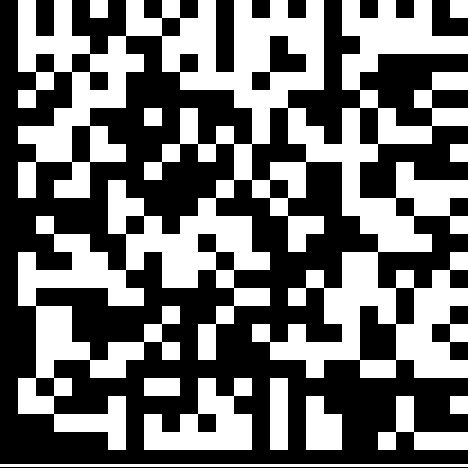
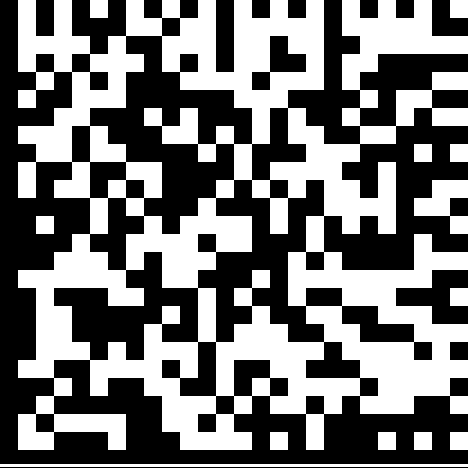
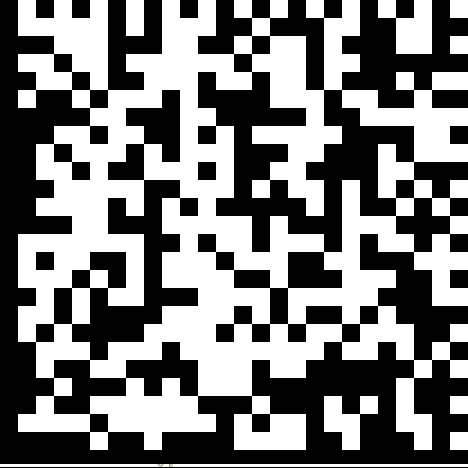
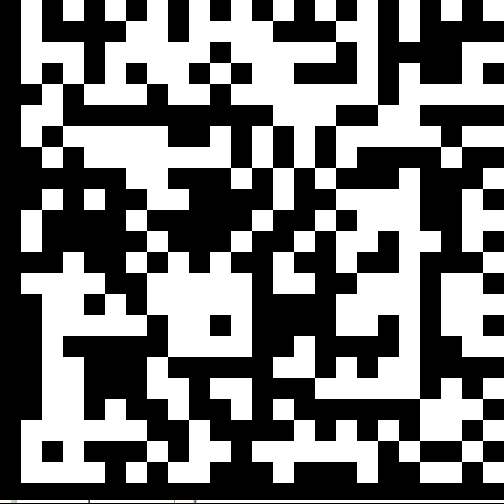
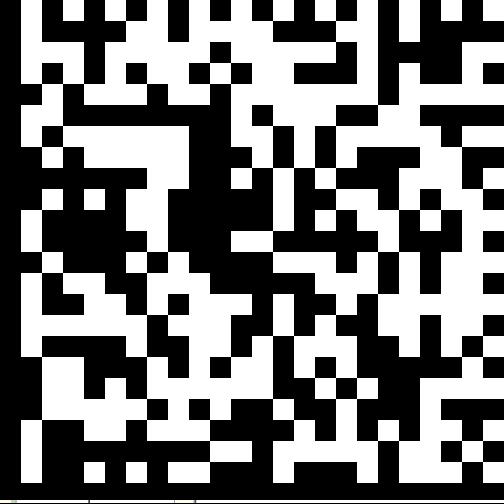
USB Keyboard (Not supported on DM8072)
DM50 ● DM60 ● DM70 ● DM150 ● DM8000 ● MX-1000 ● MX-1502 |
|
|
|
|
Enable USB Keyboard for the base station
You have to reboot the base station after enabling the USB keyboard.
DM8000Base (IBASE) |
|
|
*Disable USB Keyboard for the base station
You have to reboot the base station after disabling the USB keyboard.
DM8000Base (IBASE) |
|
|
|
|
Enable ‘Enumerate in HID mode only’
You have to reboot the base/reader for changing between HID and USB mode.
DM8000Base (IBASE) |
|
|
Disable ‘Enumerate in HID mode only’
You have to reboot the base/reader for changing between HID and USB mode.
DM8000Base (IBASE) |
|
|
|
|
Enable HID mode (USB Keyboard)
No restart required, device does not lose cdc communication channel.
DM80 ● DM280 ● DM290 ● DM8700 |
|
|
Disable HID mode (USB Keyboard)
No restart required, device does not lose cdc communication channel.
DM80 ● DM280 ● DM290 ● DM8700 |
|
|
|
|
Enable HID mode (USB Keyboard)
DM8700Base |
|
|
Disable HID mode (USB Keyboard)
DM8700Base |
|
|
|
|
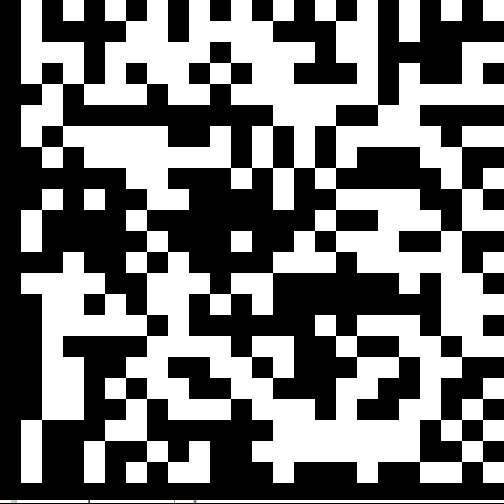
Enable Base HID only mode
You have to reboot the base station for enabling HID only mode.
DM8700Base |
|
|
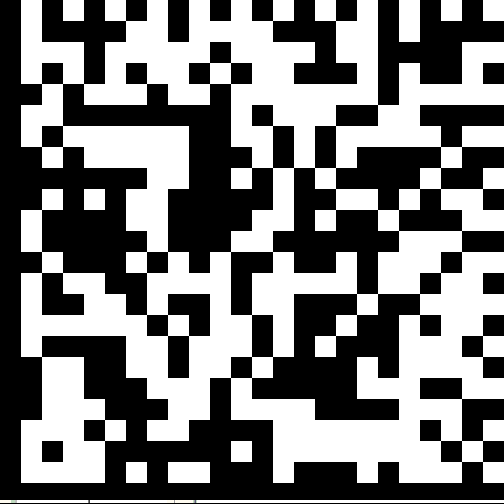
Disable Base HID only mode
You have to reboot the base station for disabling HID only mode.
DM8700Base |
|
|
|
|
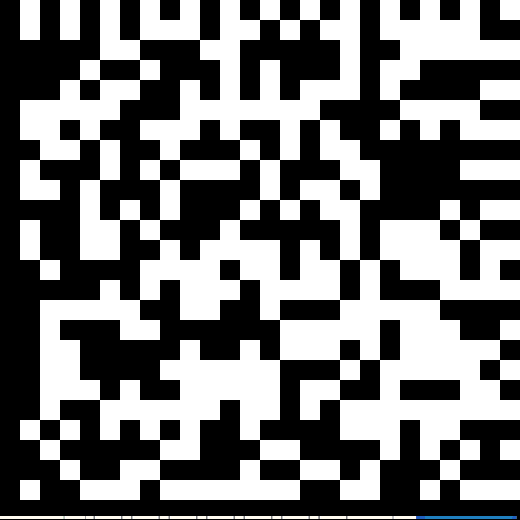
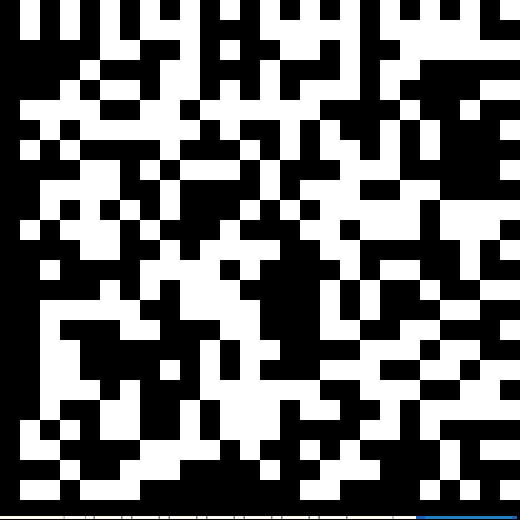
Enable HID only mode
You have to reboot the reader for enabling HID only mode.
DM80 ● DM280 ● DM290 ● DM8700 |
|
|
Disable HID only mode
You have to reboot the reader for disabling HID only mode.
DM80 ● DM280 ● DM290 ● DM8700 |
|
|

|
Enable Base HID-POS mode
You have to reboot the base station after enabling HID-POS mode.
DM8700Base |
|
|
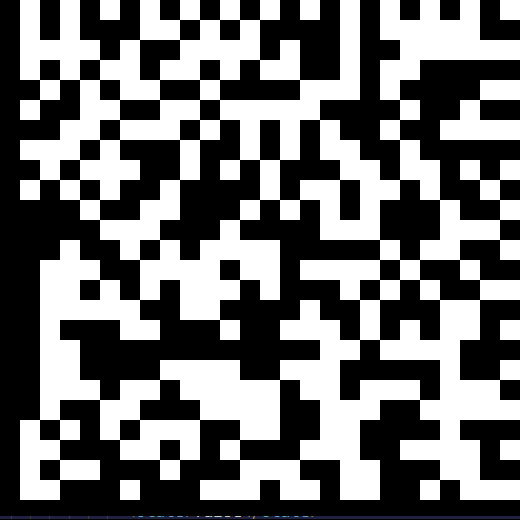
Disable Base HID-POS mode
You have to reboot the base station after disabling HID-POS mode.
DM8700Base |
|
|
|
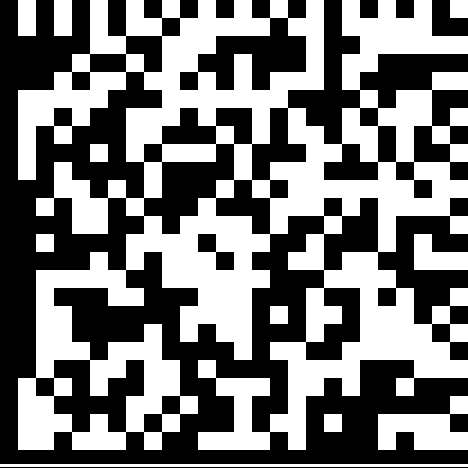
Enable HID-POS mode
You have to reboot the reader after enabling HID-POS mode.
DM8700 |
|
|
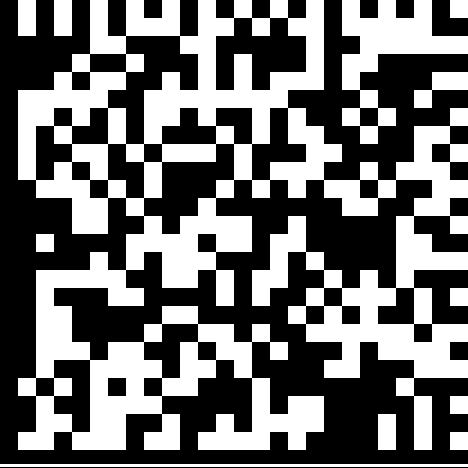
Disable HID-POS mode
You have to reboot the reader after disabling HID-POS mode.
DM8700 |
|
|
|
|
*Enable Base USB
Reader switches to USB when in the base.
DM8000Base (IBASE) |
|
|
Disable Base USB
Reader keeps up WiFi even when in the base.
DM8000Base (IBASE Wi-Fi) |
|
|
|
|
Enable Re-enumeration on Firmware Start
DM50 ● DM60 ● DM70 ● DM150 |
|
|
Disable Re-enumeration on Firmware Start
DM50 ● DM60 ● DM70 ● DM150 |
|
|
|
|
DTR Assertion Required for USB communication
DM80 ● DM280 ● DM290 ● DM8050 ● DM8700 corded |
|
|
DTR Assertion Not Required for USB communication
DM80 ● DM280 ● DM290 ● DM8050 ● DM8700 corded |
|
|
|
|
DTR Assertion Required for USB communication for Base Station
DM8700Base |
|
|
DTR Assertion Not Required for USB communication for Base Station
DM8700Base |
|
|
|
|
HID Ignore Caps Lock ON
DM80 ● DM280 ● DM290 ● DM8700 |
|
|
HID Ignore Caps Lock OFF
DM80 ● DM280 ● DM290 ● DM8700 |
|
|
|
|
Enable serial-over-USB
DM280 ● DM290 |
|
|
Disable serial-over-USB
DM280 ● DM290 |
|
|
|
|
Use SETUP/SET_REPORT method to receive HID reports from the host.
You have to reboot the reader.
DM80 ● DM280 ● DM290 ● DM8700 |
|
|
Use OUT Endpoint to receive HID reports from the host.
You have to reboot the reader.
DM80 ● DM280 ● DM290 ● DM8700 |
|
|
|
|
Use SETUP/SET_REPORT method to receive HID reports from the host.
You have to reboot the base station.
DM8700Base |
|
|
Use OUT Endpoint to receive HID reports from the host.
You have to reboot the base station.
DM8700Base |
|
|
|
|
Enable Reduced HID Key Up Messages
Faster keyboard emulation transfer speed
DM80 ● DM280 ● DM290 ● DM8700 USB |
|
|
Disable Reduced HID Key Up Messages
Slower keyboard emulation transfer speed
DM80 ● DM280 ● DM290 ● DM8700 USB |
|
|
|
|
Enable Reduced HID Key Up Messages
Faster keyboard emulation transfer speed
DM8700Base USB |
|
|
Disable Reduced HID Key Up Messages
Slower keyboard emulation transfer speed
DM8700Base USB |
|
|
|
|
Enable Bluetooth reconnection to BTDC devices by pulling the trigger
DM8700 |
|
|
Disable Bluetooth reconnection to BTDC devices by pulling the trigger
DM8700 |
|