




Welcome
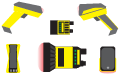
In order to quickly set up your device, it is recommended to go through the Application Steps represented by large buttons on the left-hand side. Each section has a tab with Basic or Advanced configuration options. The Save Settings action button saves the configuration data in the reader and saves a backup on your pc with a single click. The questions below describe the configuration options in each Application Step that are not self-explanatory.
Note: default, DM050, DMAE50, DM060, DM070, DM080, DM150, DM260, DM280, DM290, DM300, DM360, DM370, DM380, DM390, DM470, DM503, DM580, DM7500, DM8050, DM8070, DM8600, DM8700, DM8700Base, DM8000Base, MX-1000, MX-1500