




What trigger settings can I change?
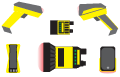
You can set the Trigger Type to either Manual (button) or Presentation (internal). For further trigger settings, go to the Advanced tab of Optimize Image pane, and select the Trigger Settings tab.
Note that while in Presentation mode (wireless reader only), as the operator pulls the trigger, the reader switches to Manual mode until the device is re-docked into the base station.
See Application Details Q and A for more information.
Note: DM8050, DM8070, DM8600, DM8700, MX-1000, MX-1500