Training the Reader
Training your reader with the expected symbology can make the time required to decode successive symbols more consistent. In addition, training may help increase decode yield.
To train your reader, place a code in front of the reader and do one of the following:
-
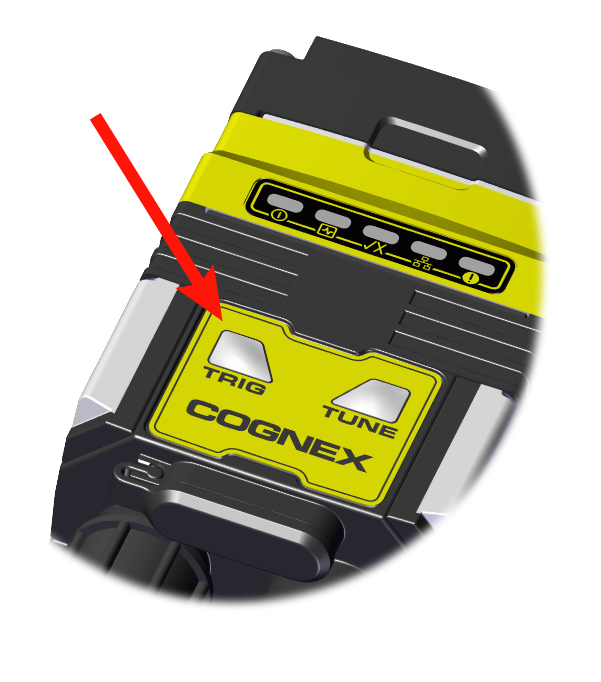
Press and hold the trigger button for a minimum of three seconds.
-
Click Train Code under Actions on the ribbon bar.
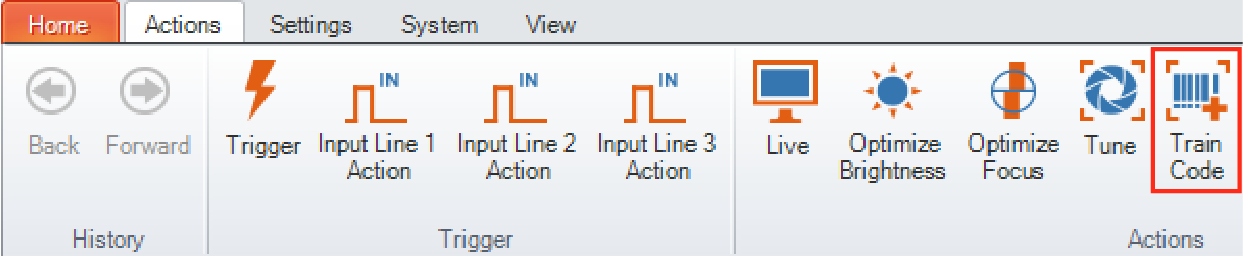
You can use training in Single, Burst, Continuous or Self trigger modes.
Manual Training
You can manually train your reader which is helpful if you do not have a barcode nearby or you need to train during a running production.
- Click Advanced under the Code Details.
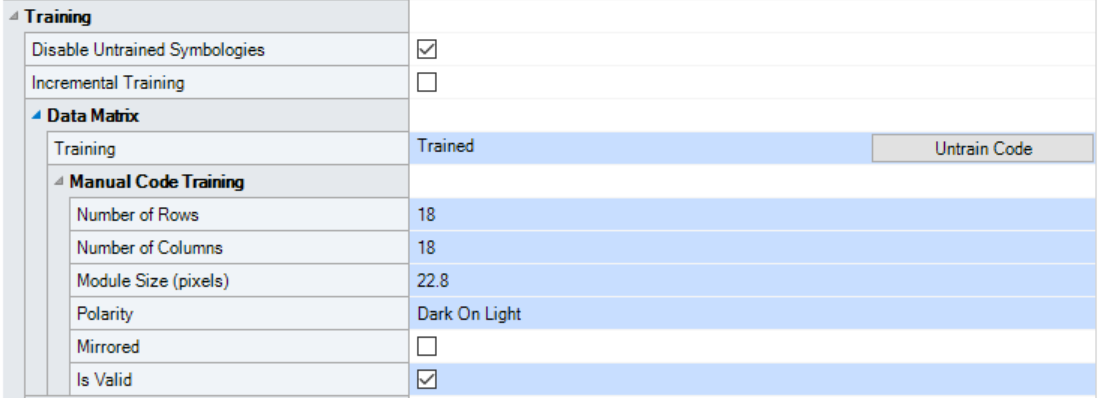
- In the Training tab, you can manually train a code by entering the attributes.
-
Check the Is Valid checkbox.
Training Feedback
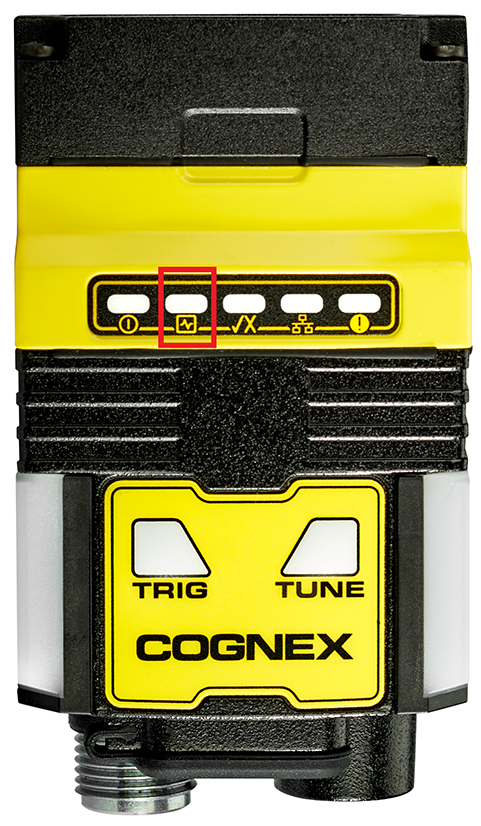
The second LED from left on the reader glows green to indicate that it is currently trained. If the reader has no trained code, the LED is off.
Connect the reader to the DataMan Setup Tool to untrain it and allow it to recognize other enabled symbologies.
Incremental Training for Multiple Symbologies
If you want to train the reader to recognize multiple symbologies, you can present a single image showing all the desired symbologies and perform the training procedure previously described.
If you cannot present a single image showing all the necessary symbologies, you can enable incremental training under Training on the Advanced tab of the Code Details pane:
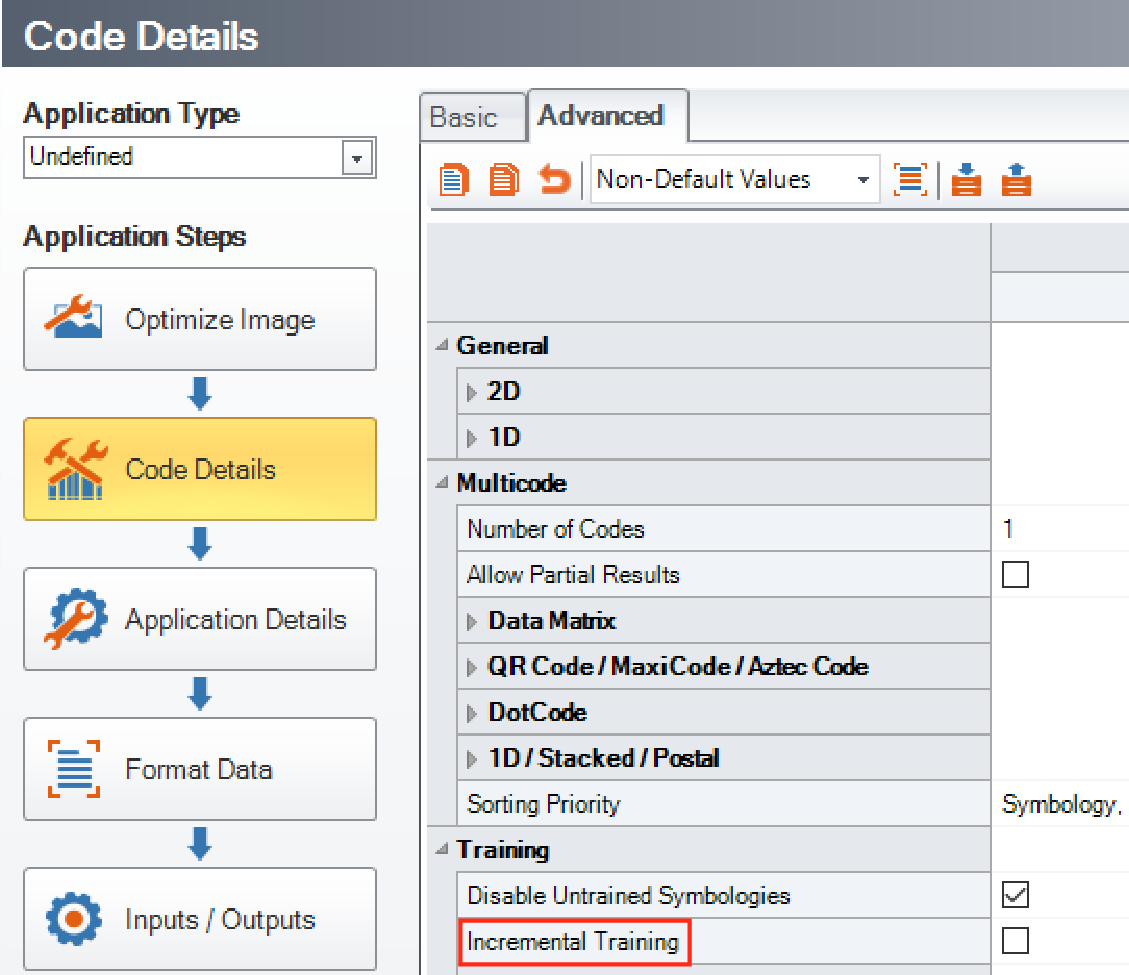
With incremental training enabled, you can train the reader using multiple images showing the symbologies you expect to decode. The reader will train each new symbology while retaining the existing trained symbologies.