Connecting the EtherCAT Cable to the DataMan 280 EtherCAT Reader
Connect the EtherCAT cable to the EtherCAT connector of the DataMan 280 EtherCAT Reader:
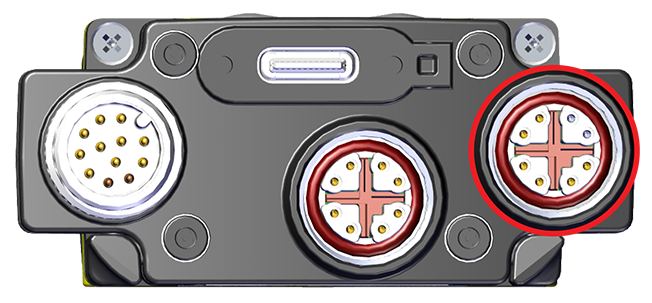
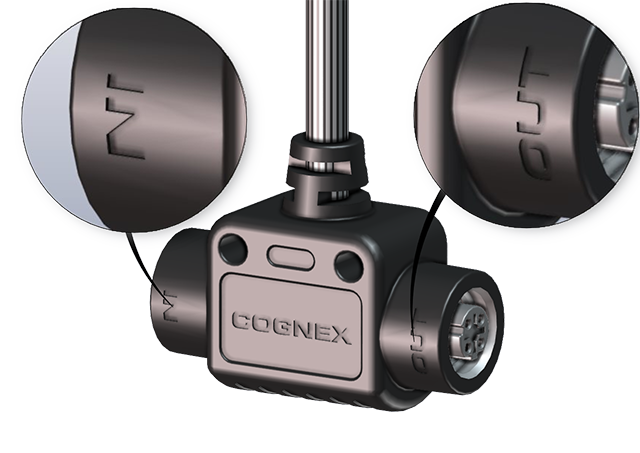
The DataMan 280 EtherCAT reader provides two 100 MBit EtherCAT ports in a single physical connector. One of the ports acts as input, and the other one as output:
-
If you connect an M12 to RJ-45 Ethernet cable to the EtherCAT connector, you connect to the IN port.
-
If you connect with the EtherCAT adapter cable, both the IN and OUT ports are available
The DataMan 280 EtherCAT supports the following physical topologies:
-
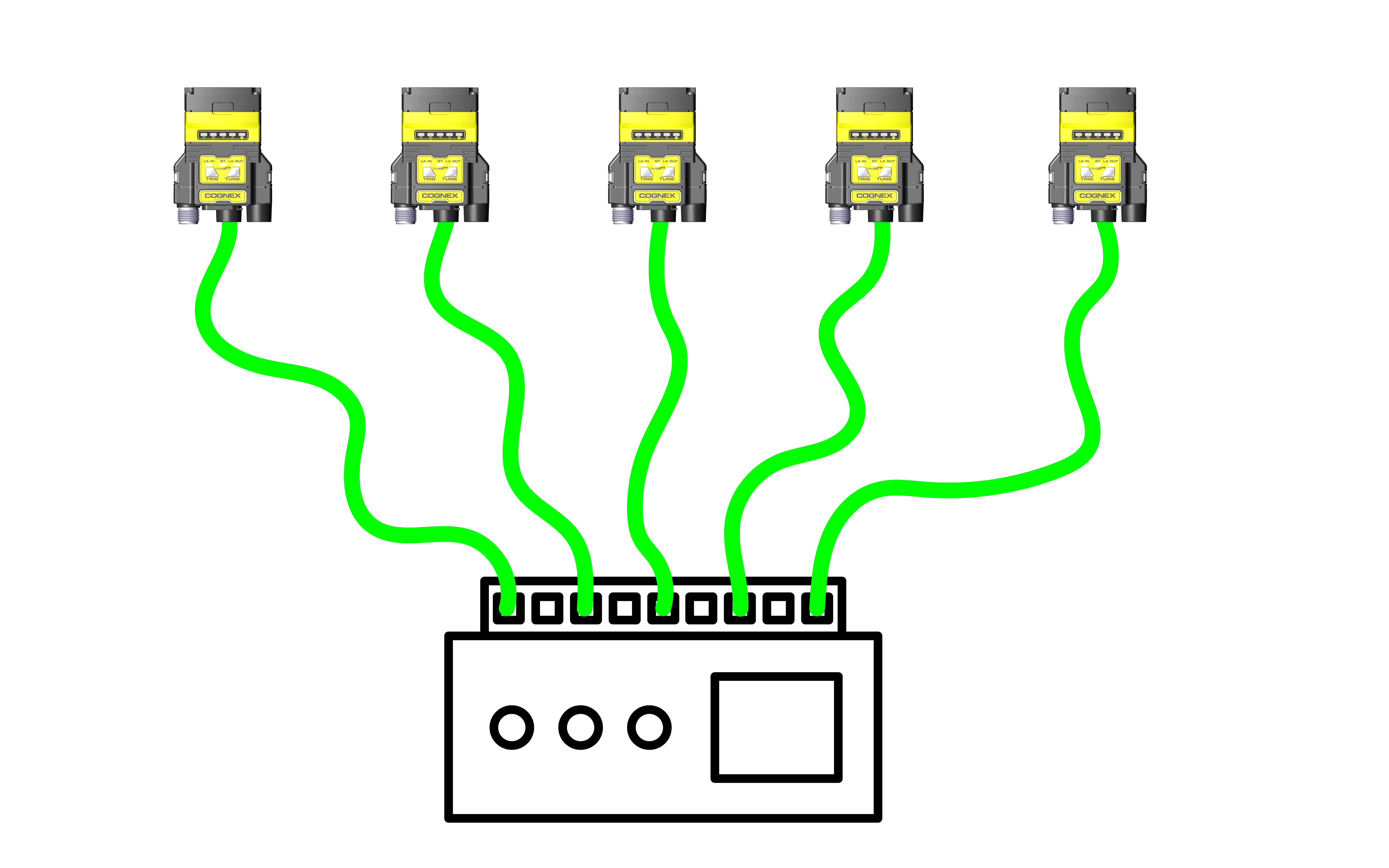
Star
-
Line
-
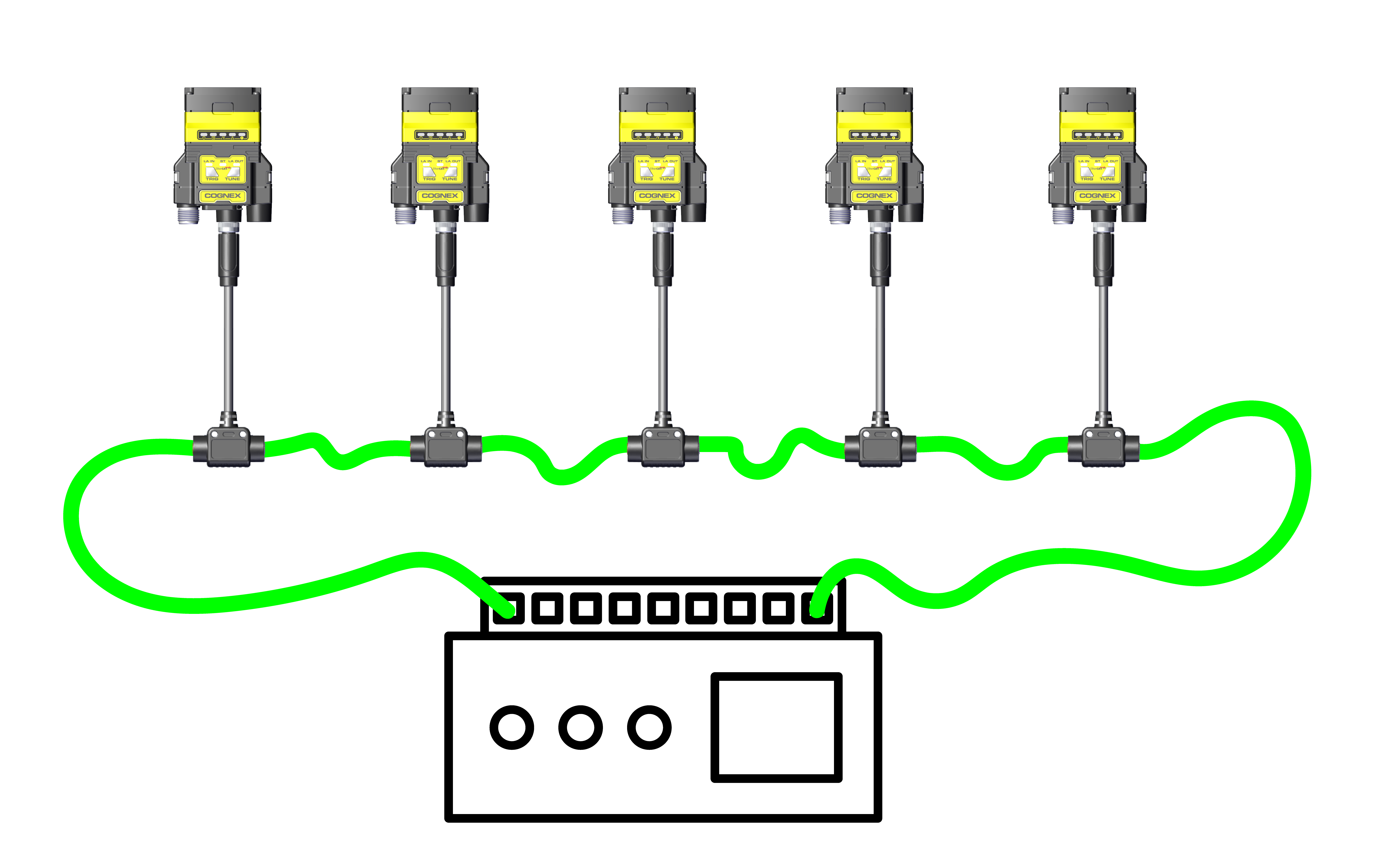
Ring
Star EtherCAT Topology
The star topology connects each reader to the PLC individually. This topology offers increased availability, as each reader can be reached individually.
Line EtherCAT Topology
The line topology connects the readers in daisy chain. The output of one adapter cable is plugged into the input of the next one. The line starts at the output from the PLC, and ends at the input connector of the last reader. This topology reduces the cabling needed to connect all readers.
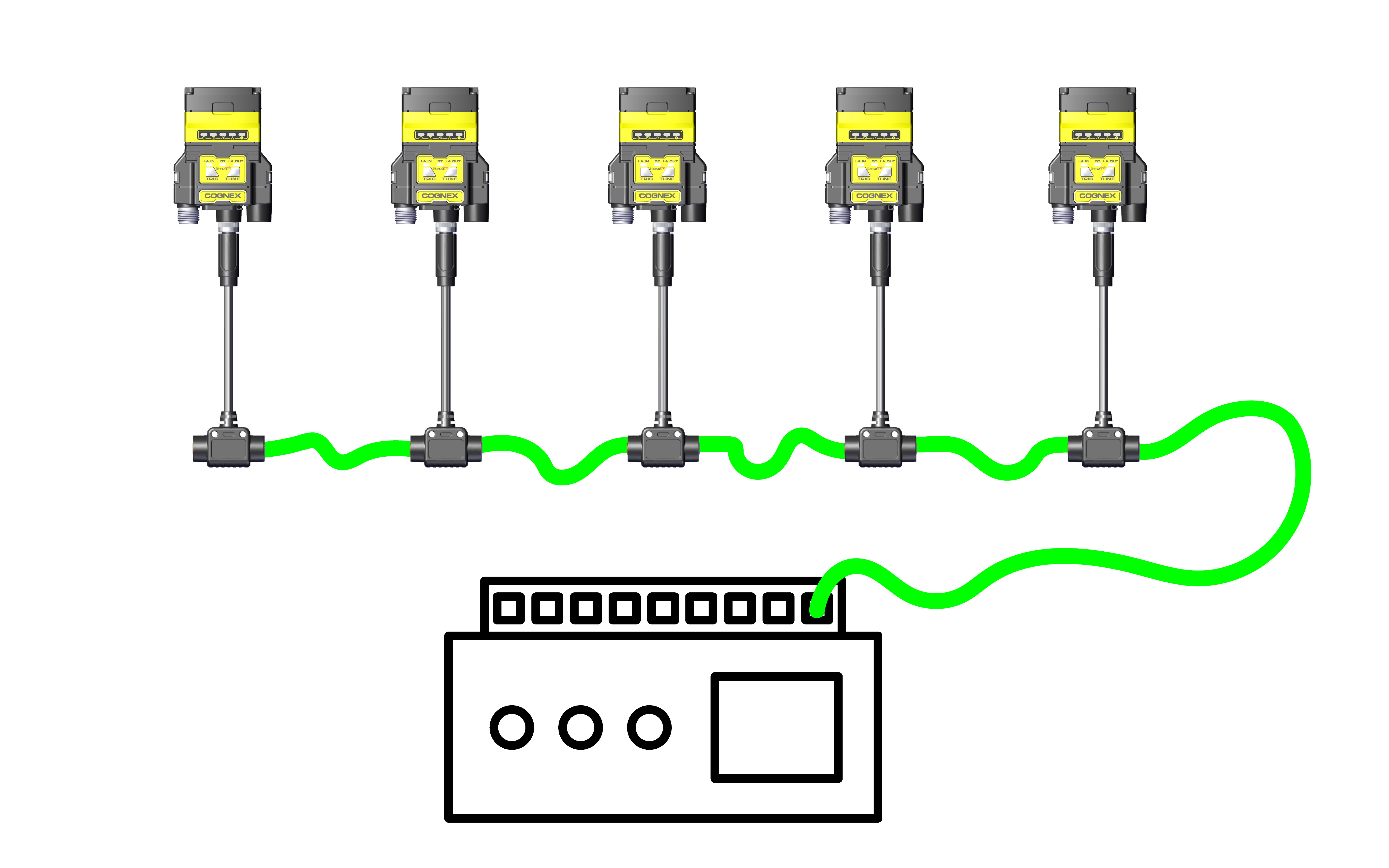
Ring EtherCAT Topology
The ring topology connects the readers in daisy chain. The output of one adapter cable is plugged into the input of the next one. The ring starts at the output from the PLC, and ends at the output of the last reader connected back to the PLC. This topology offers redundancy, since a reader can be reached from either direction.