Mounting the DataMan 370 and 470 Reader
The accessory mounting bracket kit (DMBK-370-MNT for the DataMan 370 and DMBK-470-MNT for the DataMan 470) includes the mounting bracket, four Phillips flat head M3 DIN 965 screws for attaching the reader to the mounting bracket and four M6 DIN 912 (ISO 4762) screws for securing the bracket to a mounting surface.
-
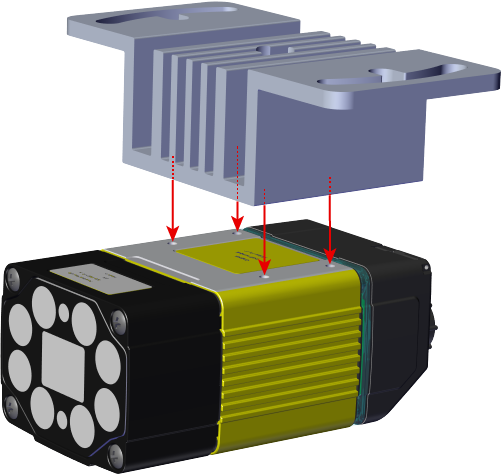
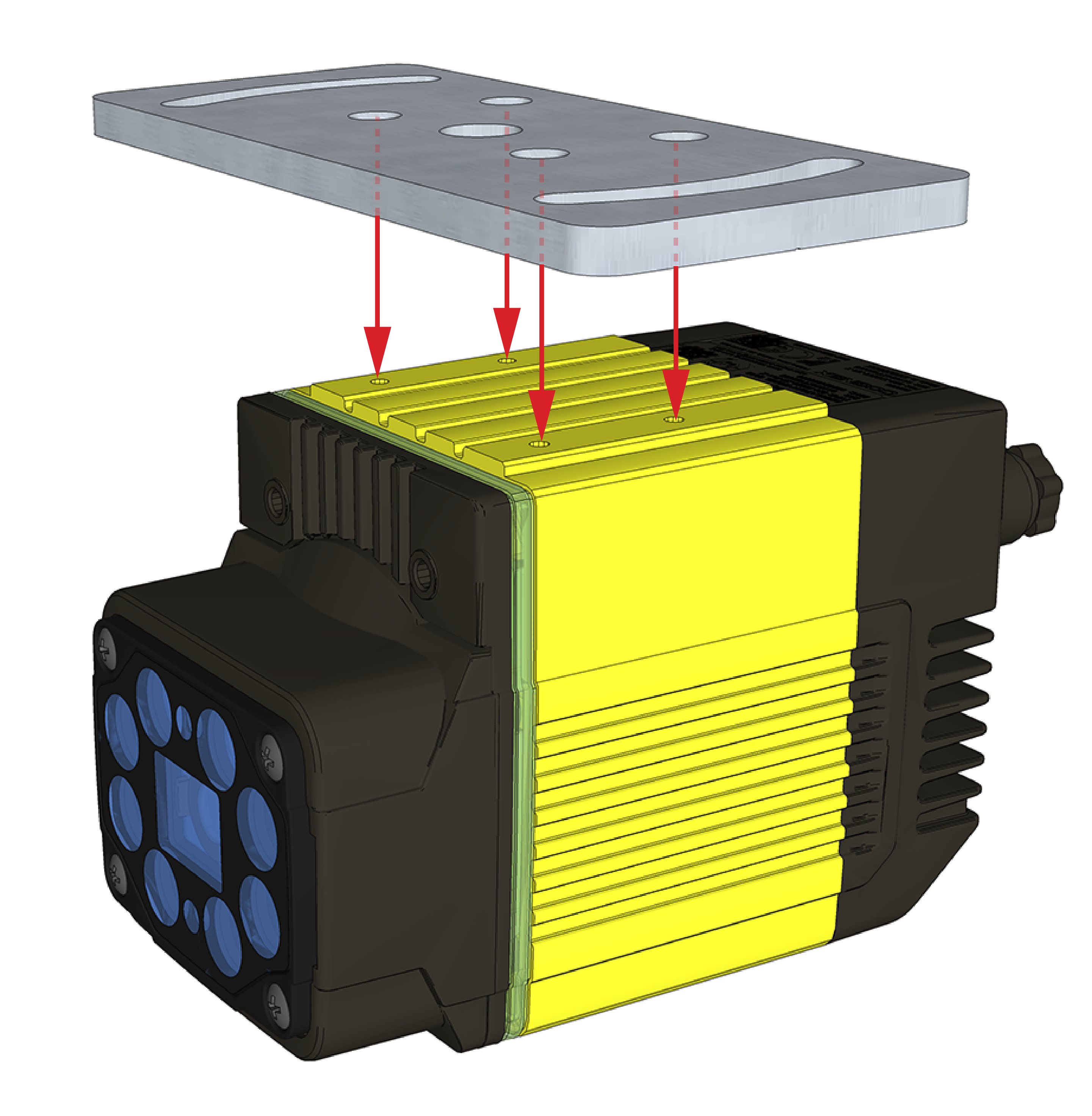
Align the holes on the mounting surface with the mounting holes on the reader.
DataMan 370
DataMan 470
-
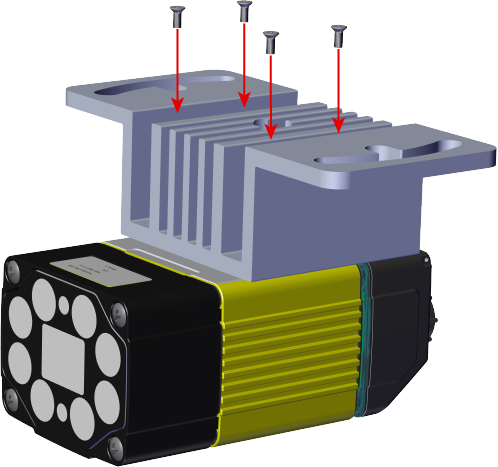
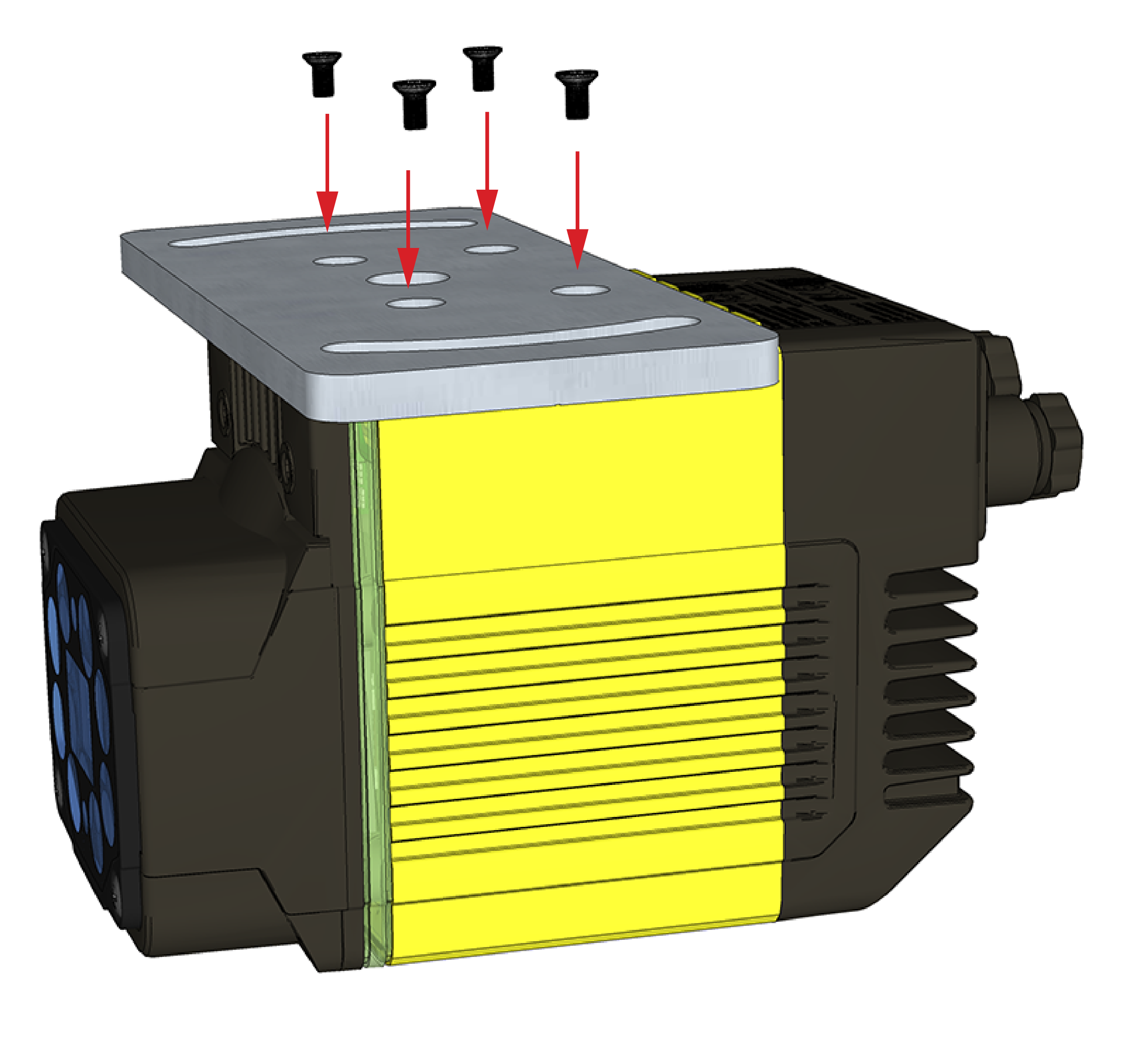
Insert the M3x5, DIN 965 (4x) screws into the mounting holes.
Note: Use a 2.5 mm hex wrench to torque the captive screws to 0.60 Nm (5 in-lb). Tighten in sequence.DataMan 370
DataMan 470
-
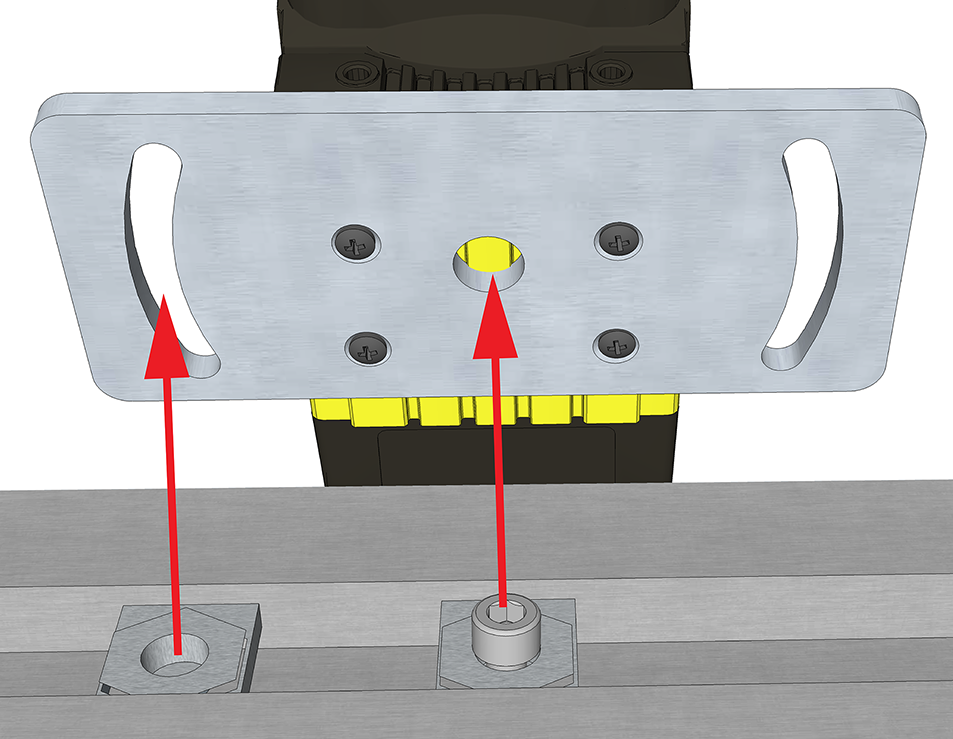
Align the mounting holes on the mounting plate with the M6 drop-in nuts and the M6, DIN 912 (ISO 4762) socket head screw in the mounting surface.
-
Attach the mounting bracket to the mounting surface using M6, DIN 912 (ISO 4762) socket head screws with M6 drop-in nuts for OTS aluminum profiles.
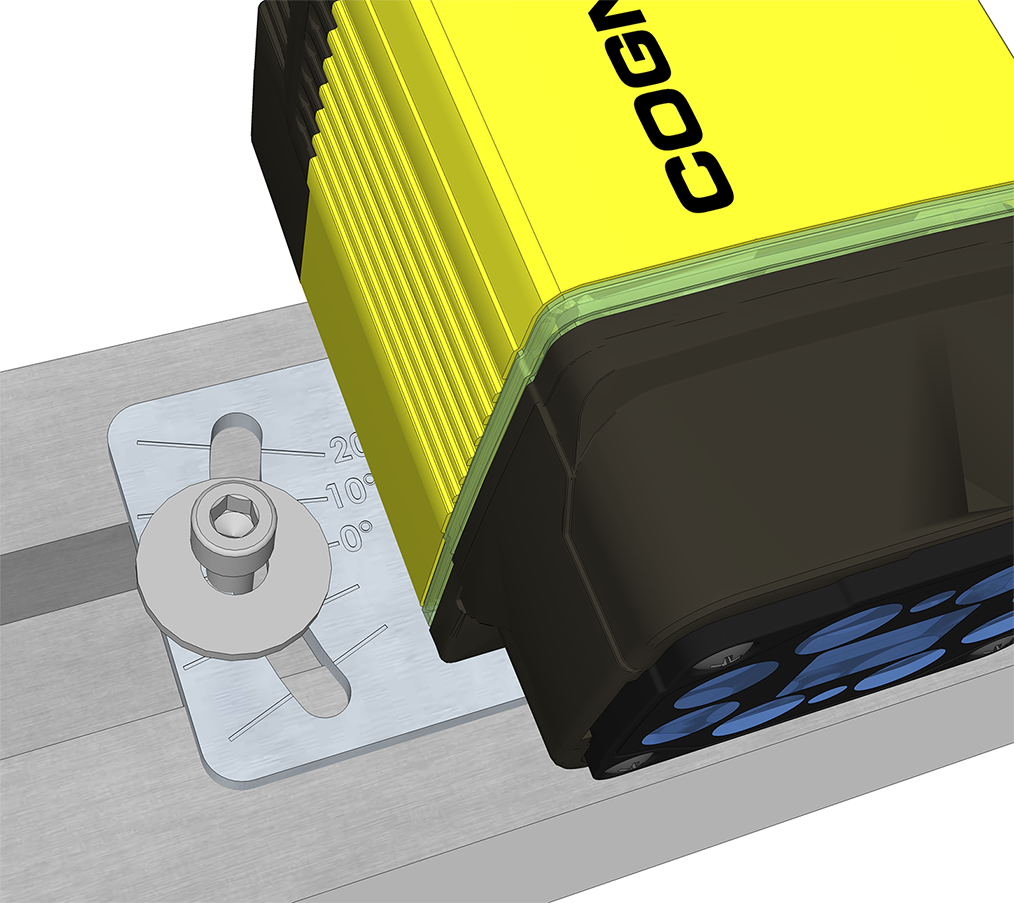
Mounting the DataMan reader at a slight angle (15°) can reduce reflections and improve performance.
|
DataMan 370 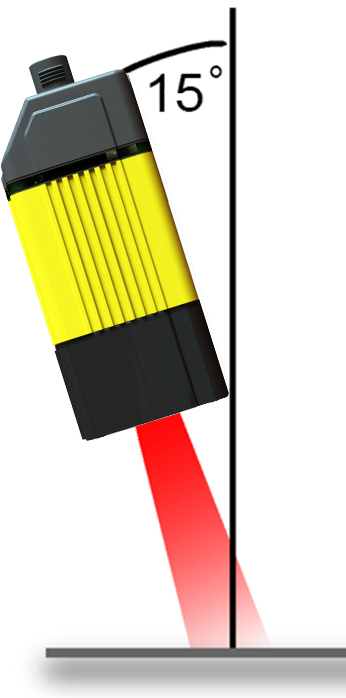
|
DataMan 470 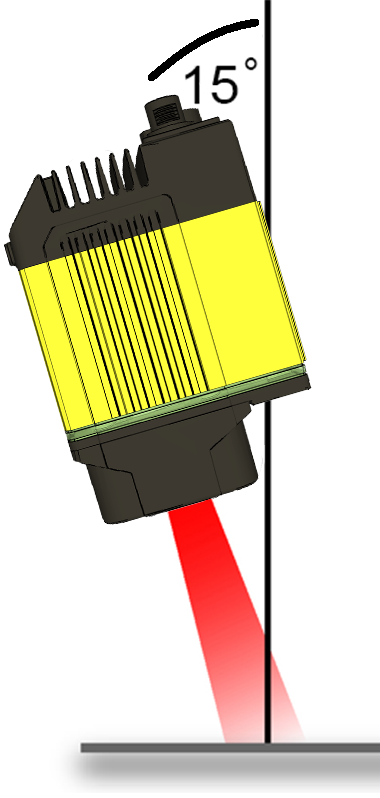
|