
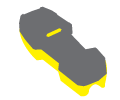
What is the Xpand ROI settings used for?
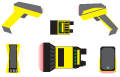
You can use this feature to specify the exact region of each part of the image seen by the reader through the FOVE. This can be helpful to disable the ghosting area in the middle of the image where the same code can be detected twice. Reducing the region of interest (ROI) does not necessarily reduce the decoding time or increase the image transfer rate.
The most appropriate settings have been pre-configured for existing Field of View Expanders (FOVEs), but you can fine-tune the settings (Custom setting) by manually adjusting parameters in order to achieve the best results for the particular FOVE in use. Readers, FOVEs, and lens used factor in differently.
NOTE: Some image related properties (eg. image size, filtering) cannot be altered when the device is acquiring or decoding images.
NOTE: Make sure to check if the device you are using is compatible with the FOVE you are trying to calibrate!