Getting Started Tutorial: Creating a Single-Camera Vision Application
This detailed tutorial will describe you how to create a single-camera vision application in Cognex Designer from scratch. During the tutorial, you will be inspecting simulated images of Jell-O boxes for malformations in their cover graphic. You will set up the project to inspect a specific region of the image for these defects (also called "blobs"), keep a running count of how many blobs are found, and finally, display the results in an HMI that can be deployed to a Web page for easy access by end users.
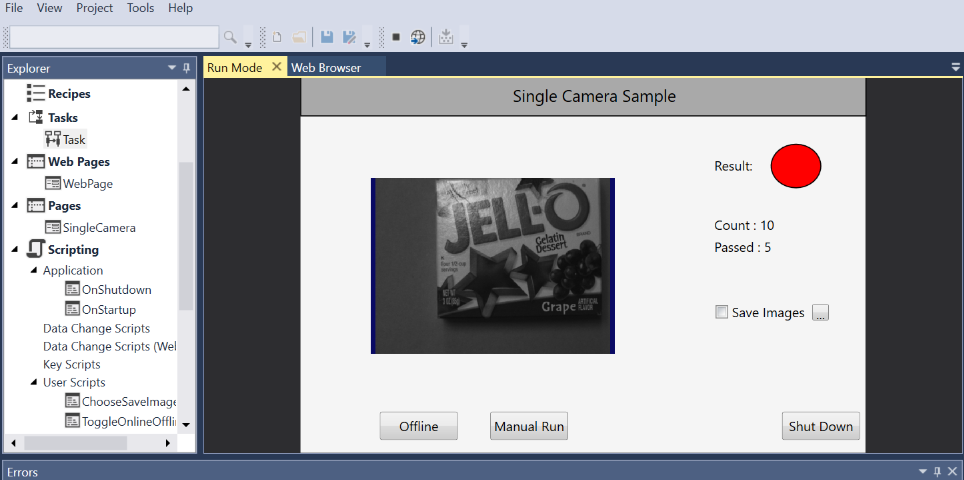
The tutorial will consist of the following parts:
- Creating a Project using a Single Camera Project Type.
- Creating tool blocks that model core tasks in a vision application.
- Working with Task Blocks in the Sequence Editor:
- Adding and placing tool blocks for input, processing, and output.
- Creating tags and binding them to values.
- Connecting blocks and passing tagged values between blocks to create a task sequence.
- Customizing a VisionPro application with Quick Build.
- Adding and configuring a script block.
- Adding new objects to an HMI and then binding tagged values to those objects.
- Deploying your application as a Web Page to render it "live" in a production environment.
Before you begin the getting started tutorial, Cognex recommends watching the Crash Course video to familiarize yourself with the basic concepts and work flow of the Cognex Designer GUI.