Task Mode
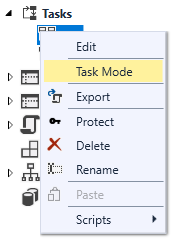
The Task Mode dialog is used to define the way that a Task is triggered. A Task has four different trigger modes, which can be set by right-clicking on the Task in the Project Explorer and selecting Task Mode.
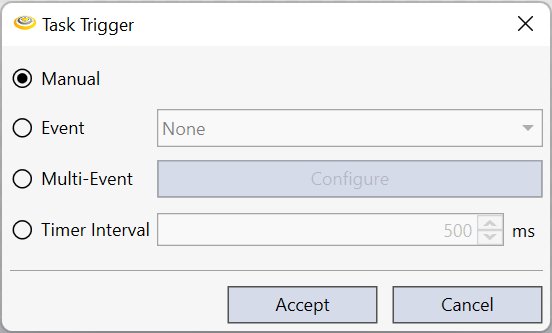
By default, the Task is setup to execute manually when a script calls the $Tasks.{TaskName}.Run() function.
|
|
|---|---|
| Control | Description |
| Manual | Specifies that the Task execution is controlled by the user. The Task can be executed by calling the Run() or RunAsync() method on the Task. |
| Event | Specifies that the Task should execute when the selected event occurs. A list of available events are shown in the drop down list. |
| Multi-Event | Specifies a set of events that must occur before the Task is executed. |
| Timer | Specifies that the Task should execute at a user-defined interval (milliseconds). |
Note: For details on the concept of a continuous task or continuous vs. manual acquisition, see the Acquiring Images - Manual Vs. Continuous topics for more information.