VisionPro ToolBlock Editor
The VisionPro ToolBlock Editor inserts a VisionPro ToolBlock Edit Control into a Page, which provides operators access to a CogToolBlock.
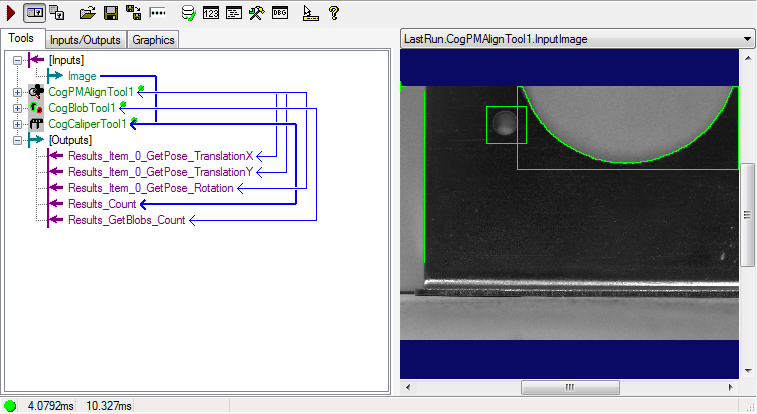
In order to have the VisionPro ToolBlock Edit Control available, it must first be exposed as a tag:
- Go to the desired Tool Block in the Task, and double click the Tool Block to open the ToolBlock Edit Control.
-
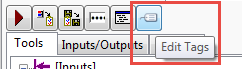
Press the Edit Tags button.
-
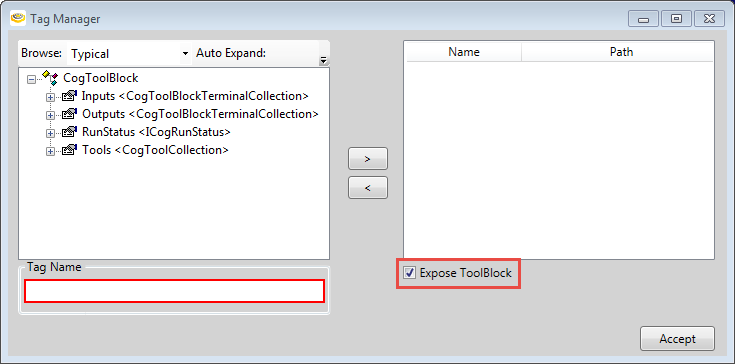
From the VisionPro Tag Manager, enable the Expose ToolBlock checkbox.
- Go back to the Page, and, using the Expression Builder, set the Subject property to the tool, i.e. $Tasks.Task.Task.<ToolBlockName>.ToolBlock.
-
To save edits made to the ToolBlock during runtime, there are two options: manually saving changes to the .vpp file, or using a recipe.
Manually Saving Changes
-
Add a Button element, and for the Button's On Click script, use the following script (if the script needs to be called from different places within the project, create and use a User Script instead of the Button's On Click script):
Cognex.VisionPro.CogSerializer.SaveObjectToFile($Tasks.<TaskName>.<TaskName>.<BlockName>.Toolblock, "C\\Toolblock.vpp")
-
To load the ToolBlock at startup, use the following script for the OnStartup script:
$Tasks.<TaskName>.<TaskName>.<BlockName>.Toolblock = (Cognex.VisionPro.CogSerializer.LoadObjectFromFile("C:\\Toolblock.vpp");
Using a Recipe
- Create a new Recipes, and add the ToolBlock tag to the recipe.
-
Add a Button element, and for the Button's On Click script, use the following script (if the script needs to be called from different places within the project, create and use a User Script instead of the Button's On Click script):
$System.Recipes.Recipe.Save("Default",""); -
To load the ToolBlock at startup, use the following script for the OnStartup script:
$System.Recipes.Recipe.Load("Default");
-
- When making changes to the ToolBlock at runtime, the list of inputs and outputs should not be changed. Making changes to the inputs and outputs could result in a link being broken in the Task, and stop the Task from executing correctly.
- For the best performance during runtime deployment, Cognex recommends that users be prevented from accessing any Pages with a VisionPro ToolBlock Editor. Simply disabling the Visible property will not work; the Page that contains the VisionPro ToolBlock Editor must be closed, because they both execute on the same UI thread, so timing is not predictable. For example, a VisionPro ToolBlock Editor on an inactive Page would take ~25ms, while a VisionPro ToolBlock Editor on an active Page would take ~90ms, as would a VisionPro ToolBlock Editor with the Visible property disabled.