Acquiring Images Continuously
In the case of continuous acquisition, the application typically has:
- A Task that has its trigger mode set to "Event" (Figure 1), with a Task that has a Camera Device in it (with the acquired image bound to a tag).
- A Page with a Button Page User Inputs, which is bound to Tasks.Task.Run and runs the Task when pressed, and, optionally, a VisionPro Display Page Vision Controls and Displays control bound to the tag of the acquired image.
- In the Acquisition Edit Control, the Camera has to be set to Free Run (see Figure 2).
In this case, the Camera Device starts to acquire images continuously and the VisionPro Display control displays the images like a "live feed".
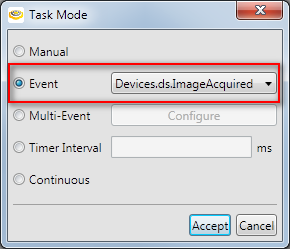
Figure 1: A Task configured to be triggered by the ImageAcquired event of the Camera Device.
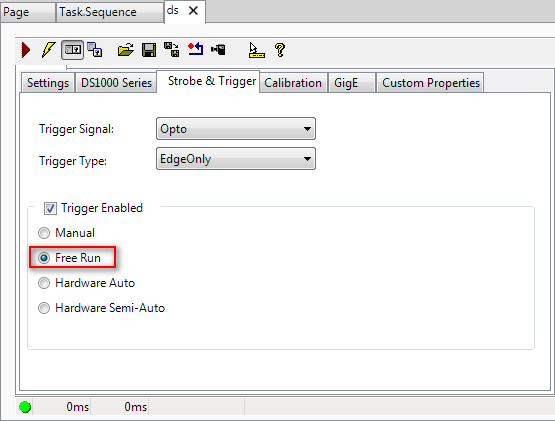
Figure 2: The Acquisition Edit Control on the Strobe & Trigger tab within Designer, which is opened by double-clicking the Camera block in the Task.