Executing Blocks Inside a Parallel Region
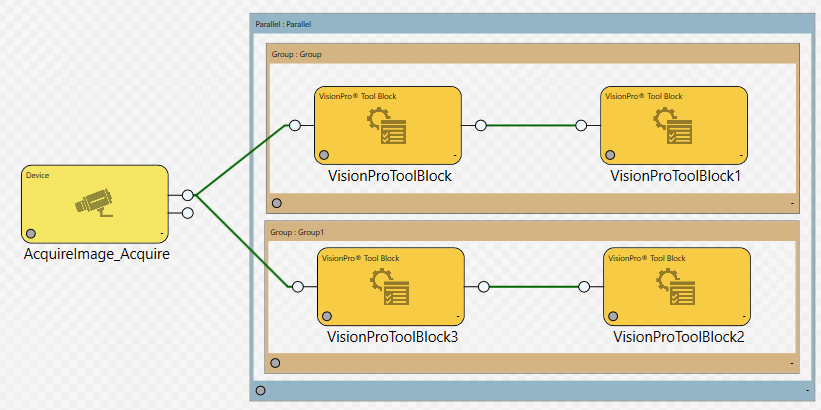
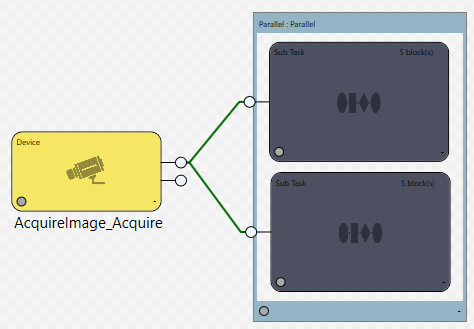
Sometimes you want a few groups of blocks to execute in parallel. In this case, you will need to place each logical sequence of blocks within a Group Region or a Sub Task block to prevent them all from being executed at the same time, before their pins can be updated.
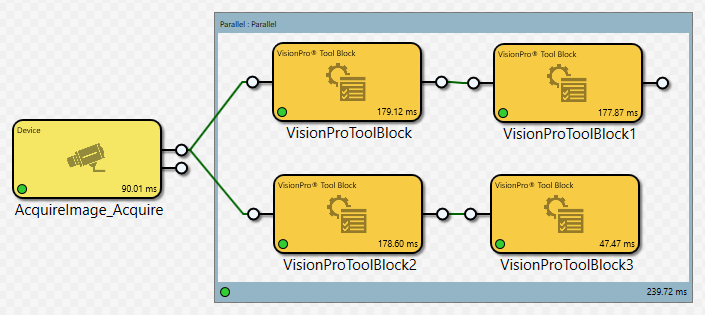
In the above layout, when the Parallel region executes, all of the blocks within the Parallel region are executed at the same time. Designer will not check to see if there are dependencies, which means that "ToolBlock1" could execute before the result from "ToolBlock" is received, so "ToolBlock1" could execute on old data.
Instead, to control the execution flow, the blocks within the Parallel region should be either placed in Group regions or Sub Task blocks.