NDM Startup and Verification
To start the NDM, follow these steps:
- Launch Cognex Designer.
- Create a new project.
- In the Devices section of the project explorer, verify that the Cognex Communication Cards device is present in the Communications drop-down.
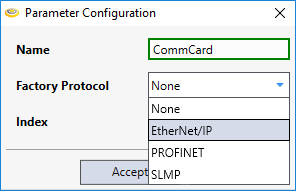
- Right click on the Cognex Communication Card device and select Connect (or double-click the device). Specify the protocol type (EtherNet/IP, PROFINET or SLMP) that you are using, and set the Index to 0 (the default setting). If the Index is set to anything other than 0, a disconnected card will be created.
At this point the NDM should be running and visible to your PLC:
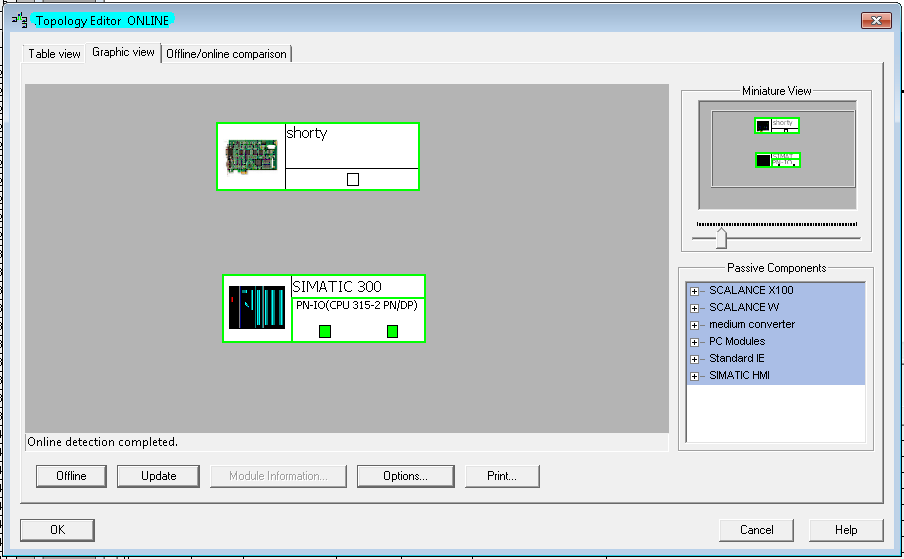
Note: If neither Cognex Designer nor the Comm Card Configurator is running, then the card will be unreachable. If the Comm Card Configurator (it will not start the NDM and will not allow the PLC to connect to the card) is running, then the card will be reachable, but it will not be a valid station. Only when Cognex Designer is running and the current project is connected to the card will the card appear as a valid station.