Notification Settings
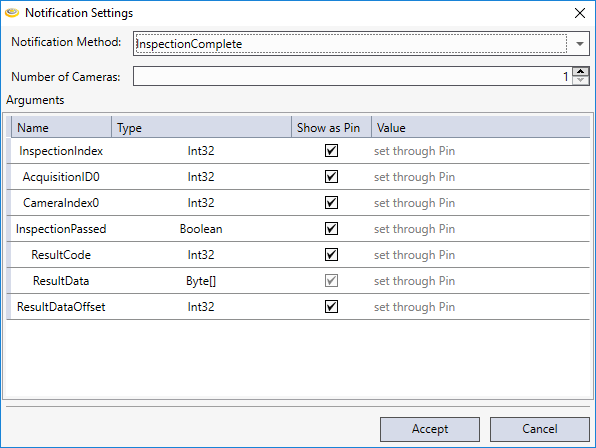
The Notification Settings dialog can be displayed by pressing the Edit button of the Arguments parameter, or alternatively, double-clicking the Block. The dialog is used to configure the notification method, using the drop-down menu of the Notification Method parameter.
Note: For more information about the Notification Method parameter selections, see the NDM Notification Functions topic.
Once the notification method has been selected, a table will be created that displays the input arguments of the selected notification method.
The Show as Pin checkbox specifies whether or not to display the argument as an input pin on the block. If an argument is not represented as an input pin, its value can be set in the Value column.
Note: The Inspection Complete notification method is the only method that enables the Number of Columns parameter, which determines the number of visible AcquisitionIDn and CameraIndexn arguments.