Compose Collection
Creates a collection from a set of homogenous values. Each element of the collection is represented as an input pin and the created collection is represented as a single output pin. The size and the type of the collection is an editable property of the block. Users can show or hide the available input pins (Figure 1).
Note: The type of the created collection can be a different type of generic IList implementation.
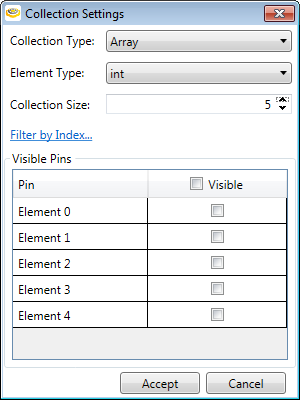
Figure 1: Compose Collection block settings
| Setting | Description |
|---|---|
| Collection type |
|
| Element type |
|
| Collection size | The number of items in the collection. |
| Filter by Index | You can enter the index number for the element(s) you wish to see in the list. You can use comma or semicolon as delimiter (for example: 1,2,3 or 1;2;3), or intervals (for example: 1-3;4;6-8). |
| Visible Pins | You can check which elements should be visible (Figure 2). |
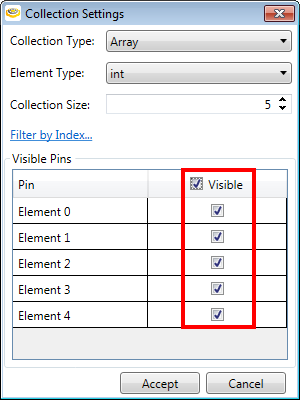
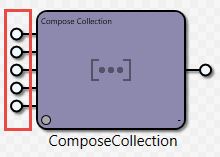
Figure 2: The elements of an array marked as visible appear as input pins on the Task block.