Template Browser
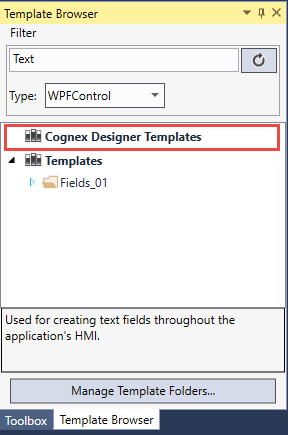
The Template Browser allows you to access all your own and imported template files from your user libraries. You can find it at View | Template Browser. To learn more about user templates, see the Templates topic.
-
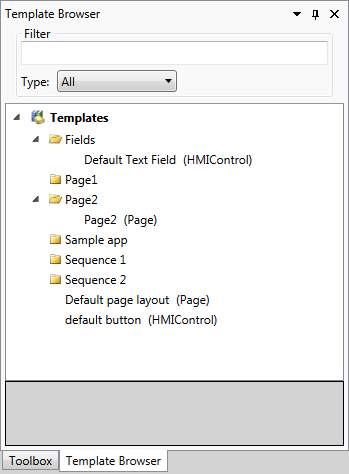
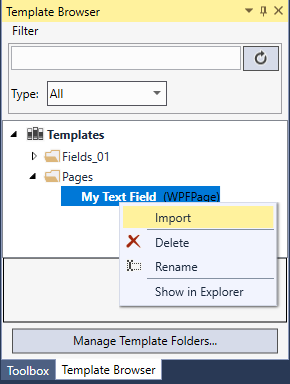
The Template Browser lists your template files in a hierarchical manner and allows you to import any file with a right-click or by drag-and-drop (see Importing Items topic).
You can search and filter your templates in the Filter section.
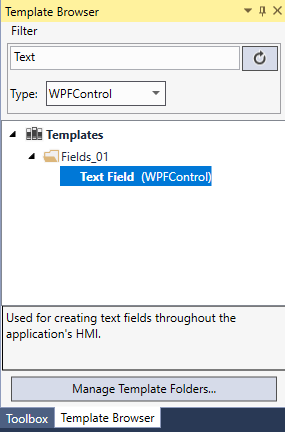
- The type of each template is displayed in brackets.
- A Tooltip is displayed, but only if the template has the value set.
- A description is displayed in the grey region.
- You can move templates to and from different folders, create new folders, rename and delete templates and folders.
- Filter by the type of Template from the drop down box.
-
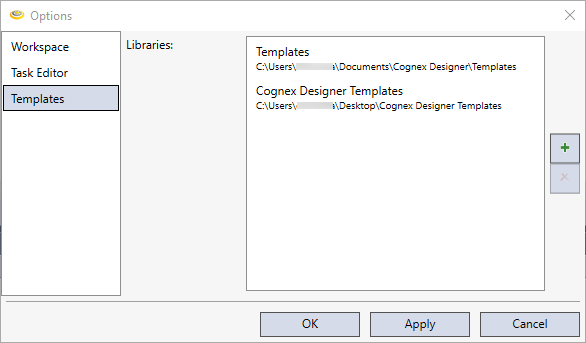
You can add new template directories to the default one in Tools | Options. By default, the Template Browser lists the files from %MyDocuments%\Cognex Designer\Templates.