DS1000 Series Sensor Acquisition Wizard
When the user starts the Displacement Sensor Acquisition Wizard, a second FIFO is created in addition to the FIFO created by the Acquisition Edit Control (see Figure 1). If the Acquisition Edit Control is using Free Run or the Hardware Auto trigger modes while the Displacement Sensor Acquisition Wizard is running, the Displacement Sensor Acquisition Wizard must wait for the Acquisition Edit Control FIFO to finish before it can program the DS1000 series sensor to take the image it wants. This can result in unexpectedly long waits for the Displacement Sensor Acquisition Wizard until being able to acquire either range or intensity images. It can even lead to indefinite waits, depending on the circumstances.
It may be best to disable triggers in the Acquisition Edit Control in situations involving Free Run or Hardware Auto trigger model if the user is working with the DS Acquisition Wizard (see Figure 2).
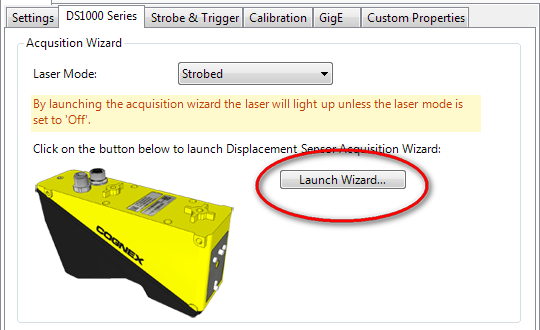
Figure 1: Starting the Displacement Sensor Acquisition Wizard
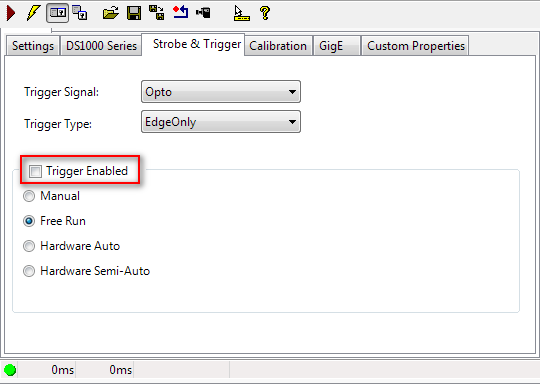
Figure 2: Disabling triggers in Acquisition Edit Control