How To Create an Audit Trail Database
To use Audit Trail, first you have to create a database for it:
-
From the Project Explorer, right-click the Databases node and select New Database.
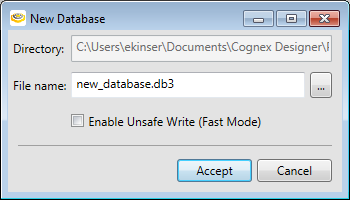
- In the New Database dialog, provide a name for your database and press the Accept button. Your database is created.
-
From the Project Explorer, right-click the Settings node and select Edit. This will launch the Project Settings dialog; from this dialog, select the Audit Trail tab.
-
Check Enable Audit Trail checkbox.
-
From the Select Database drop-down, select your database.
-
From the Selected Table drop-down field, press the New button.
- Press the OK button.