Command Line Arguments
The topics in this section cover the various command line arguments that can be supplied to the VisionPro Deep Learning application when it is invoked.
The name of the service application you will be issuing the commands to is Cognex Deep Learning Studio.exe (IDE application) or VisionPro Deep Learning Service.exe (if you are using the Deep Learning Client/Server Functionality).
The following paths are the locations for the above applications:
- C:\Program Files\Cognex\VisionPro Deep Learning\4.1\Cognex Deep Learning Studio\Cognex Deep Learning Studio.exe
- C:\Program Files\Cognex\VisionPro Deep Learning\4.1\Service\VisionPro Deep Learning Service.exe
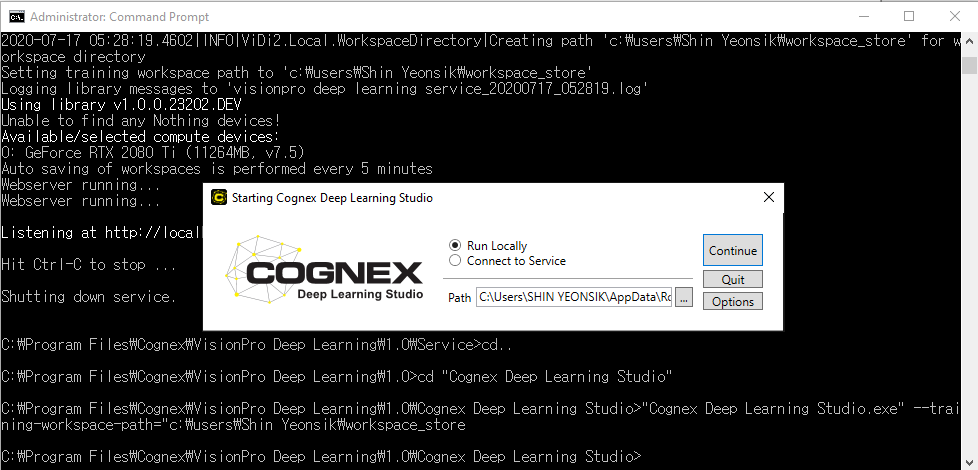
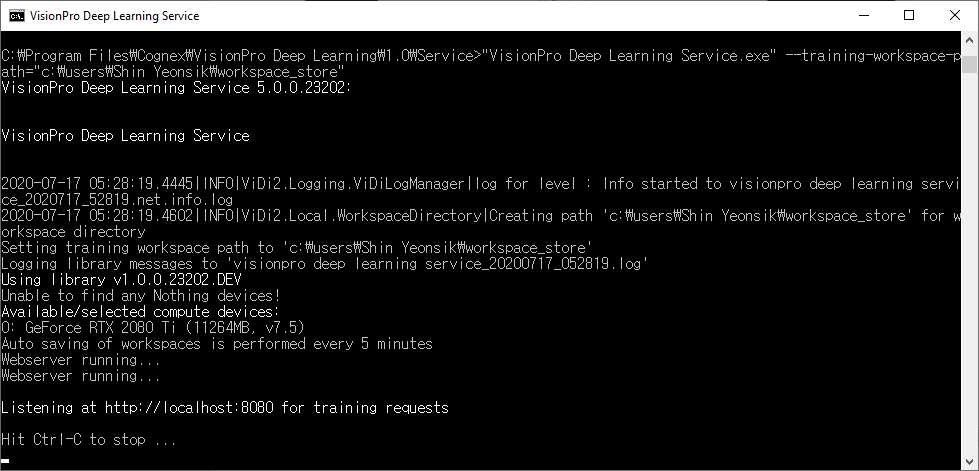
You issue the commands by first specifying the name of the application, followed by the command line arguments. For example, if you wanted to change the default training Training is the process that your tool, which is a neural network, is learning about the features (pixels) based on the labels you made. For example, a tool will learn the defect/normal pixels in each image based on the defect/normal labels you drew. The goal of the tool Training is learning enough to give the correct inspection results of whether an unseen image is defective or not. The key to training is to ensure that you include all possible variations within your training set, and that your images are accurately labeled. Training times vary by the application, tool setup and the GPU in the PC being used to train the network. workspace path, after opening a Windows Command Prompt and changing directories to the Program Files directory, you would issue the following command:
C:\Program Files\Cognex\VisonPro Deep Learning\4.1\Service>"VisionPro Deep Learning Service.exe" --training-workspace-path=c:\users\username\workspace_store
When issuing commands to the Deep Learning GUI, after initializing the command, the GUI launcher screen will appear, and you will not receive acknowledgment of the command.