Blue Locate
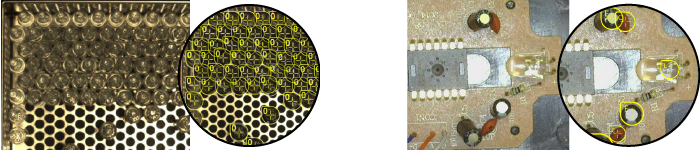
The Blue Locate tool is used to identify and locate specific features or groups of features in an image. The output of the tool can be used to provide positional data for other downstream Deep Learning tools. When using the Blue Locate tool, you provide a training image set A collection of images of your specific application. A training image set represents images of a specific part or process acquired in a consistent way using the lighting, optical, and mechanical characteristics of your runtime system. The training image set includes images that represent the range of image appearances that you expect to see in normal operation. and then identify the features within the images.
The Blue Locate tool can perform tasks such as:
-
Locating features, object, or parts
-
Performing quality control checks on kits and packages
-
Counting translucent glass medical vials on a tray
-
Creating models:
-
The layout model A specific spatial arrangement of a set of features (Blue Locate and Blue Read tools only.) During a post-processing step, the Blue Locate and Blue Read tools can fit all of the features detected in an image to the models defined for the tool. The overall pose and identity of the model is then returned. provides the ability to check for the presence of features, and verification of the correct number of instances of one or more features in a region.
-
The node model defines the spatial relationship among a group of features.
-