Script Block Examples – Red Analyze
This topic contains sample codes that stores the center of the first defect region.
To run the example codes below that use 'tag,' go to Project Explorer - Tag Manager to add the tags first.
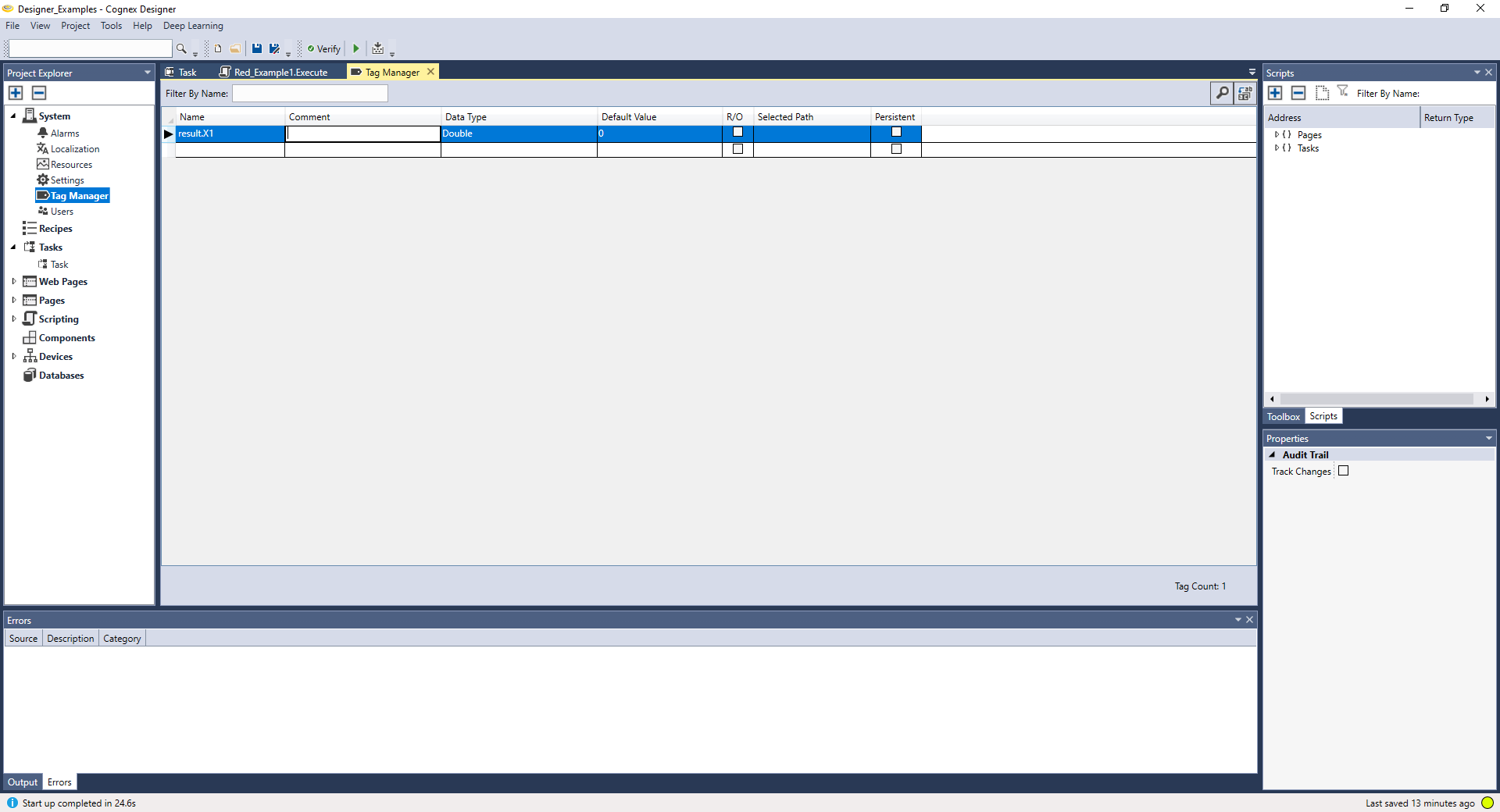
Then, write the example codes and run the script.
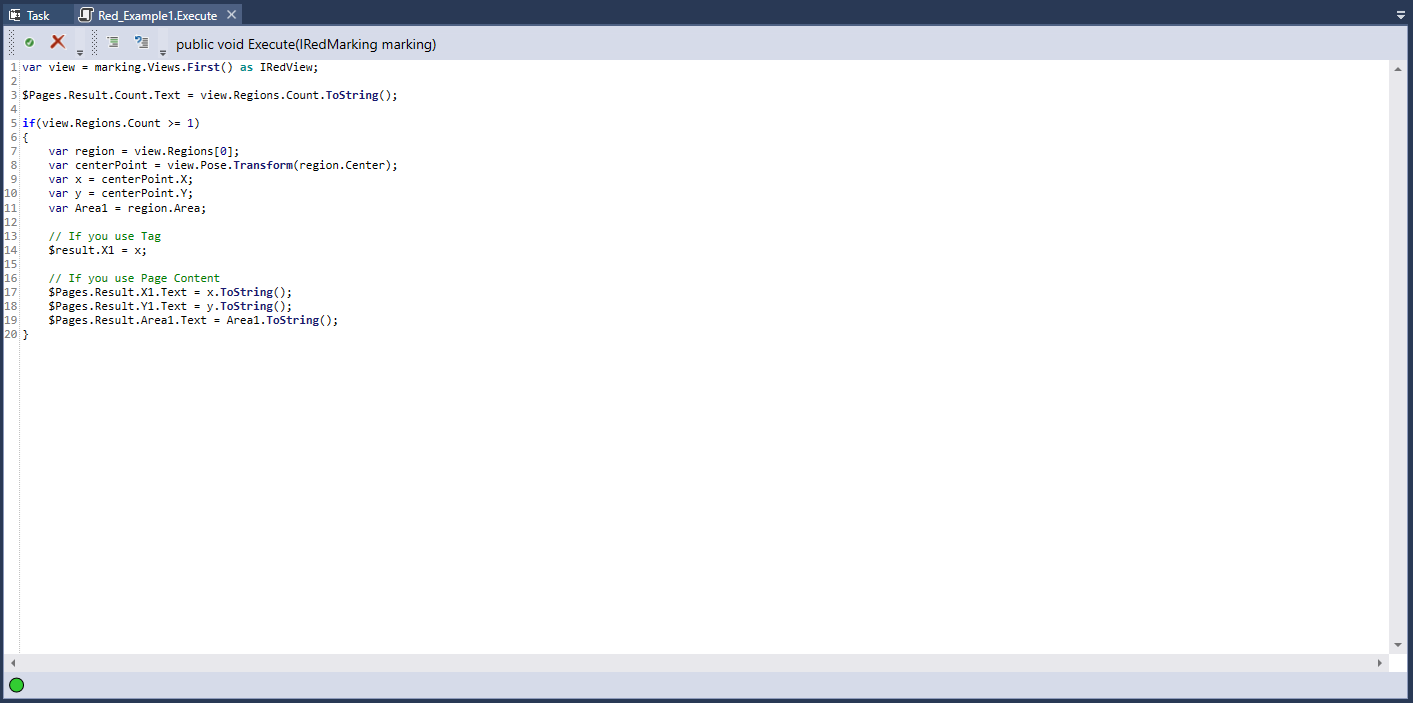
var view = marking.Views.First() as IRedView;
//Returning the number of markings:
$Pages.Result.Count.Text = view.Regions.Count.ToString();
if(view.Regions.Count >= 1)
{
//Choosing the region:
var region = view.Regions[0];
//Return the center-point (X, Y) of the region:
var centerPoint = view.Pose.Transform(region.Center);
var x = centerPoint.X;
var y = centerPoint.Y;
//Return the area of the region:
var Area1 = region.Area;
// If you use Tag
//Write the variables to the tags:
$result.X1 = x;
// If you use Page Content
$Pages.Result.X1.Text = x.ToString();
$Pages.Result.Y1.Text = y.ToString();
$Pages.Result.Area1.Text = Area1.ToString();
}
Here is another sample script for Red Analyze. If your script code doesn't use any tag, right-click the script block, click Reconfigure Script I/O. to run the example below. It will open the Script Definition Editor window and there set Return Type as String.
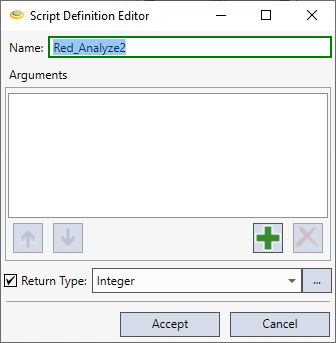
Then, write the example codes and run the script.
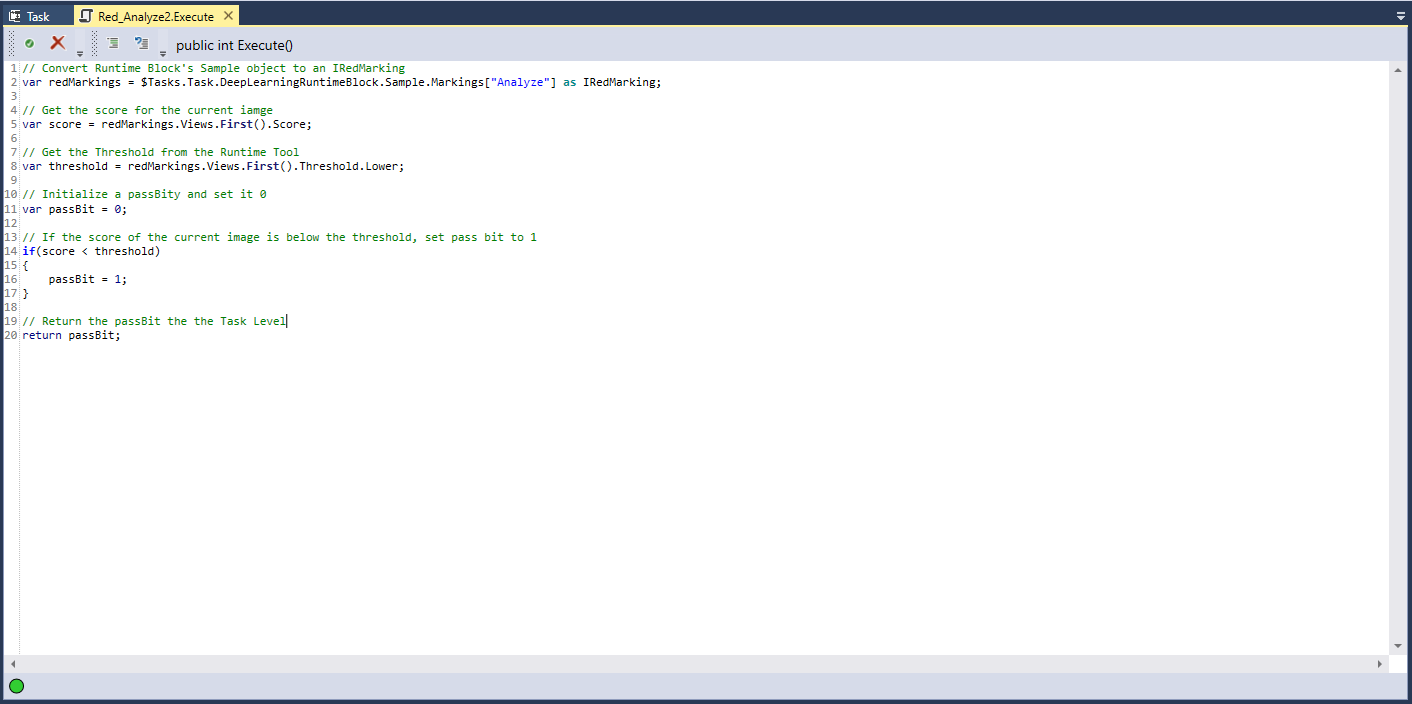
Example Codes 2
//Convert Runtime Block's Sample object to an IRedMarking.
var redMarkings = $Tasks.Task.DeepLearningRuntimeBlock.Sample.Markings["Analyze"] as IRedMarking;
//Get the score for the current image.
var score = redMarkings.Views.First().Score;
//Get the Threshold from the Runtime Tool.
var threshold = redMarkings.Views.First().Threshold.Lower;
//Intialize a passBit and set it 0.
var passBit = 0;
//If the score of the current image is below the threshold, set pass bit to 1.
if (score < threshold)
{
passBit = 1;
}
//Return the passBit to the Task Level.
return passBit;