Disable Shared GPU Memory
To use GPU driver versions higher than 546.01, you need to disable the Sysmem Fallback Policy in the NVIDIA Control Center.
-
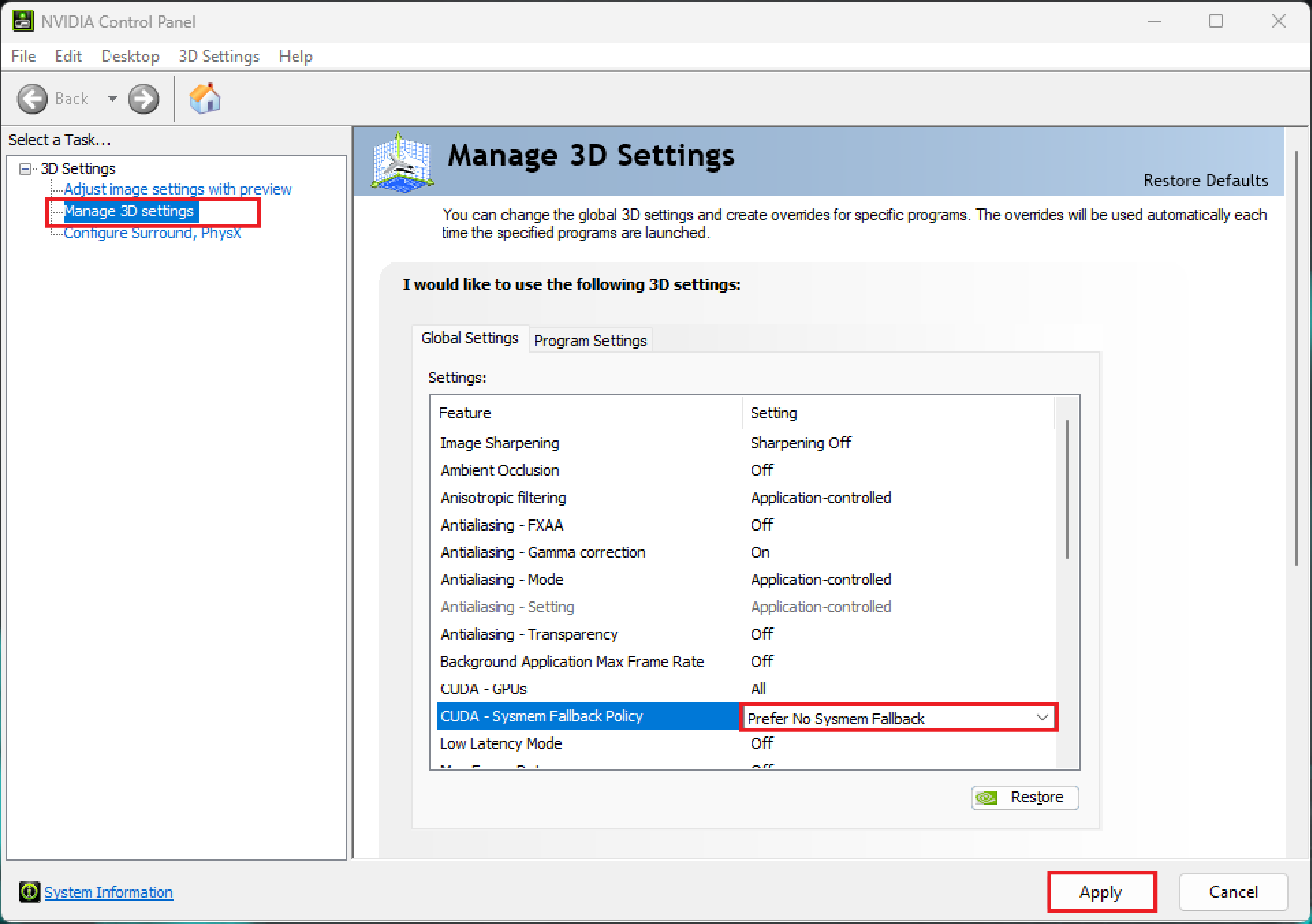
Open the NVIDIA Control Panel.
-
Select Manage 3D Settings from the 3D Settings in the task bar.
-
Select CUDA - Sysmem Fallback Policy.
-
Choose Prefer No Sysmem Fallback from the drop-down menu.
-
Click Apply.