Import a SuaKIT Segmentation Project
If you have SuaKIT projects that you want to import to VisionPro Deep Learning Tool, you can use import plug in. SuaKIT segmentation project will be a Red Analyze Tool in High Detail mode (Supervised).
|
SuaKIT Single Segmentation Project (Imported as Red Analyze) |
Labels | Labeled regions | ROI | Mask | Training set | Tool parameters* | SuaKIT Model |
|---|---|---|---|---|---|---|---|
| O | O | O | O | O | X | X |
* Tool parameters: This means all options in tool parameter panels except for number of training set.
If you change labels, labeled regions, ROI, etc. after you created a model in SuaKIT, you can only import those with the latest version. This is because that SuaKIT only saves the current version of images, defect regions, and training set.
It takes pretty much time when you load multiple images. It would take about 20 mins when you import 15,000 images.
Import a SuaKIT Segmentation Project without Trained Model
- Go to Plugins - Manage Plugins
- Click Add button on Plugin Manager
-
Select and add SuaKitMigration.VPlugin.dll.
-
Click Close to exit Plugin Manager
-
Go to Plugins - Import SuaKIT Project
-
Find directories to import SuaKIT Single Segmentation Project file (.sua)
- When you click ‘OK’ button, it will start to import information of SuaKIT project including labeled regions, images, ROI, Masks and labels (Good/Bad labels). You can see the progress bar at the bottom of the dialog.
- After the import is finished, you can find the imported workspace in the workspace list. When you open the workspace, you will see that there is a single Red Analyze High Detail Mode tool in the workspace.
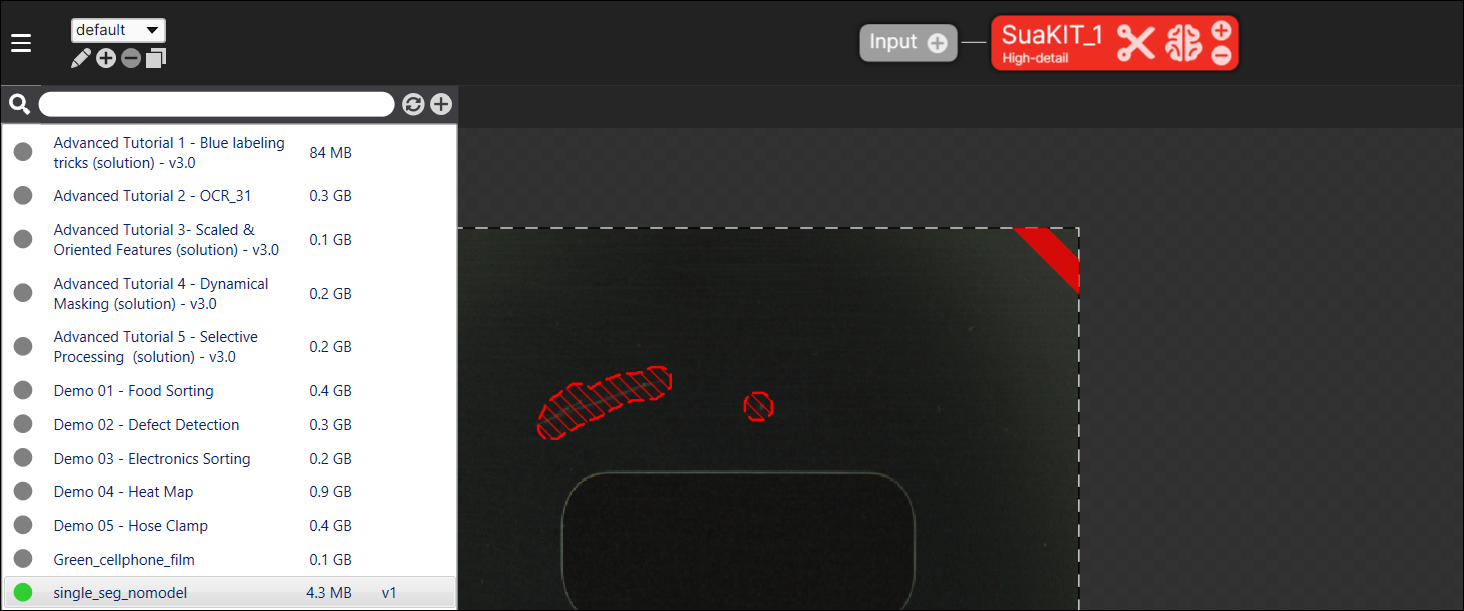
- You can import training set but not tool parameters including validation set ratio.
- Train set and validation set in SuaKIT will be imported as training set. Also, you can check them in ‘SuaKIT Train’ set in Database Overview. Test set in SuaKIT will be not trained views. Also, you can check them in ‘SuaKIT Test’ set in Database Overview.
Import a SuaKIT Segmentation Project with Trained Model
- Go to Plugins - Manage Plugins
- Click Add button on Plugin Manager
-
Select and add SuaKitMigration.VPlugin.dll.
-
Click Close to exit Plugin Manager
-
Go to Plugins - Import SuaKIT Project
-
Find directories to import SuaKIT Single Segmentation Project file (.sua)
-
Click ‘OK’ button, and it will import images, ROI, labels, labeled regions, and training set information you created.
Import a SuaKIT Segmentation Project with Trained Model and Multiple Defect Classes
-
Multiple defect classes (more than two kinds of defects) are not supported in VisionPro Deep Learning yet. Currently, VisionPro Deep Learning supports only binary class (Good and Bad) in Red Analyze High Detail Mode tool.
-
If you select the SuaKIT Segmentation project file having more than two defect classes, you cannot import the trained model in this project, but you can still import this project with its labeled regions, images, ROI, Masks, and labels. Also, when it is imported, its multiple classes are merged to form binary classes.