Script Block Examples – Blue Locate
There are 2 types of example codes: The one with an ISample argument and the one without it.
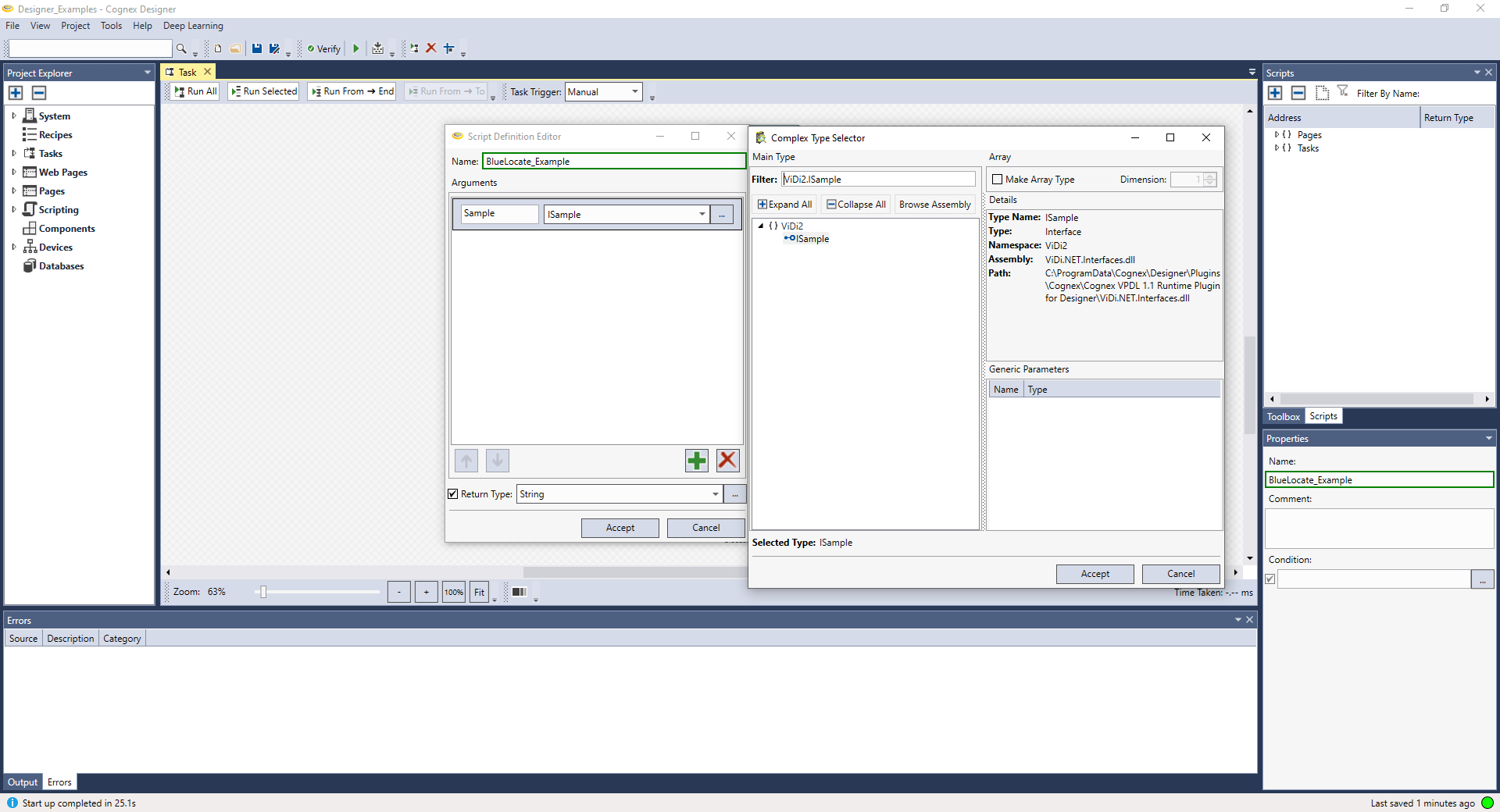
If your script code requires an ISample type argument, you first need to go to Script Definition Editor, click Plus icon, select Complex Type Selector, type ViDi2.ISample in the Filter textbox, and click Accept to add the argument.
Write the example codes and run the script.
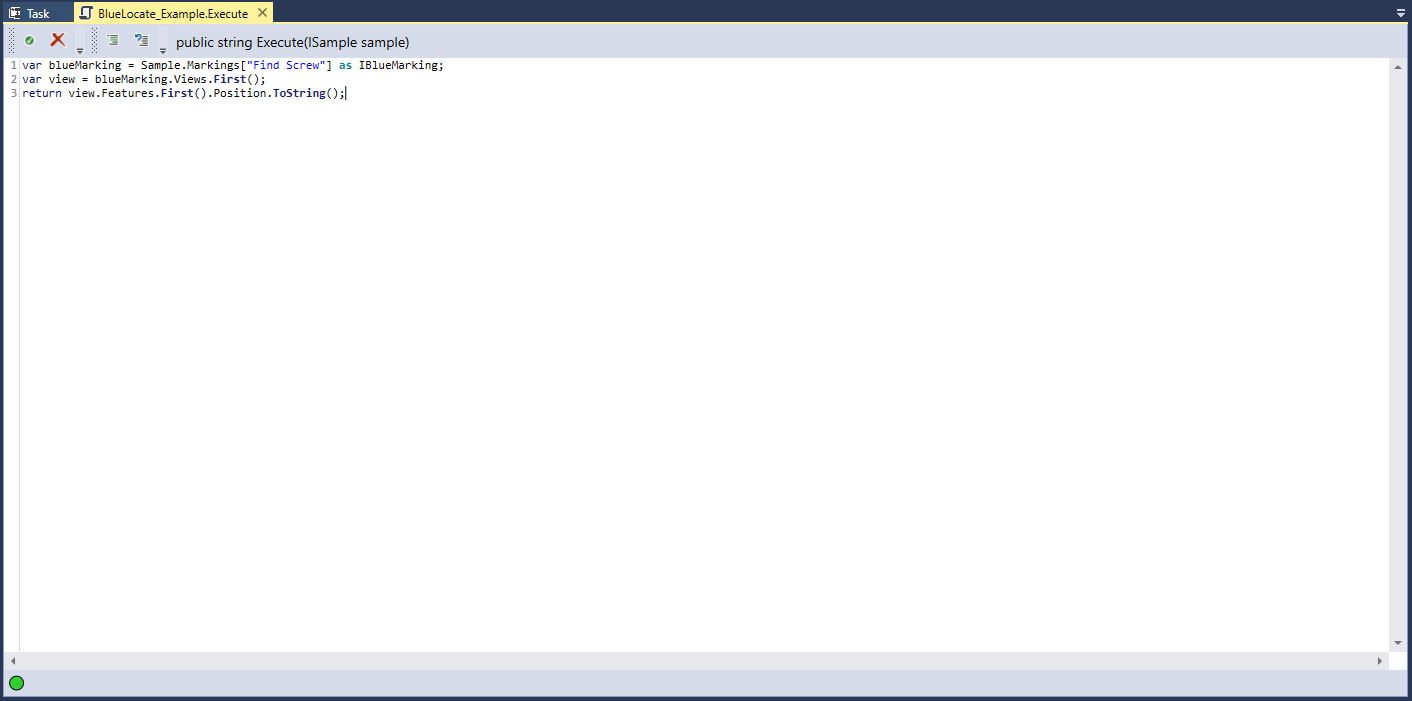
var blueMarking = Sample.Markings["Find Screw"] as IBlueMarking;
var view = blueMarking.Views.First();
return view.Features.First().Position.ToString();
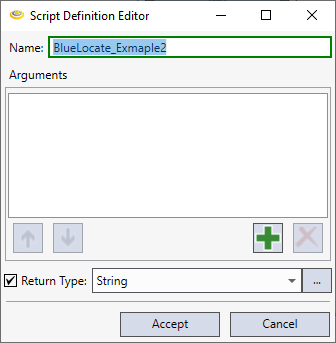
If your script code doesn't require any argument, right-click the script block, click Reconfigure Script I/O. to run the example below. It will open the Script Definition Editor window and there set Return Type as String.
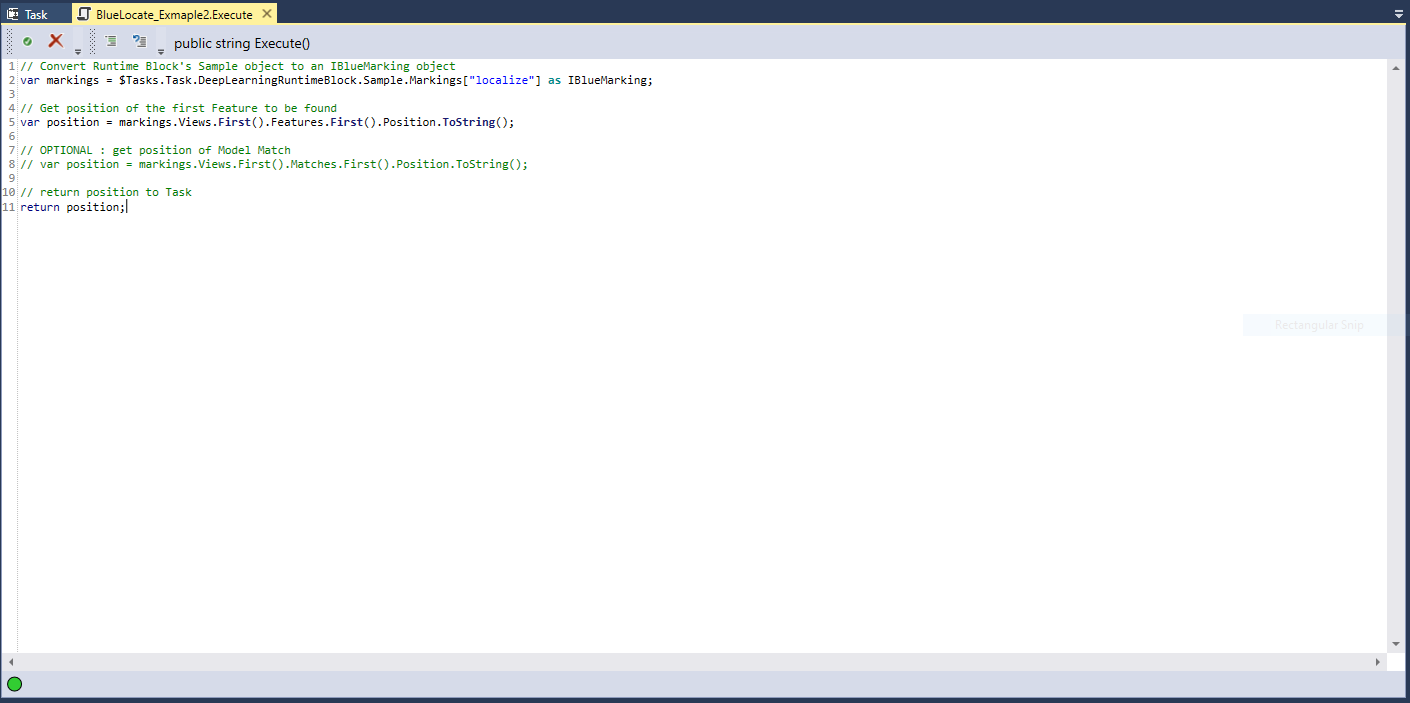
Write the example codes and run the script.
Example Codes 2
//Convert Runtime Block's Sample object to an IBlueMarking object.
var markings = $Tasks.Task.DeepLearningRuntimeBlock.Sample.Markings["localize"] as IBlueMarking;
//Get position of the first Feature to be found.
var position = markings.Views.First().Features.First().Position.ToString();
//OPTIONAL: get position of Model Match
//var position = markings.Views.First().Matches.First().Position.ToString();
//return position to Task
return position;