コマンドライン引数
このセクションのトピックでは、VisionPro Deep Learning アプリケーションが呼び出された際に指定できるさまざまなコマンドライン引数について取り上げます。
コマンドを実行する際のサービスアプリケーションの名前は、「Cognex Deep Learning Studio.exe」(IDE アプリケーション) または「VisionPro Deep Learning Service.exe」(VisionPro Deep Learning クライアント/サーバ機能を使用する場合) です。
次のパスは、上記のアプリケーションの場所です。
- C:\Program Files\Cognex\VisionPro Deep Learning\2.1\Cognex Deep Learning Studio\Cognex Deep Learning Studio.exe
- C:\Program Files\Cognex\VisionPro Deep Learning\2.1\Service\VisionPro Deep Learning Service.exe
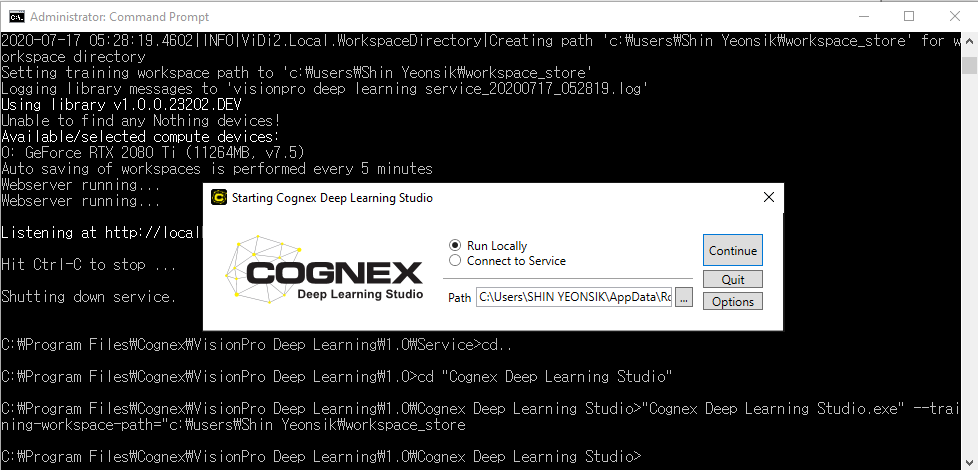
コマンドを実行するには、最初にアプリケーションの名前を指定して、その後にコマンドライン引数を続けます。たとえば、デフォルトの学習ワークスペースパスを変更する場合、Windows のコマンドプロンプトを開いて、[Program Files] ディレクトリにディレクトリを変更してから、次のコマンドを実行します。C:\Program Files\Cognex\VisonPro Deep Learning\2.1\Service>"VisionPro Deep Learning Service.exe" --training-workspace-path=c:\users\username\workspace_store
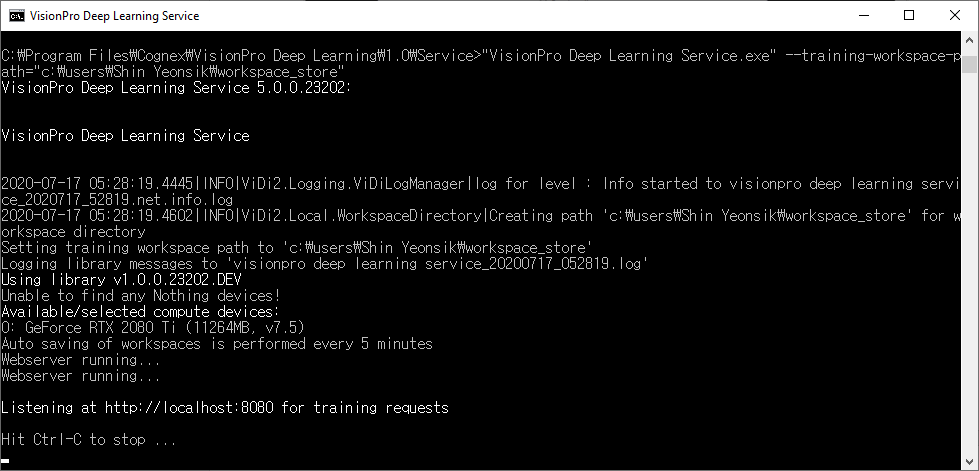
Deep Learning GUI にコマンドを実行する場合、コマンドを初期化した後で、GUI の起動画面が表示され、コマンドの応答は表示されません。