Client CodeMeter WebAdmin Configuration
-
On the client device, from the CodeMeter Control Center, open the WebAdmin in your browser.
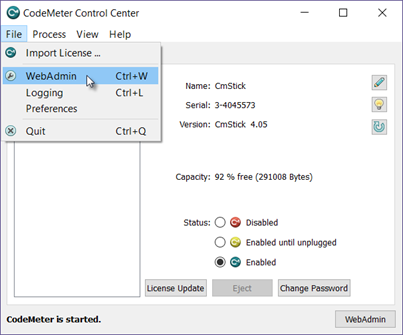
-
From the Configuration drop-down menu, select Basic, then Server Search List.
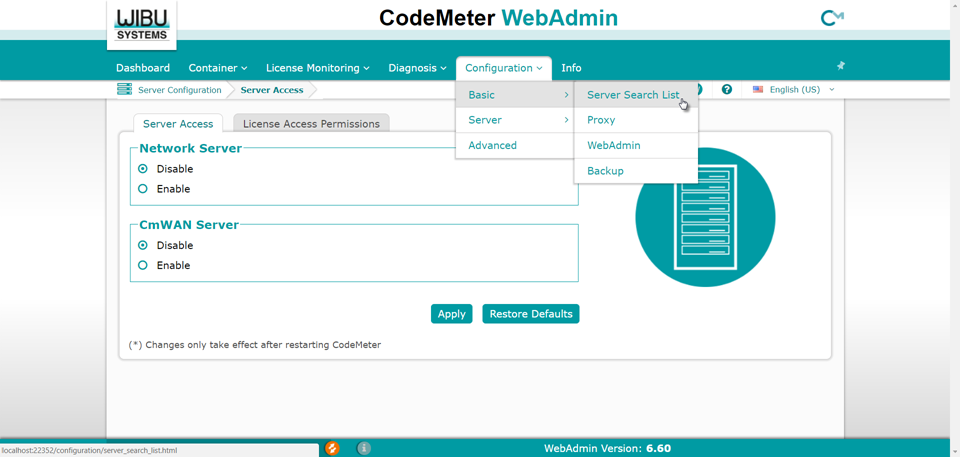
- Press the Add Server button.
-
In the Enter the server’s name or IP Address field, enter the server's hostname or IP address.
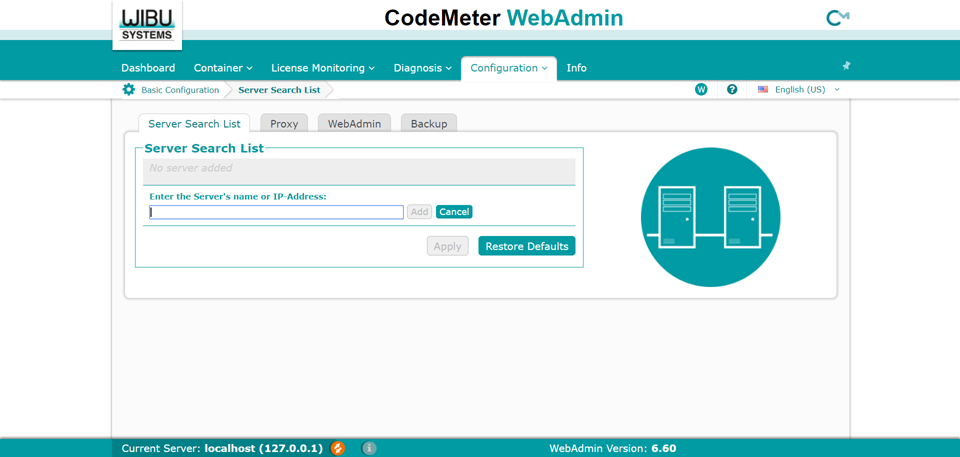
-
Press the add new Server button.
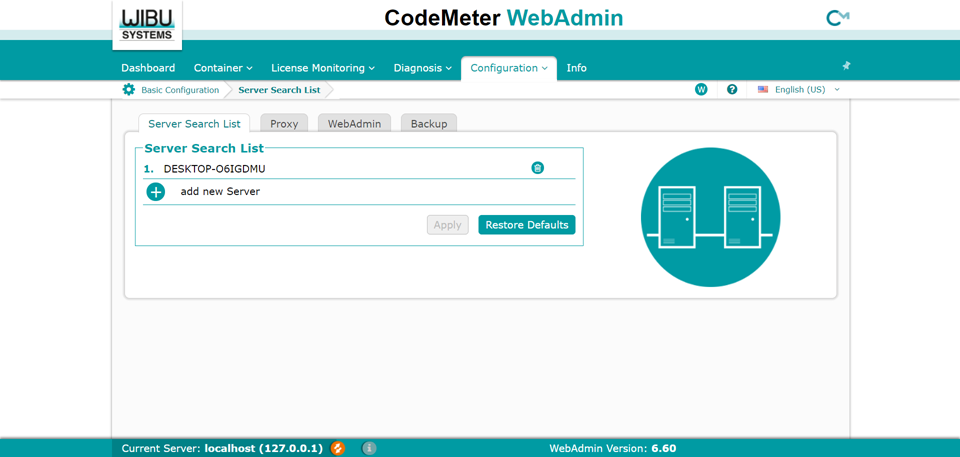
- Press the Apply button.
- Repeat these steps on each client device you wish to enable.