Installing a Plugin
A plugin generally comes as a .NET assembly (.dll) or within a ZIP file (if in a ZIP file, it must first be extracted).
-
Copy the plugin to the VisionPro Deep Learning plugins folder: C:\Program Files\Cognex\VisionPro Deep Learning\1.0\Cognex Deep Learning Studio\plugins
Ensure that you copy all of the files associated with the plugin to the plugins folder; otherwise the plugin could fail to load.
-
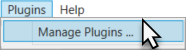
Within the VisionPro Deep Learning Studio, from the Plugins menu, select Manage Plugins.
-
This will launch the Plugin Manager dialog, where you can add and/or remove plugins.
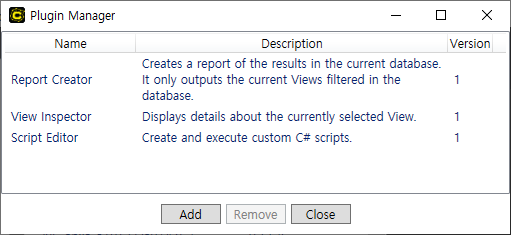
- To add a plugin, press the Add button and then navigate to the plugins folder and select the plugin you want to add.