Setting the Origin
You set the checkerboard origin with a run-time parameter you pass to the vertex extractor function. The origin can be set three different ways:
- Default.
The feature extractor uses the vertex closest to the image center. - Specified point.
You specify a point in client coordinates and the feature extractor will use the closest vertex as the origin. - Fiducial mark.
If you are using a calibration plate that includes a fiducial mark for establishing the origin. (For example, a Cognex calibration plate). The figure below shows an example of a calibration plate fiducial mark and the associated origin.
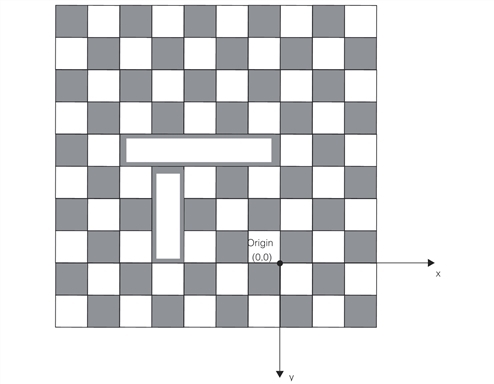
Calibration plate with fiducial mark
You can also use a checkerboard calibration plate in which Data Matrix codes define the checkerboard calibration plate’s coordinate space. This calibration plate type is especially useful when:
- A portion of the calibration plate is obscured due to physical obstructions or poor lighting causing the checkerboard grid to get split into distinct regions of contiguous features.
When Data Matrix codes are used as fiducials, it becomes possible to extract features from these multiple regions as long as each region of contiguous features has a Data Matrix code embedded inside. This is possible because each Data Matrix code encodes its position in the grid. - A multi-camera system is calibrated to the calibration plate’s coordinate space in which system each camera’s image is acquired about a (distinct) region of the calibration plate. In this case, having multiple Data Matrix codes that define the coordinate space spread across the calibration plate allows each camera to see some of the Data Matrix codes and thereby the coordinate space.
The following figure shows a checkerboard calibration plate with Data Matrix codes as the fiducial. It also shows the positions of the Data Matrix codes encoded in them and the coordinate space (Plate2D space) the codes define.
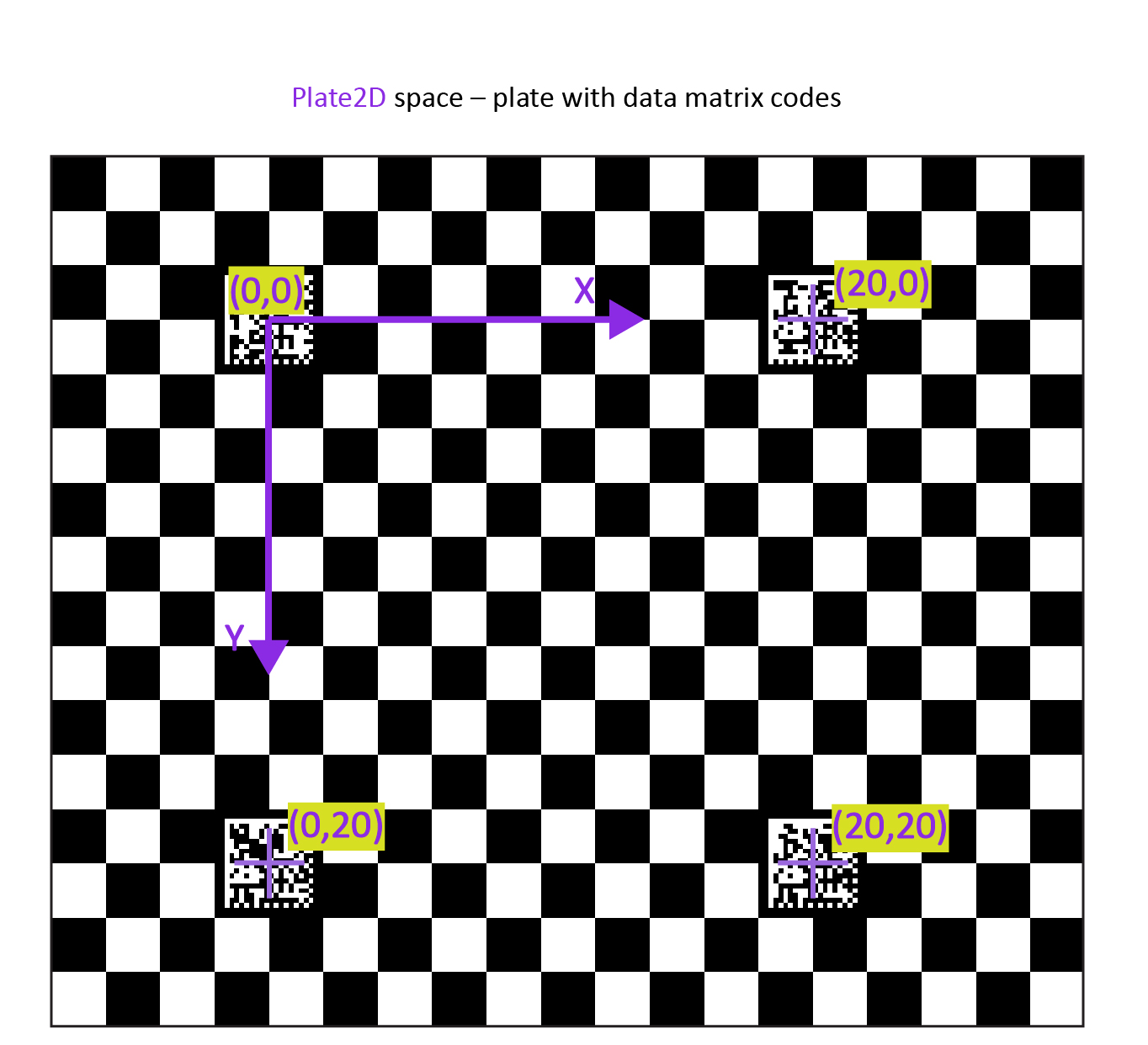
Calibration plate with Data Matrix codes as the fiducial mark