Utility Description
After installing CVL, locate the Cognex Camera Link utility in the cogclser directory of your top-level CVL directory. By default, the utility and its associated files are found in:
%VISION_ROOT%\cogclser
Start the utility by double-clicking the cogclserial.exe icon in this directory. (Both the 32-bit and 64-bit versions are named cogclserial.exe.) The utility has a single window as illustrated and explained in the figure below.
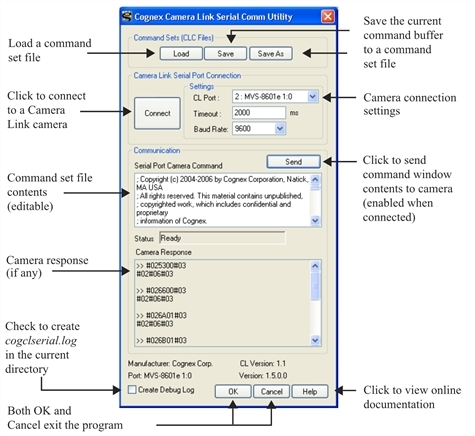
Cognex Camera Link Serial Communication Utility