Using Volo View Express
AutoDesk, Inc. publishes a DXF file viewer named Volo View Express, and makes it freely available for download from their web site. For information and support, see http://www.autodesk.com/voloviewexpress.
When you have opened your DXF file in Volo View Express, use View -> Layers to show the Layers popup window. This window lets you enable and disable the display of each layer independently. The figure below shows the Layers window with the names of the layers in the example DXF file plate.dxf, which is shipped with CVL in the %VISION_ROOT%\samples\cvl directory.
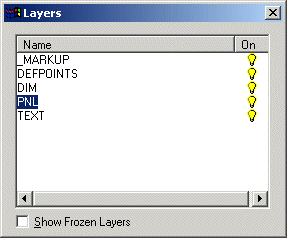
Layer window of Volo View Express showing layers in plate.dxf
The figure below shows portions of the Volo View Express main window as it displays various layers of plate.dxf.
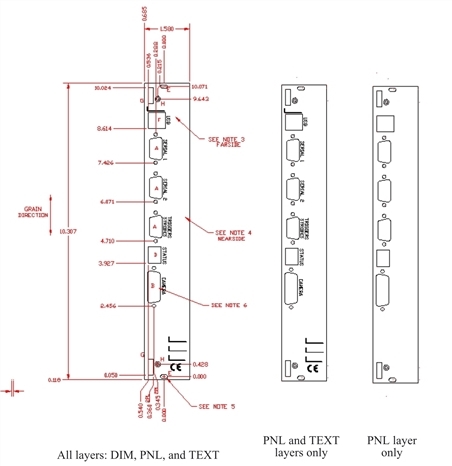
Volo View Express showing various layers of plate.dxf
As shown in the figure above, in the example file plate.dxf, only the layer named PNL contains drawing primitive entities that are supported by ccCADFile. All information in the DIM and TEXT layers is ignored by ccCADFile.