Rotation and Shear
You can specify rigid rotation using the RSI Search tool. In all cases, the value that you specify is expressed in degrees. If you specify a nominal value of -10°, then RSI Search will only find features that are rotated by -10°. If you enable the rotation degree of freedom, you can specify the low and high limit independently. For example, you could specify a zone of -5° to +15°.
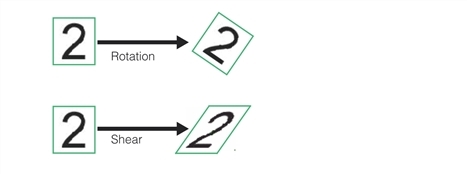
Shear, a rotation of the y-axis with an associated scaling of the x-axis by the inverse of the cosine of the shear angle, is also always specified in degrees.
The figure below shows the effect of shear and rotation on a trained model.