Calibration Loop UI
Calibration Loop Tool Block is a block that can generate loop to run Hand-eye Calibration process, the iteration number in loop is based on configurations on X steps, Y steps and Theta steps in its properties.
Calibration Loop UI is an embedded UI for user to input X, Y, Theta range and steps for Hand-eye Calibration loop tool back.
Settings
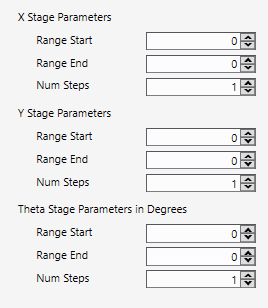
To understand the meaning of each parameter, please refer to Calibration Loop
The default inputs on UI doesn't work to conduct a Hand-eye calibration that User has to change it. For Hand-eye Calibration, the minimum X Steps and Y and Theta steps are 2.
Link to Tool Block
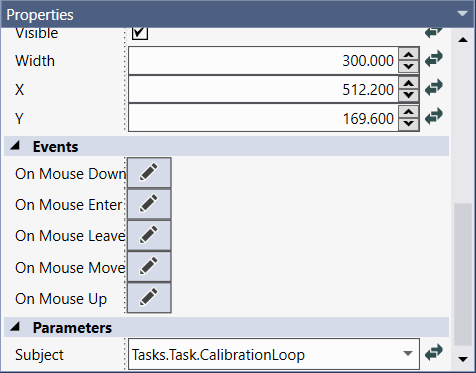
The way to link UI to Calibration Loop tool block is to select tool block via UI’s “Subject” property.