Space Tree
In AlignPlus, many spaces are involved in calculation, each space serves a different purpose, in order to understand which space are available in AlignPlus and how to use them, here we need first understand the concept of space tree.
Space tree is a coordinate class in VisionPro to track spatial transformations applied during image processing as well as map coordinates from root space to any defined user space and back again. The coordinate space tree for any image can be accessed through its CoordinateSpaceTree property.
Root Space and Pixel Space
For every image that is acquired from camera or loaded from image file, VisionPro will give it a root space(named as "@") which originated at upper-left corner of the image. Root space is exactly the same with image space(named as "#") before image undergoing any image processing.
However, if original image is being clipped, resized or transformed, though image space alters based on new image after every action, root space remain the original space in which each pixel's coordinates is tracked and mapped to original image. Whenever a VisionPro tool modifies the pixels of an acquired image, it automatically updates the root space to reflect any changes in the location of image features.
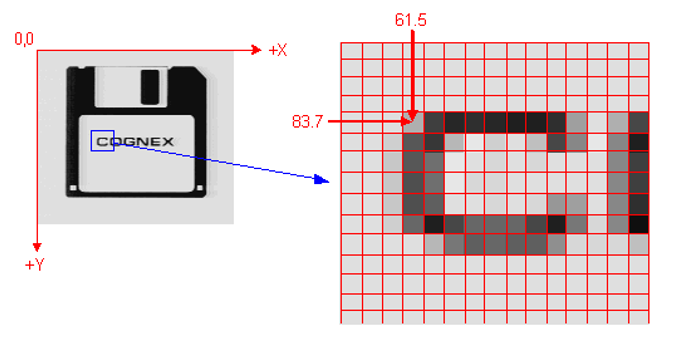
Here is an example, the pixel is at (83.7, 61.5) in the original image.
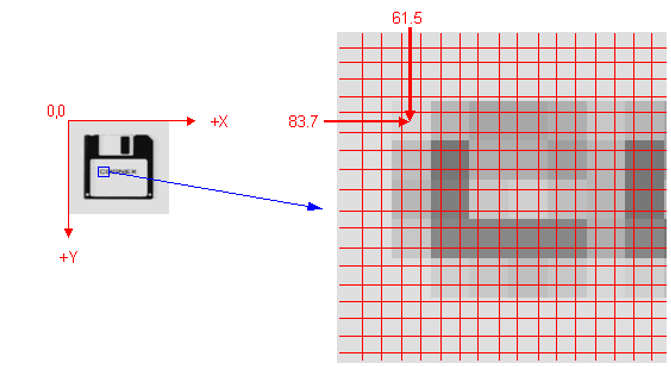
After the image is scaled down by 2, the corresponding point in new image's pixel space should be at (41.85, 30.75). However, if user choose to output coordinates in root space, it is still (83.7, 61.5).
The following figure shows how pixel space is related to the root of the coordinate space tree:
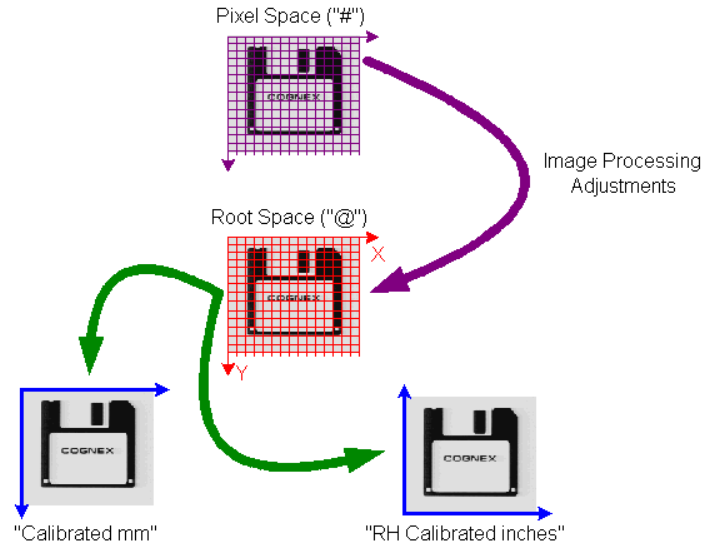
In this figure, the purple arrow represents the transformation between the pixels of the image and its root space; this transformation incorporates all of the image processing adjustments. You can obtain the transformation between the pixels of the image and its root space through the image's PixelFromRootTransform property. Each of the green arrows represents a transformation between root space and user defined space (which will be introduced in the following paragraph) in the image's coordinate space tree.
User Spaces
User can build their own spaces upon root space using certain VisionPro Tools like generating branches on the trunk of a tree. Each user space in the space tree has a parent coordinate space related by one or more transformations. All user spaces can trace their ancestry back to the root space.
New coordinate spaces can be generated through the following VisionPro Tools:
- CogFixtureTool
- CogFixtureNPointToNPoint Tool
- CogCalibNPointToNPoint Tool
- CogCheckerboardCalibration Tool
- Manually configuring and passing a 2D Transform (available)
Here is an example of space tree of one image. The image was first processed by CogFixtureTool which added a "Fixture Space" to the root space, and later checkerboard calibrated which added a "Checkerboard Calibration Space". The corrected image of checkerboard calibration then runs NPointNPoint calibration which added a "N-Point Calibration Space". At last, another Fixture Tool which creates a "Fixture2 Space".
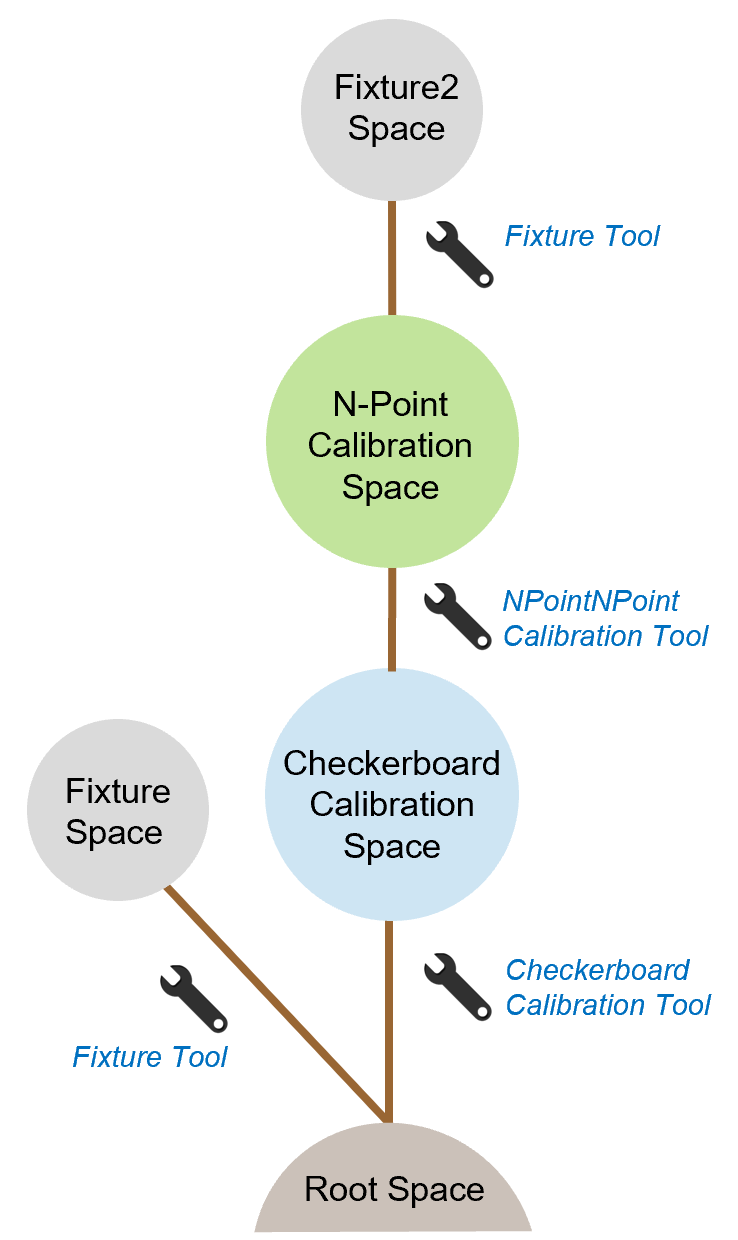
After all those spaces are built, user can pay visit to every space through the image's CoordinateSpaceTree property in which spaces are stored with parent coordinate spaces tracing back to root space. These spaces are outputs of every tool, but they don't belong to tool itself, they belong to the image being processed.
| Item | Space Name | Get From |
Unit
|
Space Transforms |
|---|---|---|---|---|
| 1 | @ | Born | pixel | @ <=> Image Space |
| 2 | @\Fixture | CogFixtureTool | pixel | @ <=> Fixture Space |
| 3 | @\Checkerboard Calibration | CogCalibCheckerboard Tool | mm/inch | Checkerboard Calibration <=> Root Space |
| 4 | @\Checkerboard Calibration\NPoint Calibration | CogCalibNPointNPoint Tool | mm/inch | NPoint <=> Checkerboard Calibration |
| 5 | @\Checkerboard Calibration\NPoint Calibration\Fixture2 | CogFixtureTool | mm/inch | Fixture2 <=> NPoint |
Space Names
Each calibration tool has an default calibrated space name.
Default calibrated space name of CogFixtureTool is "Fixture".
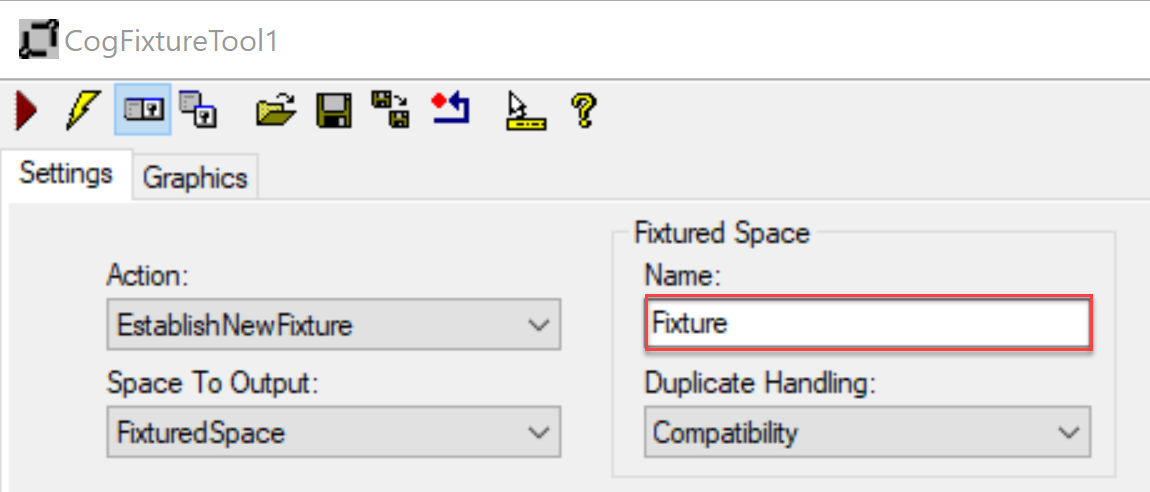
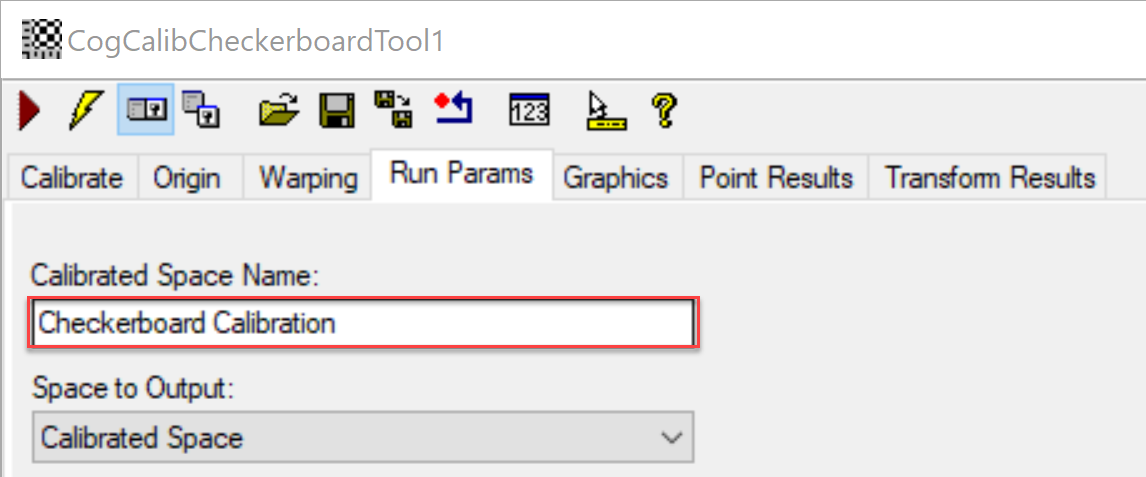
Default calibrated space name of CogCalibCheckerboardTool is "Checkerboard Calibration".
Default calibrated space name of CogCalibNPointToNPointTool is "N-Point Calibration".
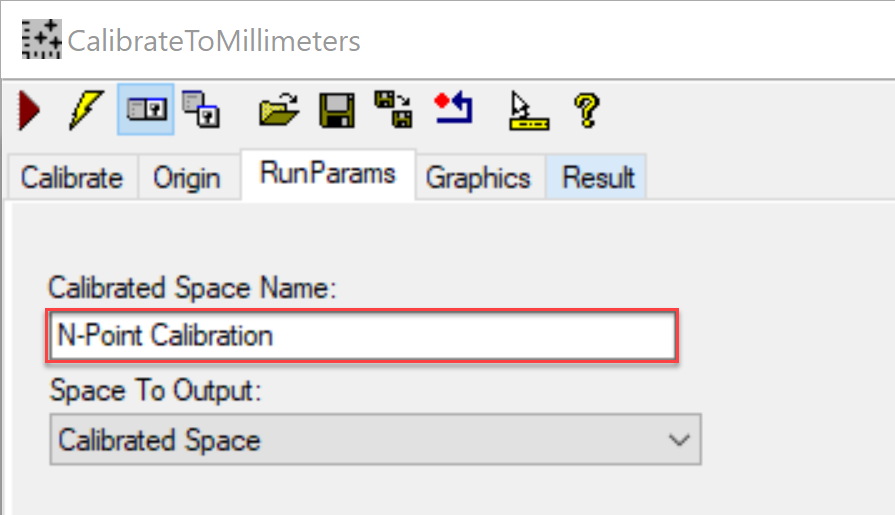
However, user can rename it to make it unique in one space tree.
View Space Tree
All spaces within a space tree of an image can be viewed in VisionPro Floating Display by clicking  button in the toolbar of VisonPro job/tool edit window. By mouse-hovering over the image, the Display will show pointer's coordinates in current selected space. You can select a different space in the drop-down list below and see how coordinates change in different spaces.
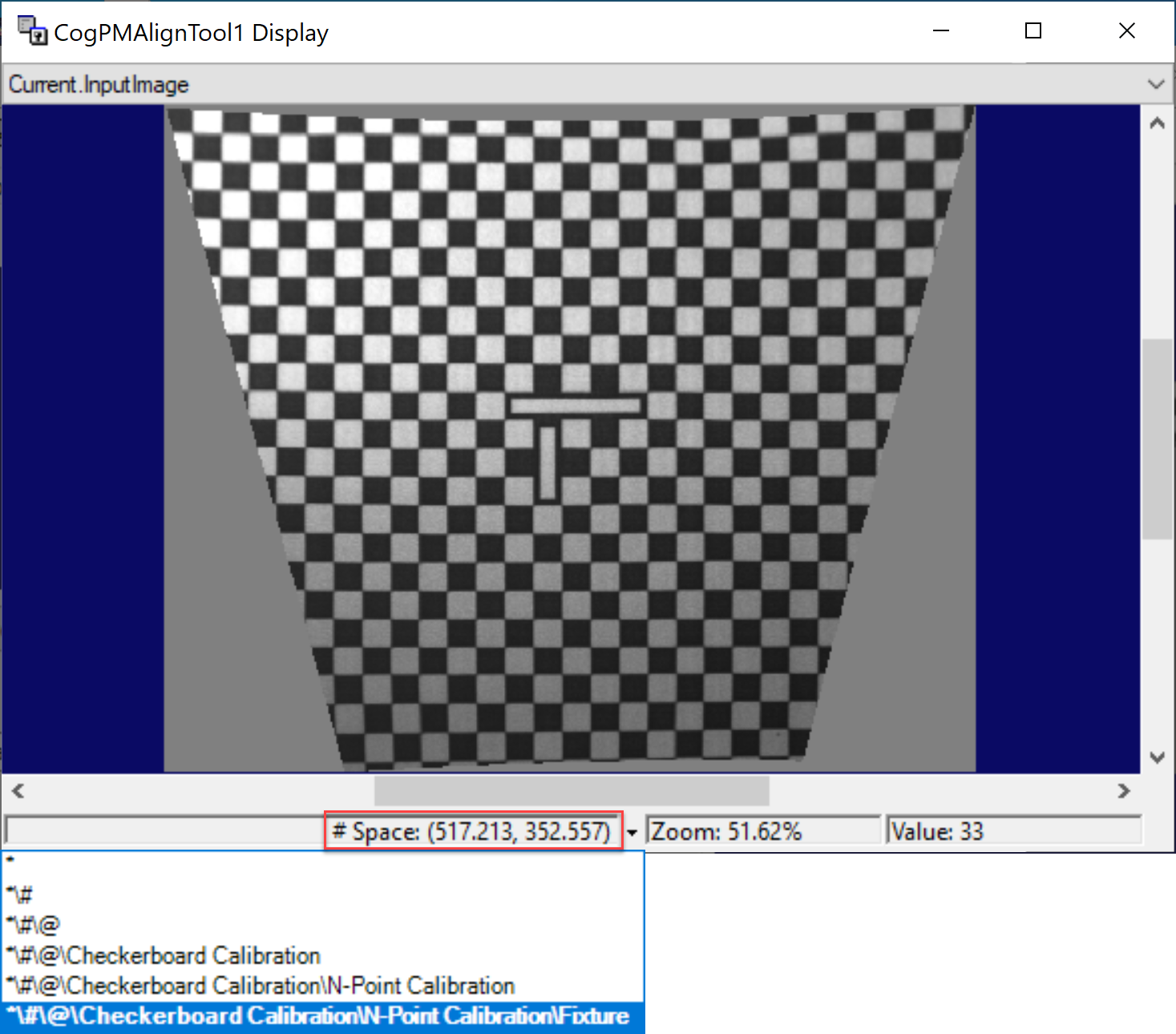
However, the change of selected space in Floating Display is only for display purpose and will not affect image's current selected space.