Program Workflow
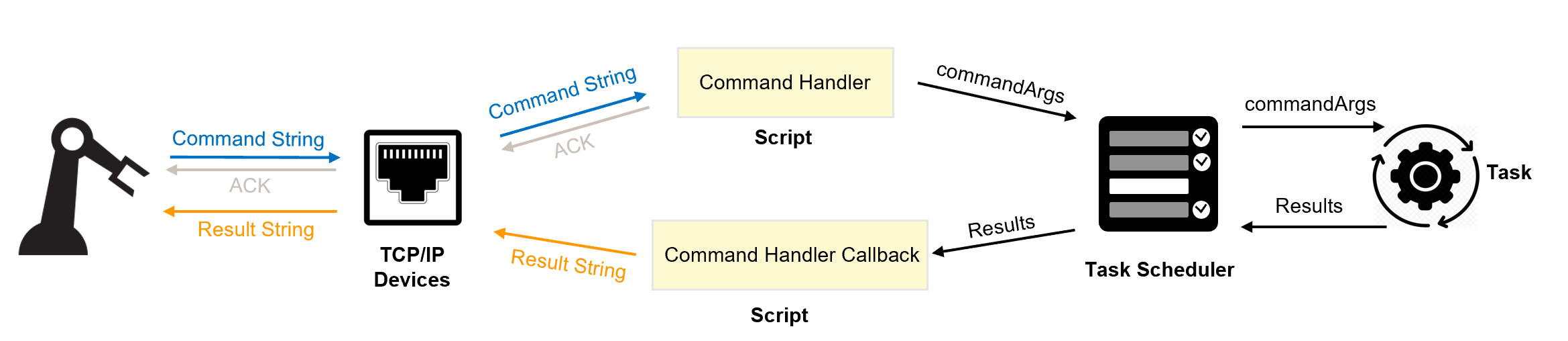
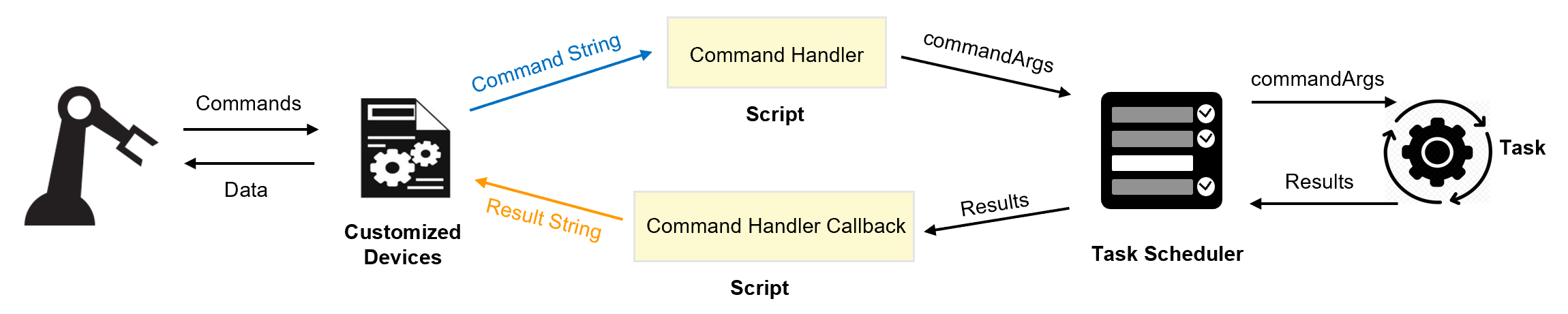
In order to execute the various vision tasks in the vision application, command strings, whose format is defined in the Communication Protocol document, can be sent over a TCP/IP channel to the vision application by the customer PLC. Alternatively, other forms of communication can be used. However, the communication data should be converted into the equivalent AlignPlus command string. The command string is sent to the script CommandHandler.
The CommandHandler script, which handles these commands, converts the command string into an equivalent CommandArgs object that contains all the information and data needed to execute the target vision task. Execution of the vision task and gathering the results of the execution is performed by a TaskScheduler component. Following execution, the TaskScheduler executes its callback script which in turn calls the CommandHandlerCallback script. The CommandHandlerCallback script converts the results of the vision task execution into an equivalent result string, as documented in the Communication Protocol document. If an alternate form of communication is used, this string should be converted into the equivalent PLC response and sent back to the PLC.
- For TCP/IP communication, the overall work flow is as below:
- For customized communication, the overall work flow is as below:
TCP/IP Communication Devices
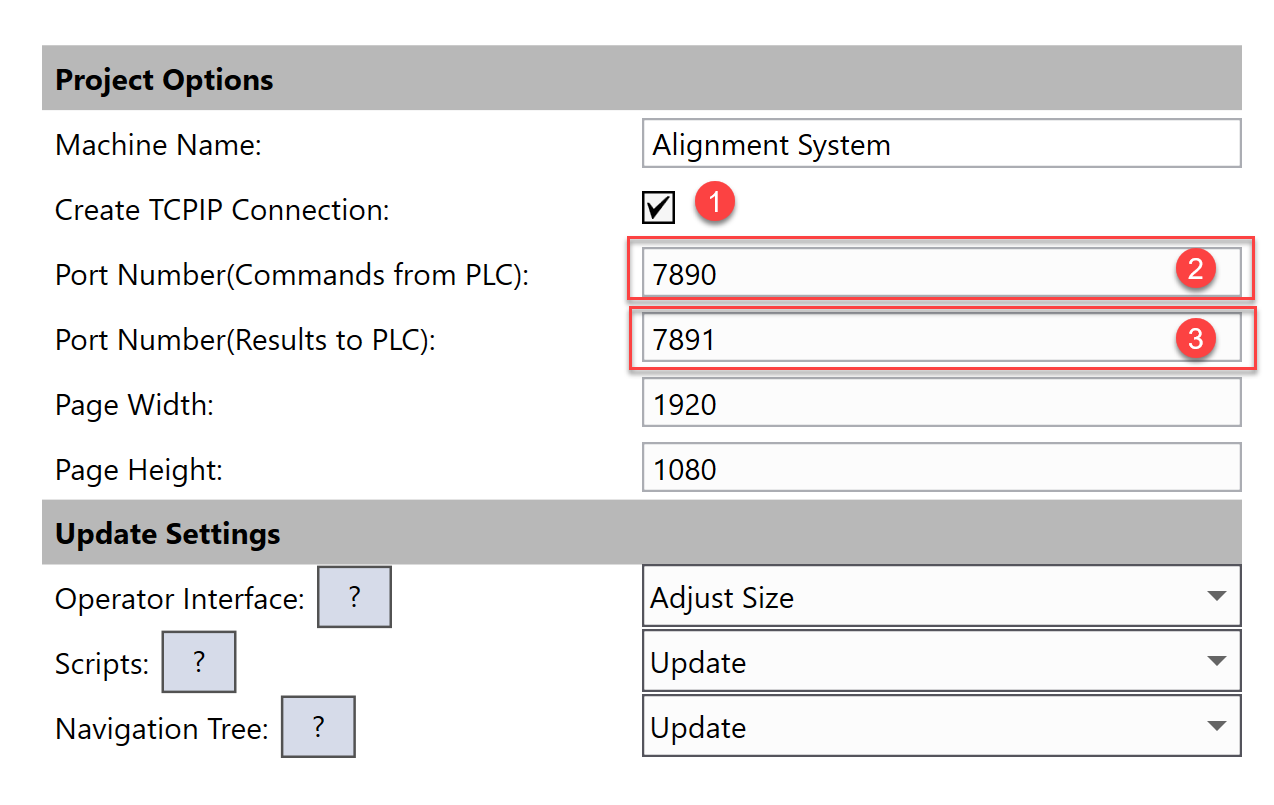
To have the TCP/IP Devices automatically generated and functions implemented, enable the Create TCPIP Connection option and set the proper port numbers for TCP/IP server and client in the configuration wizard during application generation.
Commands From PLC
CommandsFromPLC is an TCP/IP server device that can receive command string from external TCP clients and sends the result string back to them after vision task finish running if task runs in synchronous mode. Once it receives a command string, it will call its On Data Received callback script. You can find On Data Received script by right click the device, and then choose it under Scripts.
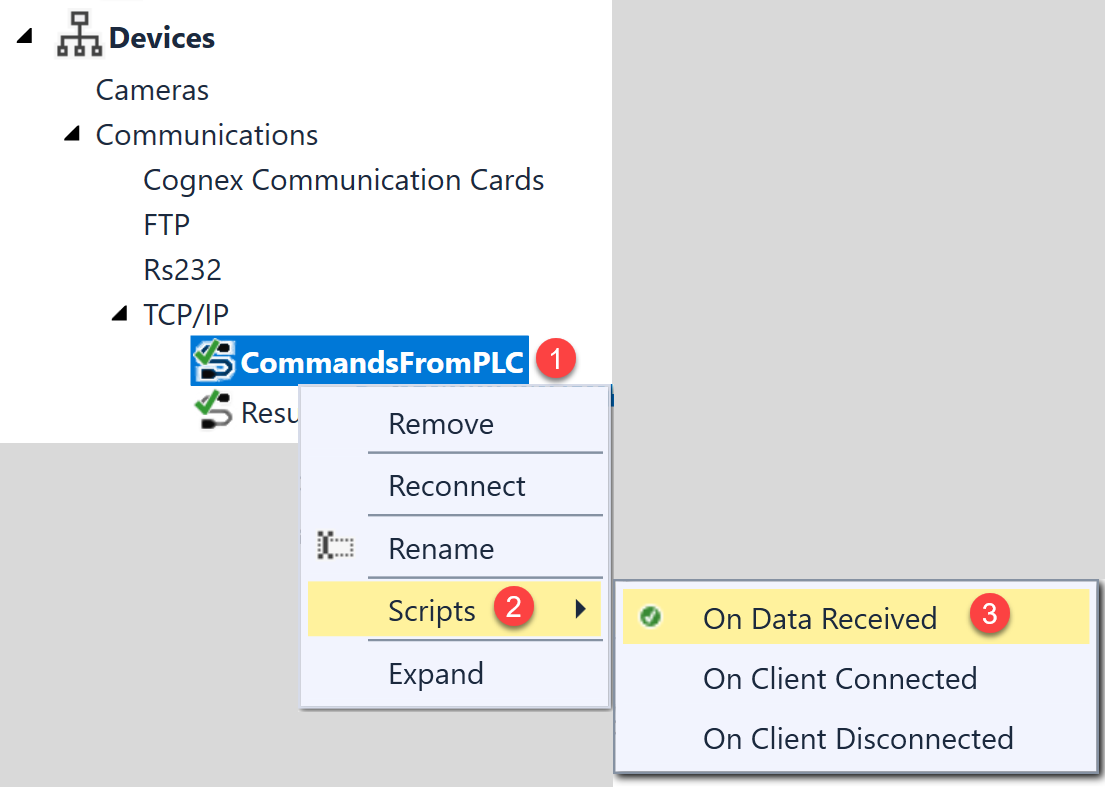
The content of the On Data Received script is implemented by configuration wizard during application generation. It performs the following functions:
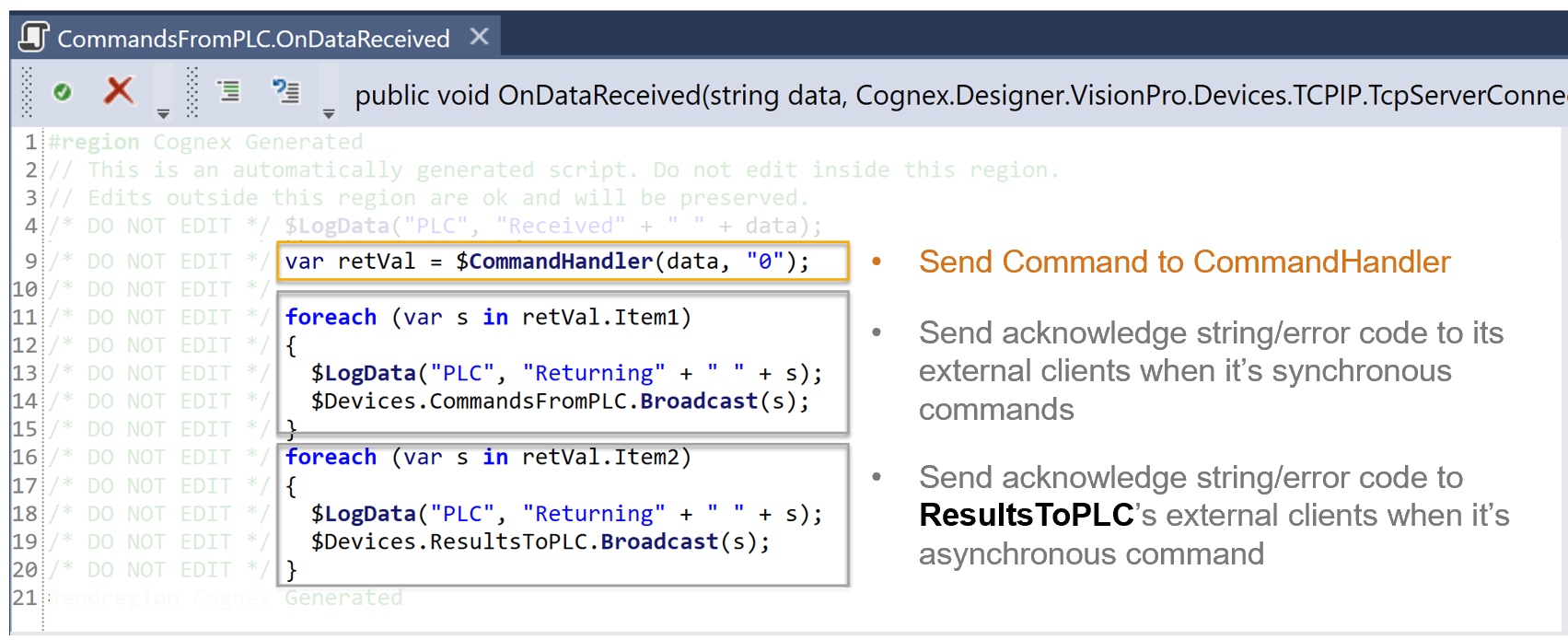
1. Send command string to CommandHandler
CommandHandler will first verify the format of command string, then it will generate a suitable CommandArgs object that is used by the task scheduler to pass data to the task that has to be executed.
2. Send acknowledge string back to external devices.
When the task is to be run in synchronous mode, the acknowledge string which stored in reVal.Item1 will be sent back via CommandsFromPLC chanenel.
When the task is to be run in asynchronous mode, the acknowledge string which stored in reVal.Item2 will be sent back via ResultsToPLC channel.
Results To PLC
ResultsToPLC is also an automatically generated TCP/IP server device. It is responsible for sending acknowledge string and result string back to external device when the vision task is run in asynchronous mode.
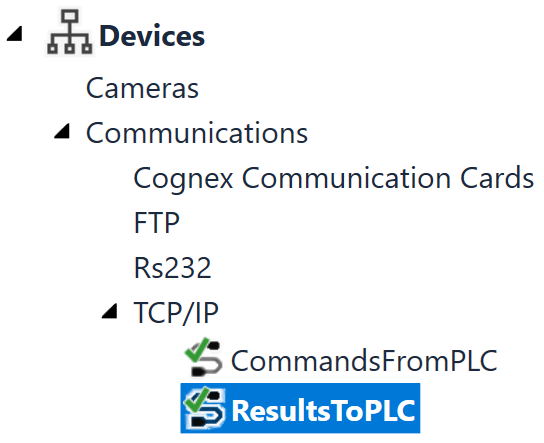
Methods implemented by the ResultsToPLC device is called at two places in application:
1. OnDataReceived script of CommandsFromPLC device before command is run.
Acknowledge string will be send back to external device when asynchronous command is called.
2. AcknowledgeTaskResults callback script of TaskScheduler after the task execution is completed.
Result string will be sent back to external device when asynchronous command is called.
Customized Communication Devices
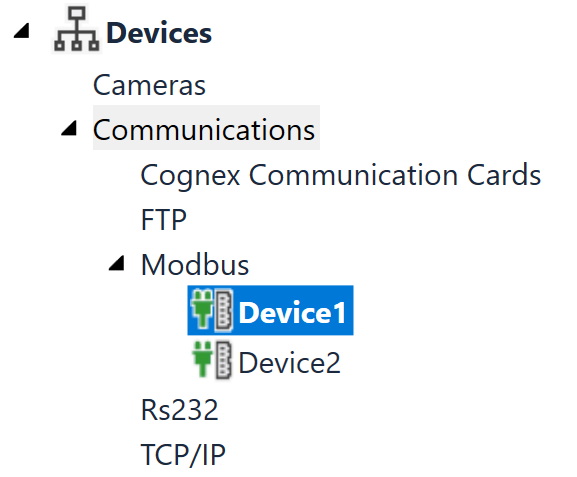
Custom communication devices can be employed using the scripting functionality available in Designer, or by creating a Designer plugins that generates Designer components. Here is an example of a ModBus device implemented as a Designer device:
For more information about designer plugin development, please refer to Cognex Designer User Manual \ How To... \ How To... Plugins.