How to modify recipe
Modify Product Recipe
There are times when extra tags need to be added to Acquisition, Calibration, or Alignment recipes. For example, hand-eye calibration teaching pose (the center pose of calibration loop) should to be save into Calibration recipe so that it goes with specific calibration recipes. Here are the steps to achieve it:
-
Create tags for teaching pose X, Y, Theta values

-
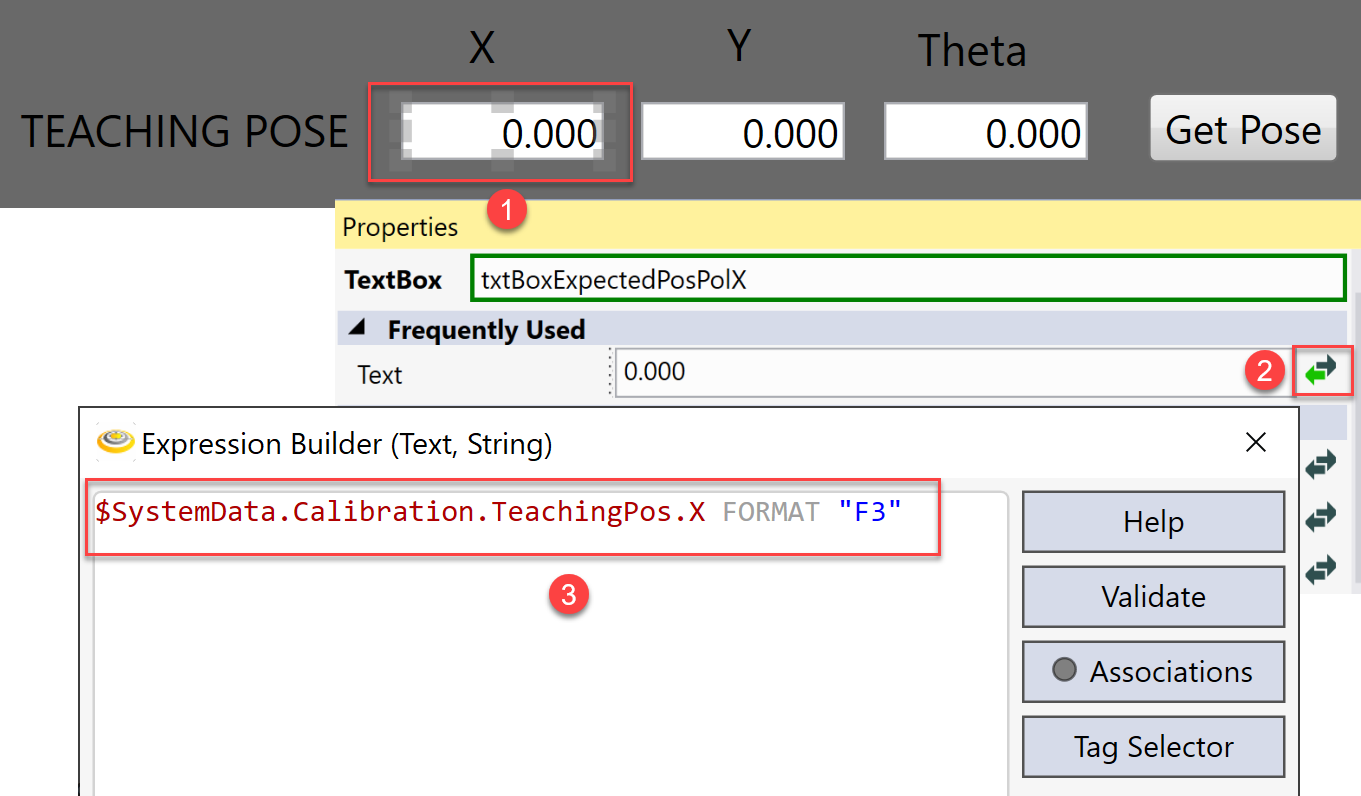
On the HMI, create text boxes to show current teaching pose, and bind X, Y, Theta values with these created tags, respectively.
-
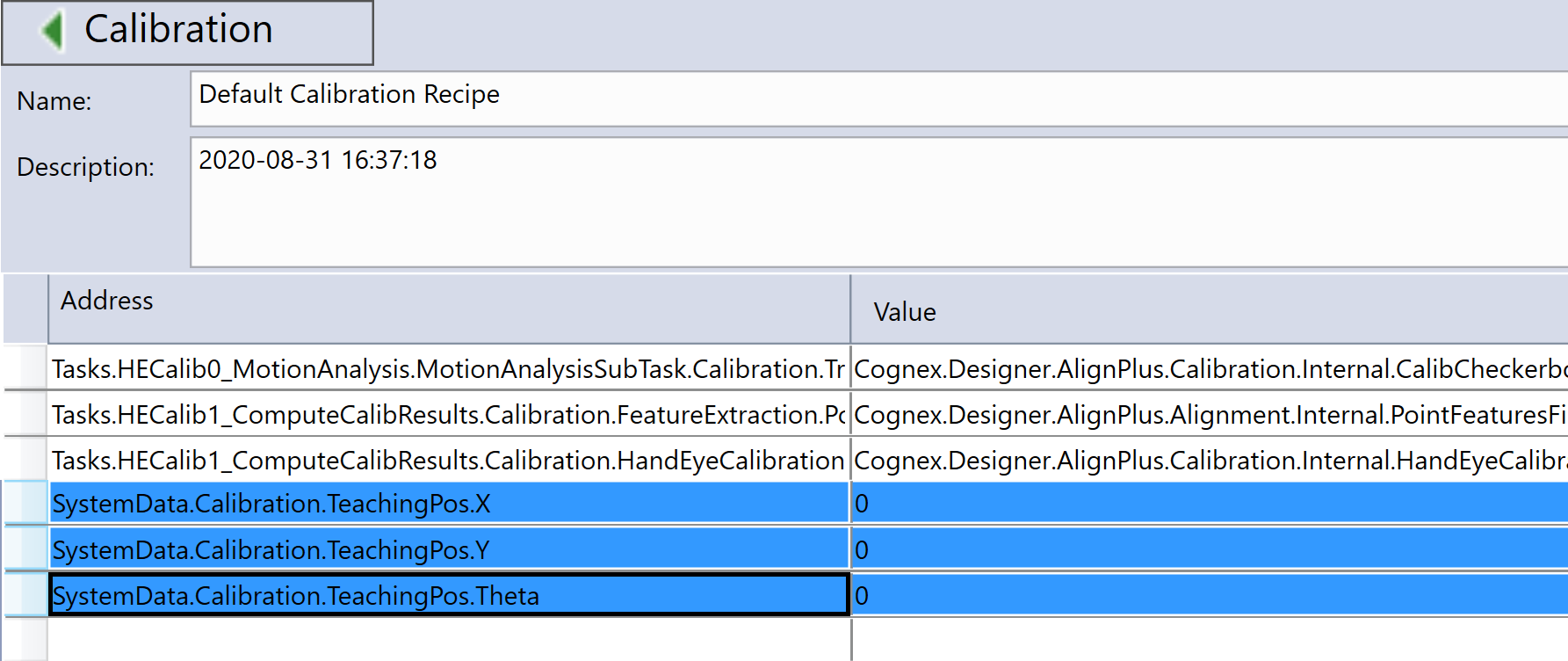
Open one of the Calibration recipes and, add these three tags into it.
-
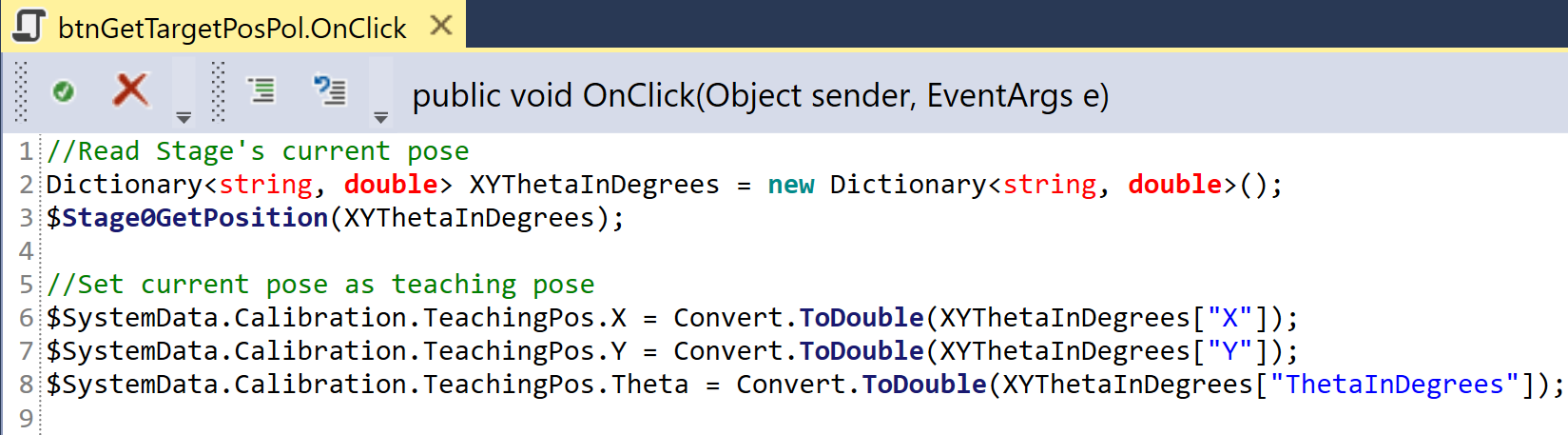
Create a button besides the text boxes on HMI; within its OnButtonClicked event, add code to obtain teaching pose.
Here is an example of using stage's current pose as teaching pose:
Enable Recipe Saving
When user changes the value of a customized tag which has been manually added to one of the acquisition/calibration/alignment recipes, you may want to remind him/her to save recipe before the program is closed. However, the product recipe page in this case shows nothing is changed and thus no need to save recipe. This is because the product manager only monitors the value changes of auto-generated tags when the application was generated by configuration wizard, and decides whether to enable recipe saving or not. To change this, you can add a script as below to force product recipe to recognize data change and enable its recipe saving function:
$SystemState.CalibrationRecipeDirty = true;
After the script above is called, the product manager will render the product recipe page as below for you to manually save recipe or remind you of recipe saving if you directly exit program without saving.
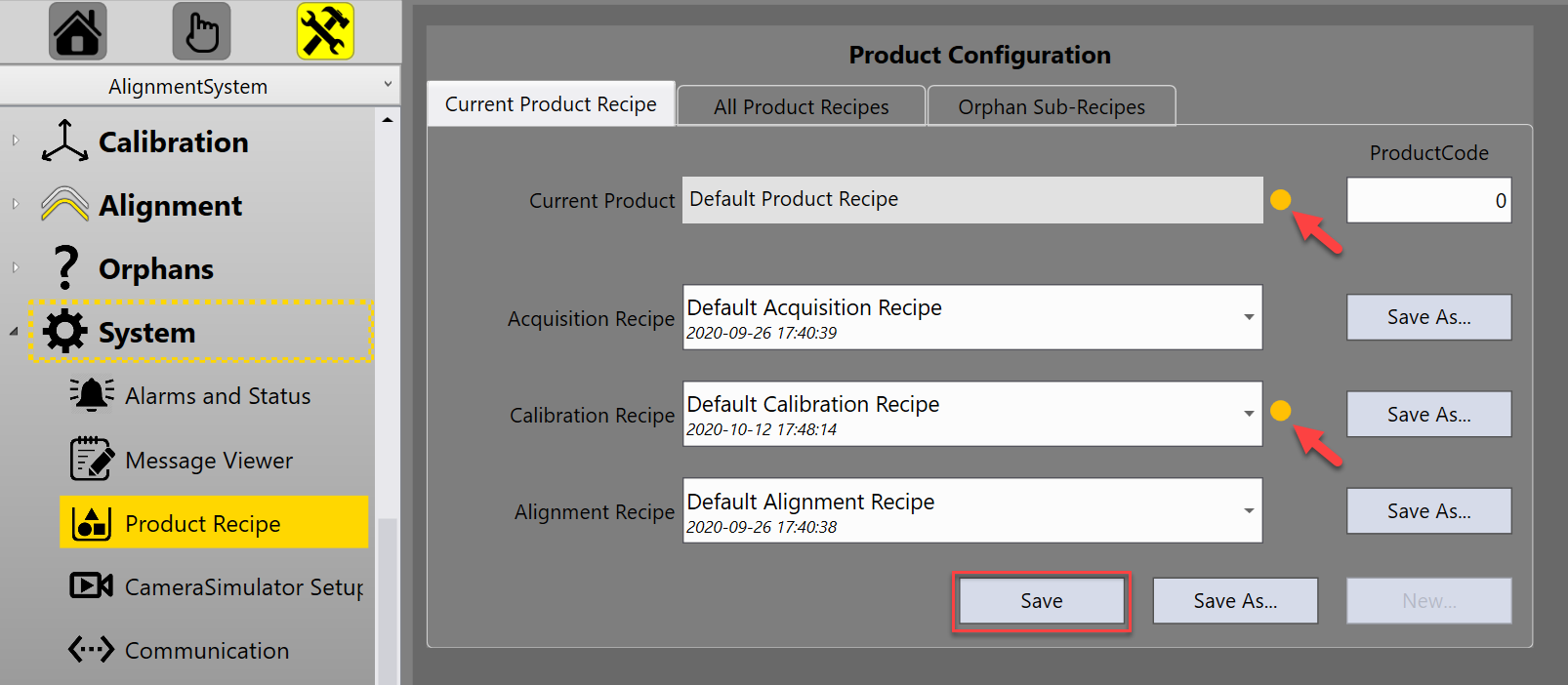
If you want to save recipe right after the tag's value is changed, you can also call product manager to save current recipe after notifying the changes.
$SystemState.CalibrationRecipeDirty = true;
$Components.ProductManager.SaveCurrentRecipe();
Modify Exit Recipe
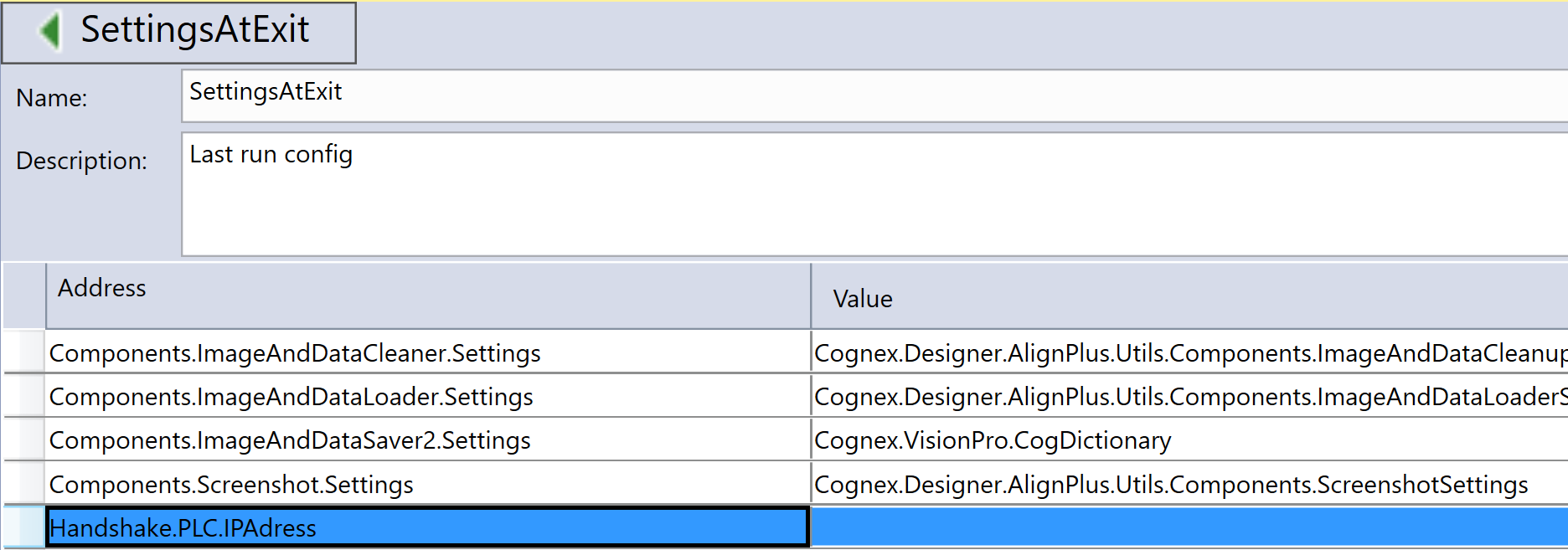
If values of some tags should be preserved after the program is rebooted(for example: PLC's IP address), you can add these tags to SettingsAtExit recipe. This recipe will always execute recipe saving automatically before program is closed, you do not need to add any extra script to save them.